BidWise guide · Your data, backups and support
Recovery Key and BidWise Emergency Key: Get Your Bids Back
Your bids are locked with a company key that every team PC holds. The printed recovery key opens them on a new PC if every PC is lost; the BidWise emergency key is the backup to that printout, read to you by BidWise support after checking who is calling. The Master user prints the recovery key in Settings › Backup / restore and uses it in About › License info › Recover company bids.


Why it matters
Bids in the company copy are locked so nobody outside your company can read them, not even if the folder is copied. That lock needs a key you can never lose.
The six steps
- Know the three keysCompany key, recovery key, emergency key.
- Print the recovery keyPrint it, store it off the PCs.
- Keep or drop the emergency keyOn: BidWise can help. Off: only you can.
- Lost the printout?Print a new key; the old one stops working.
- Every PC lost: recoverAbout › License info › Recover company bids.
- What can go wrongCommon snags and the fix for each.
1Know the three keys

Before a bid goes into the company folder, BidWise locks it with your company key. Every team PC has that key, so day to day you never see it. Even if someone copies the folder, they can't open a bid.
Two keys cover the day every PC is gone. The recovery key is a printout the Master user keeps. The BidWise emergency key is the backup to that printout: BidWise support can read it to you, after checking who is calling. Both live in Settings › Backup / restore, on the company copy card.
2Print the recovery key and put it somewhere safe
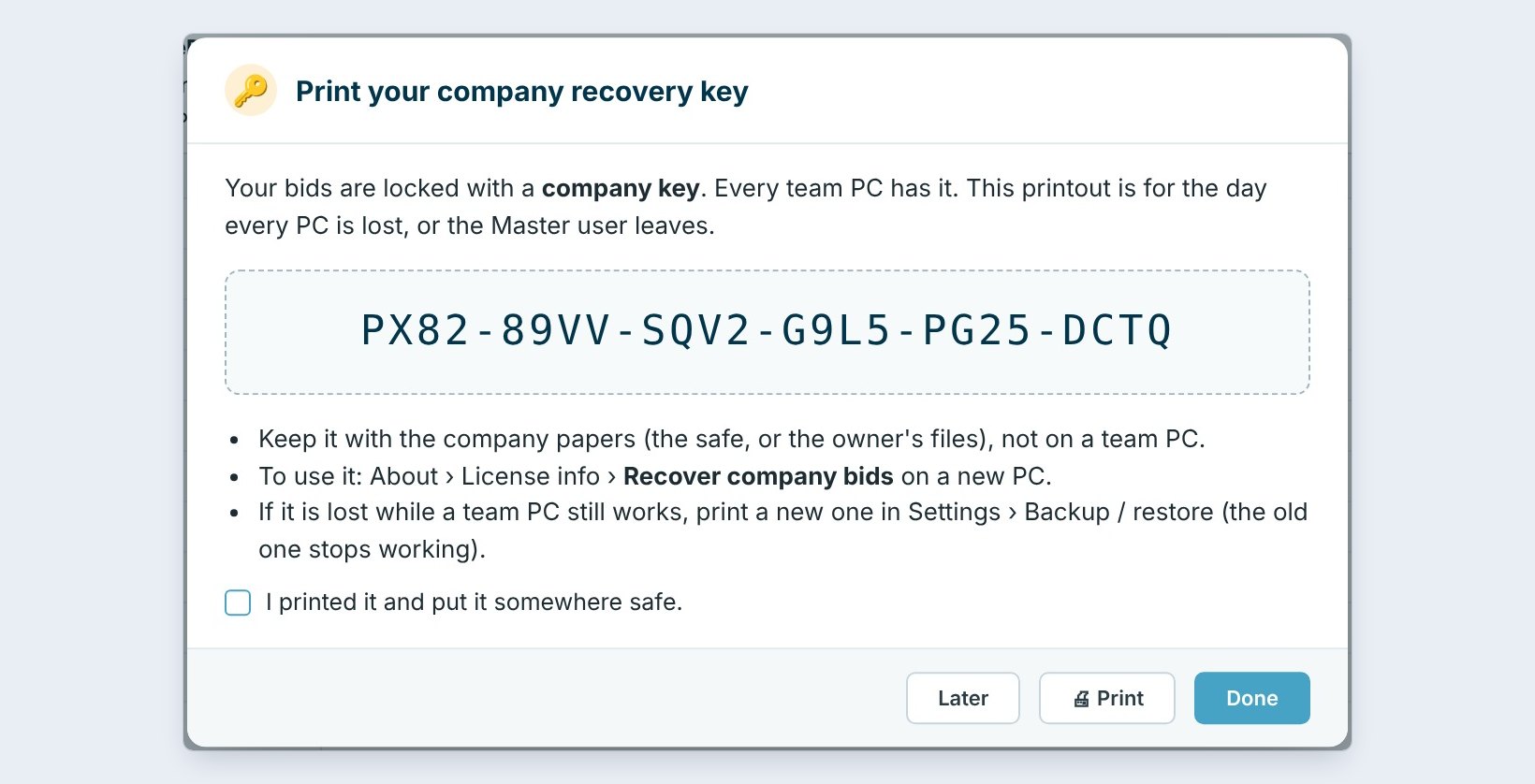
The Master user clicks Print recovery key. The window shows a 24-character key in six groups and three rules: keep it with the company papers, the safe or the owner's files, not on a team PC; use it in About › License info › Recover company bids; and if it is lost while a team PC still works, print a new one.
Click Print, tick I printed it and put it somewhere safe, then Done. The card now says Printed. Until then, BidWise keeps reminding the Master user.
Don’t save the key as a photo or a file on a team PC. If that PC is stolen, the thief has the key and the bids. Paper in the safe is the point.
3Decide on the BidWise emergency key
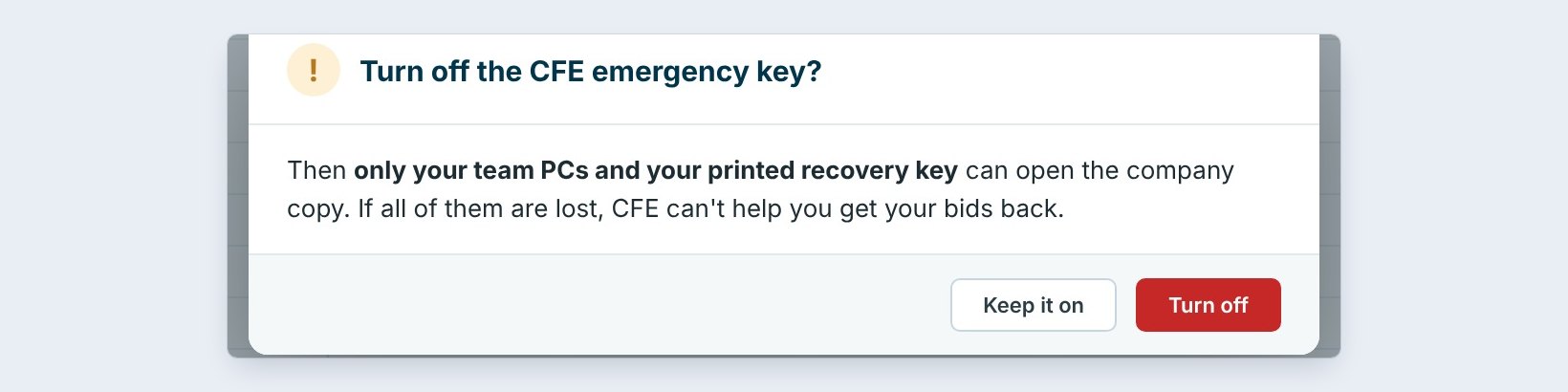
The BidWise emergency key is On by default. If the printout is lost too, call BidWise support: after checking it's really you, they read you the key over the phone. You are emailed every time it is used, so nobody can use it quietly.
Some owners want nobody outside the company able to help. Click Turn off, and BidWise asks once more: then only your team PCs and your printed recovery key can open the company copy, and if all of them are lost, BidWise can't help you get your bids back. Most companies keep it on.
4Lost the printout? Print a new one
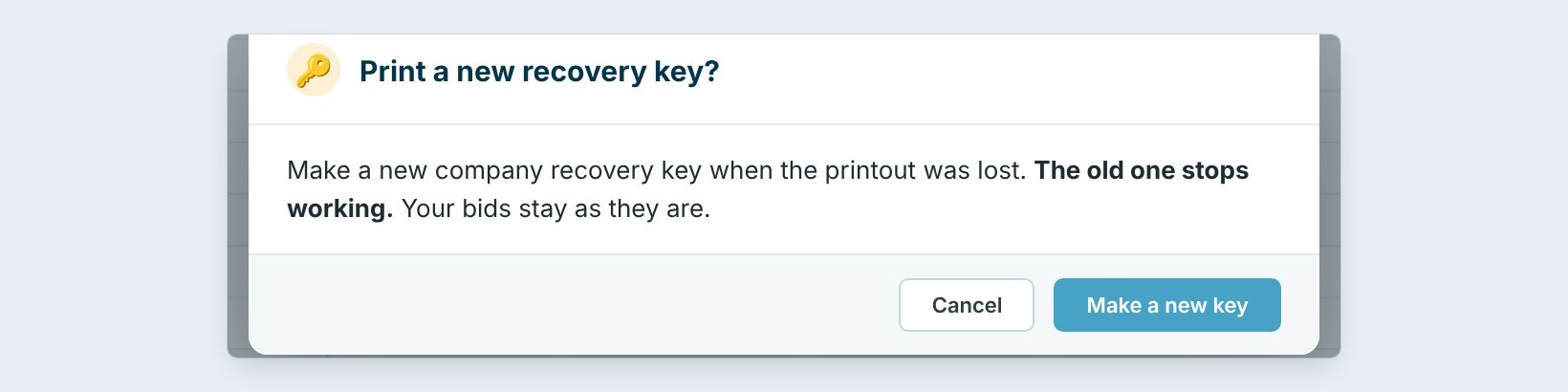
The printout went missing, or someone who saw it left the company? While any team PC still works, click Print a new recovery key. BidWise makes a new key, and the old one stops working. Your bids stay exactly as they are.
Print the new one, store it, tick the box. Shred the old sheet if you find it.
5Every PC lost: recover the company bids
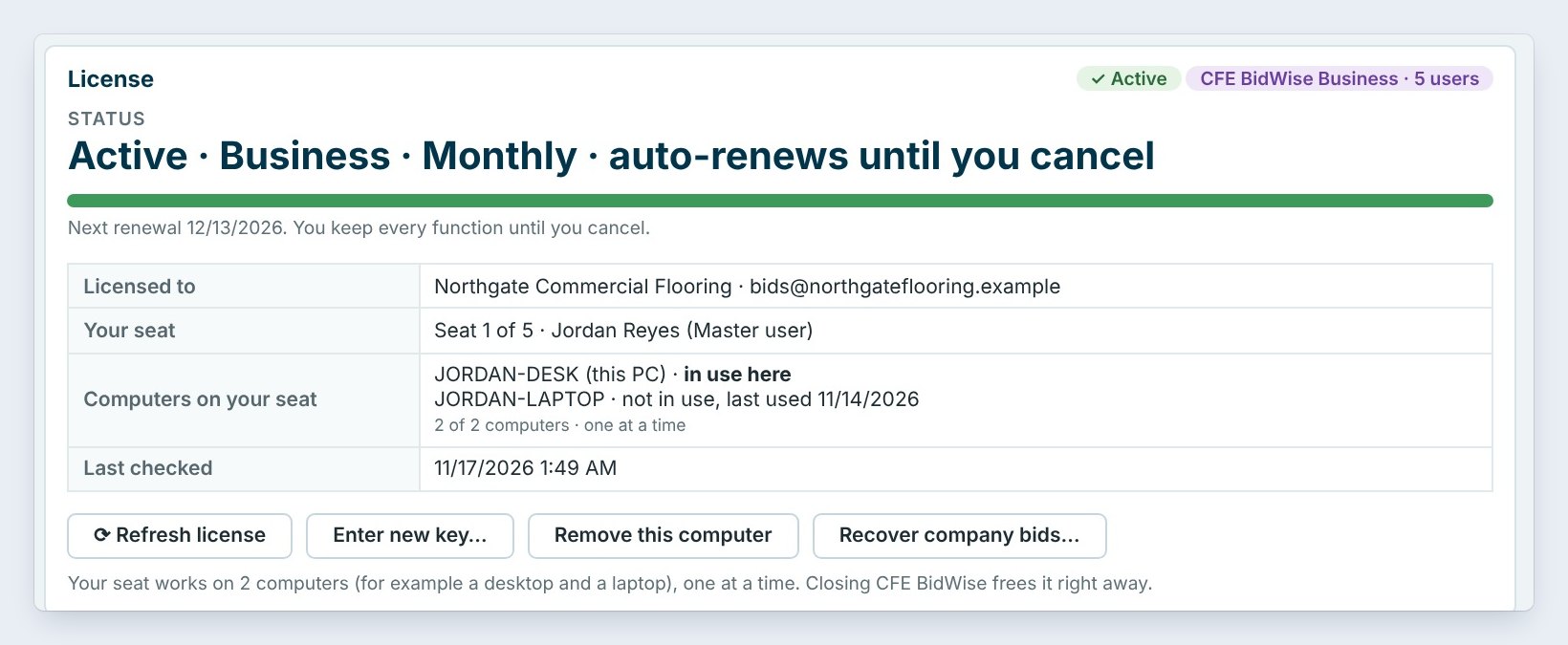
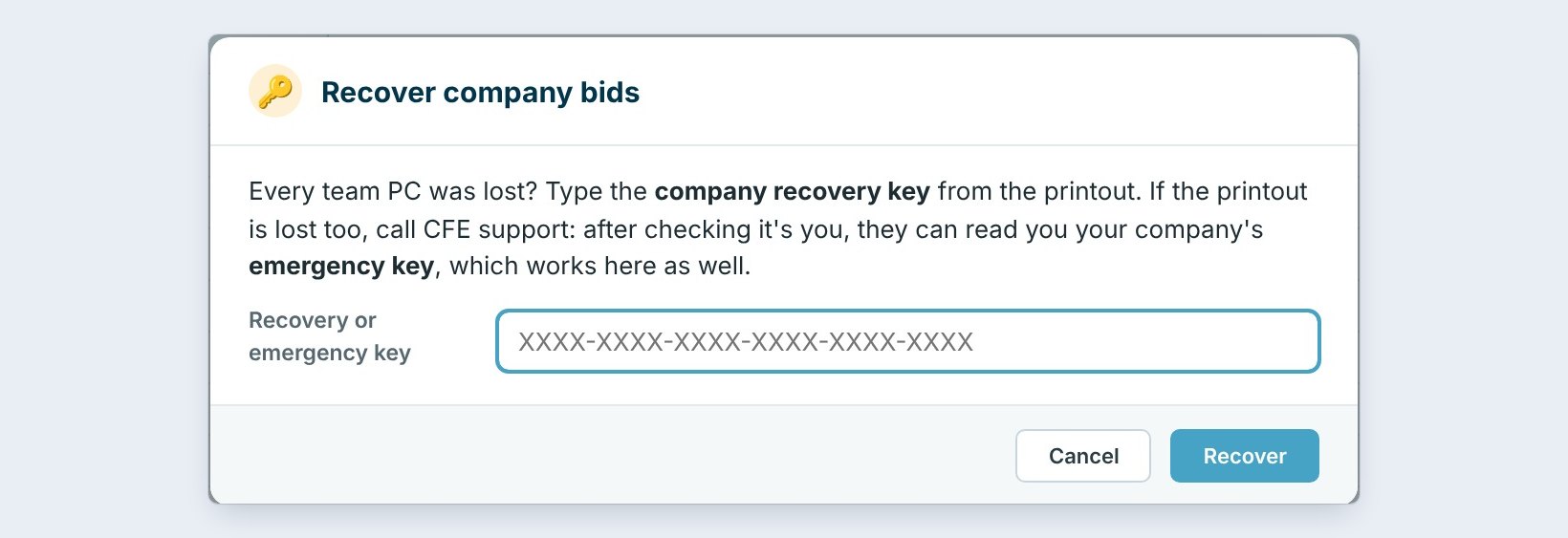
Fire, flood, or a break-in took every PC. On a new PC, install BidWise, sign in as the Master user, and point the company copy at the same shared folder. Then open About › License info and click Recover company bids.
Type the 24 characters from the printout and click Recover. No printout? Call BidWise support for the emergency key; it works in the same box. The company key comes back and your own bids come back from the company folder. Hand the team's bids to each estimator with Integrate › Team › Bring back bids.
6What can go wrong, and how to fix it
That key is not right. Check each group of 4. The key never uses the letters O or I, so those are zeros and ones. If a newer key was printed since, only the newest works. Recover company bids is missing. Only the Master user sees it, and only on a PC without the company key.
The Master user is leaving. Before they go, they hand the Master role to someone else in Integrate › Team; nothing about the bids changes. The new Master user prints a new recovery key. You got an emergency key email you didn't expect. Call BidWise right away.
Worked example: three bad days, and the way back
Northgate Commercial Flooring, 5 team PCs, recovery key printed and in the office safe, emergency key on:
| What happened | What gets the bids back | Who does it |
|---|---|---|
| One laptop stolen | Nothing to do: the other PCs still have the key | Master removes the laptop in License info |
| Recovery sheet lost, PCs fine | Print a new recovery key; the old one stops working | Master user, 2 minutes |
| Office fire, every PC gone | New PC, Recover company bids with the printed key | Master user, 10 minutes |
| Fire, and the safe too | BidWise support reads the emergency key after checking who is calling | Master user and BidWise support |
With the emergency key off, the last row has no way back. That is the trade-off.
What to do next
Next: get on-screen help from BidWise with Remote Support.
Keep every bid safe
The company copy, recovery key and BidWise emergency key come with BidWise Business. Start with the 30-day free trial, no credit card.
Frequently Asked Questions
Can BidWise read my bids?
No. Bids are locked with your company key before they leave your PC, and BidWise’s server keeps only the locked keys and who owns which bid.
Do I need the recovery key for a new estimator’s PC?
No. New team PCs get the company key as they join. The recovery key is only for the day every PC is lost.

Written by
Cristian Valcu – Founder & CEO, Commercial Flooring Estimating LLC
Cristian has estimated commercial flooring for over 20 years and built BidWise around the way flooring contractors actually price, propose and track their bids.
Last updated: