BidWise guide · Tracking and reports
QuickBooks Sync, Day to Day: Jobs, Payments, Bills
Once QuickBooks Online is connected, BidWise checks it every few minutes and shows, for every Won job, what QuickBooks invoiced, what was paid and what is still open. Needs attention catches overdue jobs and estimates someone changed in QuickBooks, the Activity log records every move both ways, and Accounting sends bills to QuickBooks and brings bill payments back.


Why it matters
The estimator sees the money on the job without asking the bookkeeper, and the bookkeeper never retypes a bid.
The six steps
- Read the dashboardSent, invoiced, paid and open, per job.
- Let it refreshAuto-refresh every 5 minutes, alerts.
- Handle Needs attentionOverdue and Changed in QuickBooks.
- Check the Activity logEvery send and every change, both ways.
- Bills out, payments backAccounting sends bills; payments return.
- What can go wrongCommon snags and the fix for each.
1Read the QuickBooks dashboard
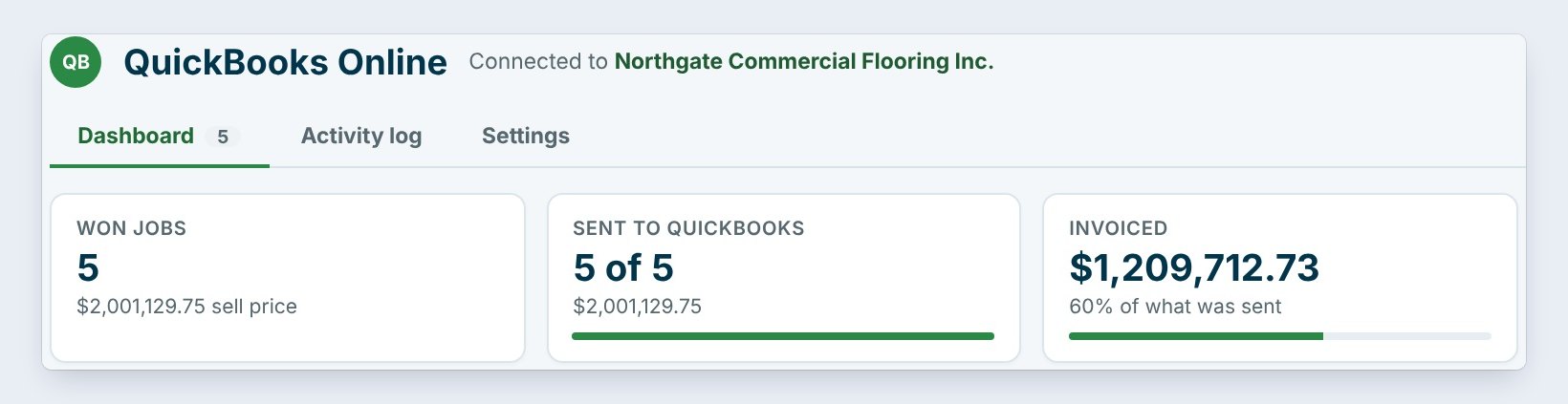
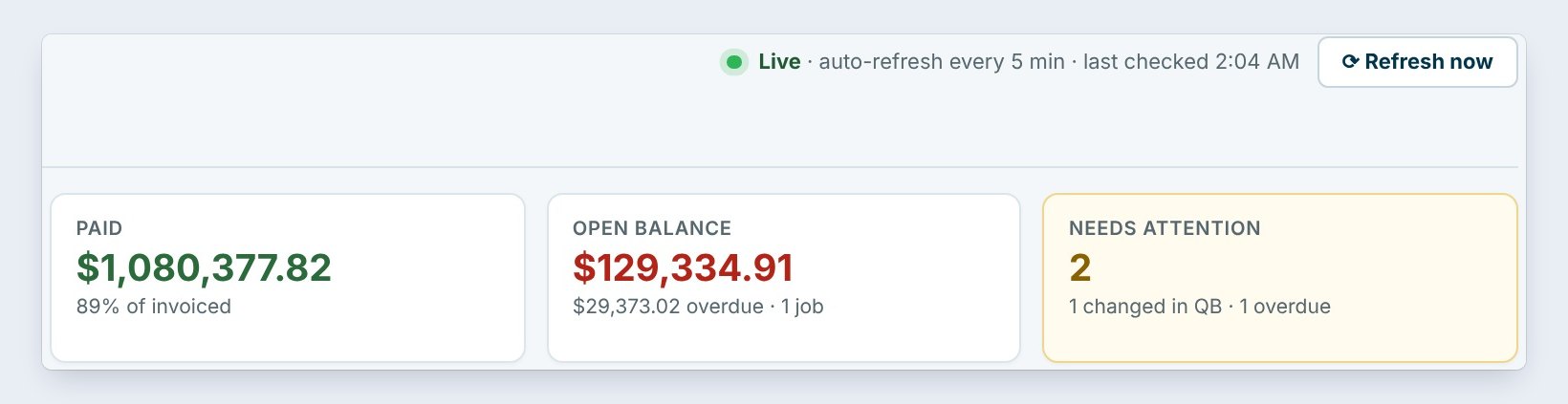
The QuickBooks Online tab opens on the Dashboard. The tiles say it all: 5 of 5 Won jobs sent, $1,209,712.73 invoiced in QuickBooks, which is 60% of what was sent, $1,080,377.82 paid, $129,334.91 still open, of which $29,373.02 is overdue on one job, and 2 jobs that need attention.
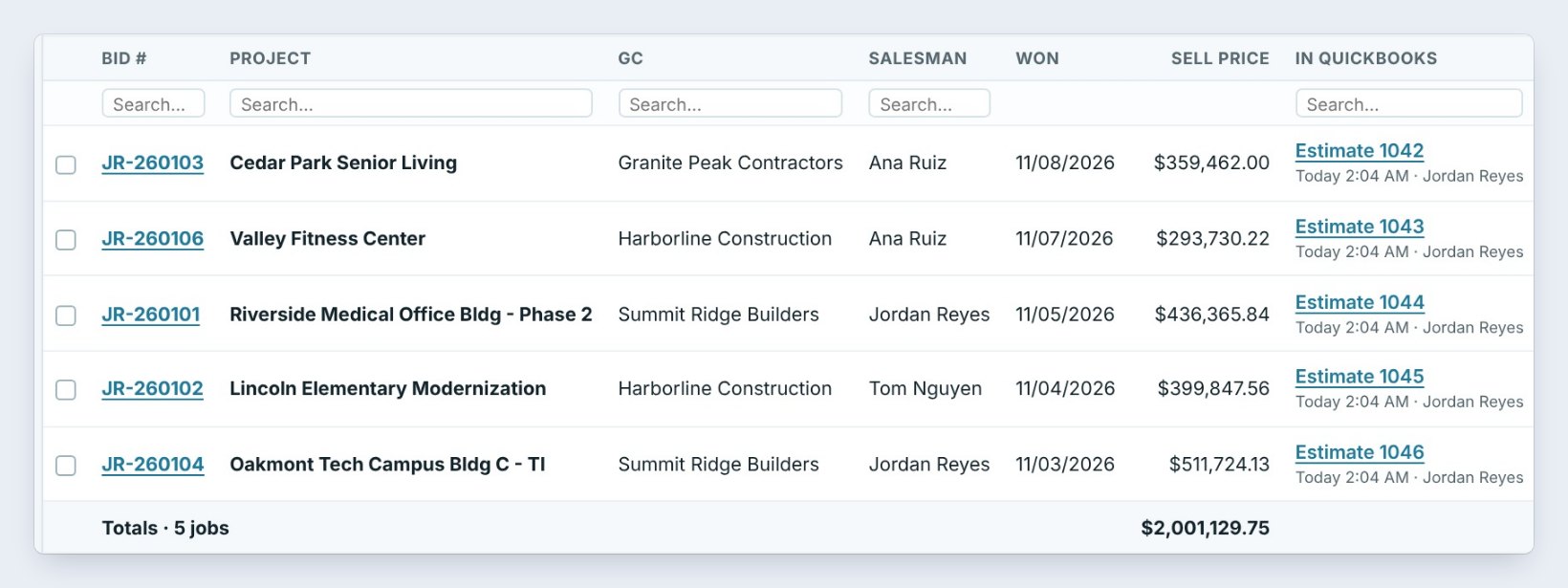
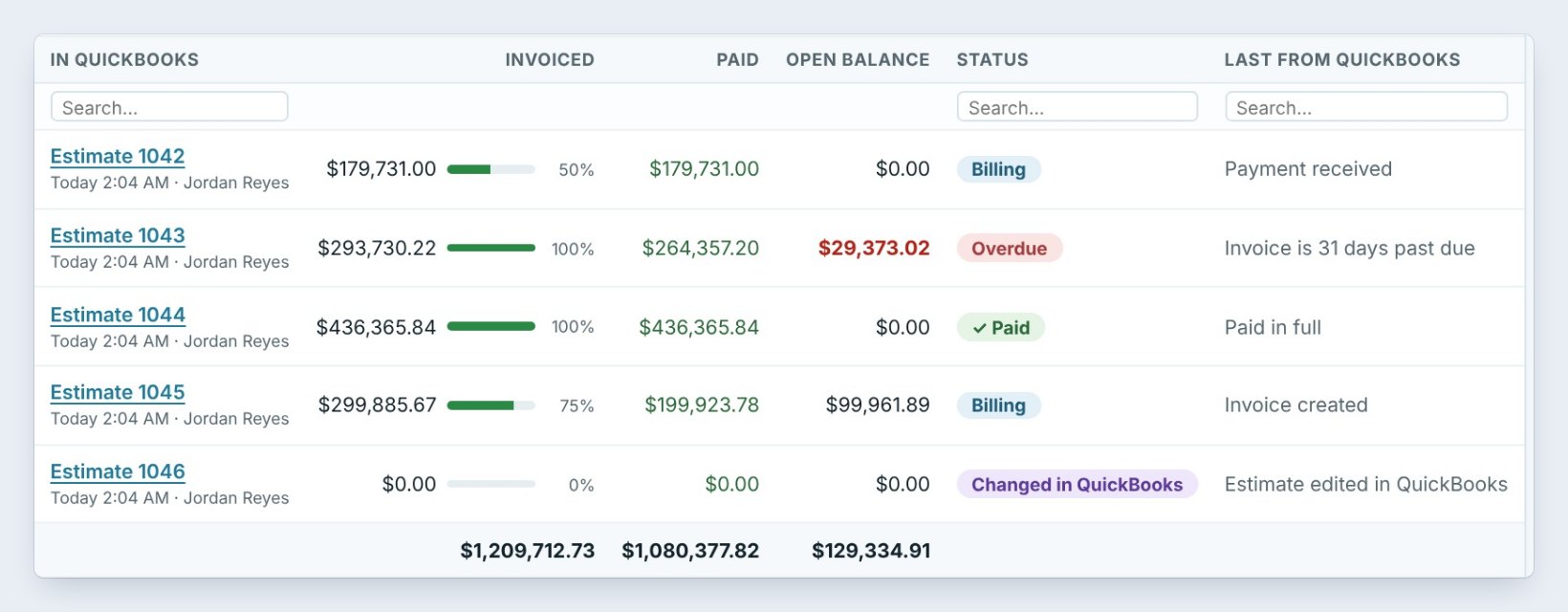
Each row is a Won job: its QuickBooks Estimate number, how much is invoiced with a progress bar, what is paid, the open balance, a status, and the last thing from QuickBooks, such as Payment received or Invoice created. Click the estimate number to open it in QuickBooks.
2Let it refresh by itself

You never have to type anything from QuickBooks. In the tab's Settings, Auto-refresh checks QuickBooks for changes every 5 minutes while the PC is online; pick 10, 15, 30 or 60 if you prefer. Refresh now at the top checks right away.
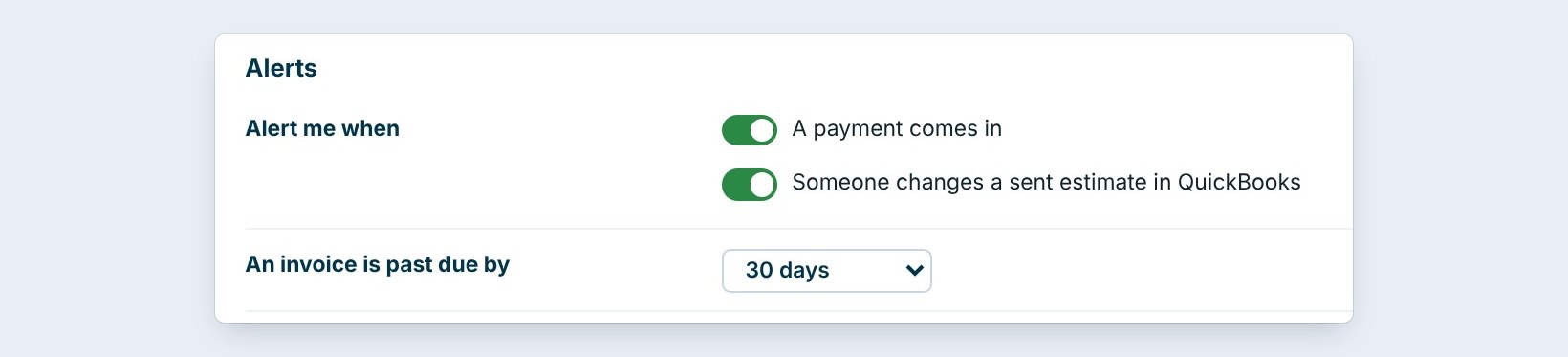
Under Alerts, choose what pops up: A payment comes in, Someone changes a sent estimate in QuickBooks, and An invoice is past due by 30 days, or the number you pick.
3Handle what needs attention
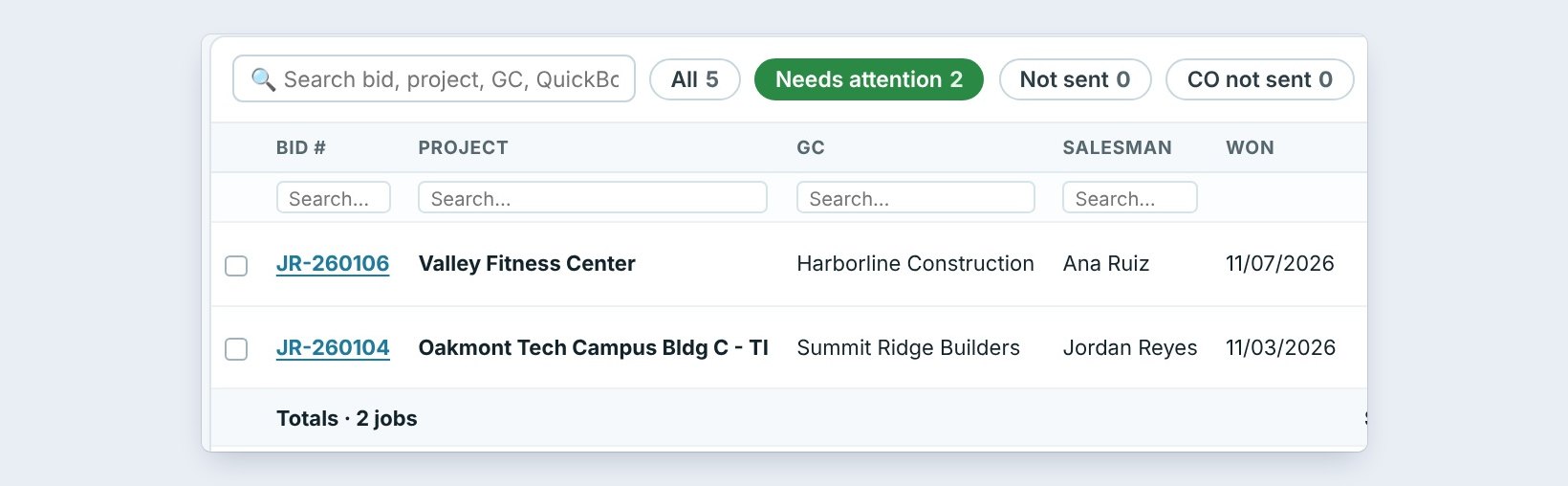
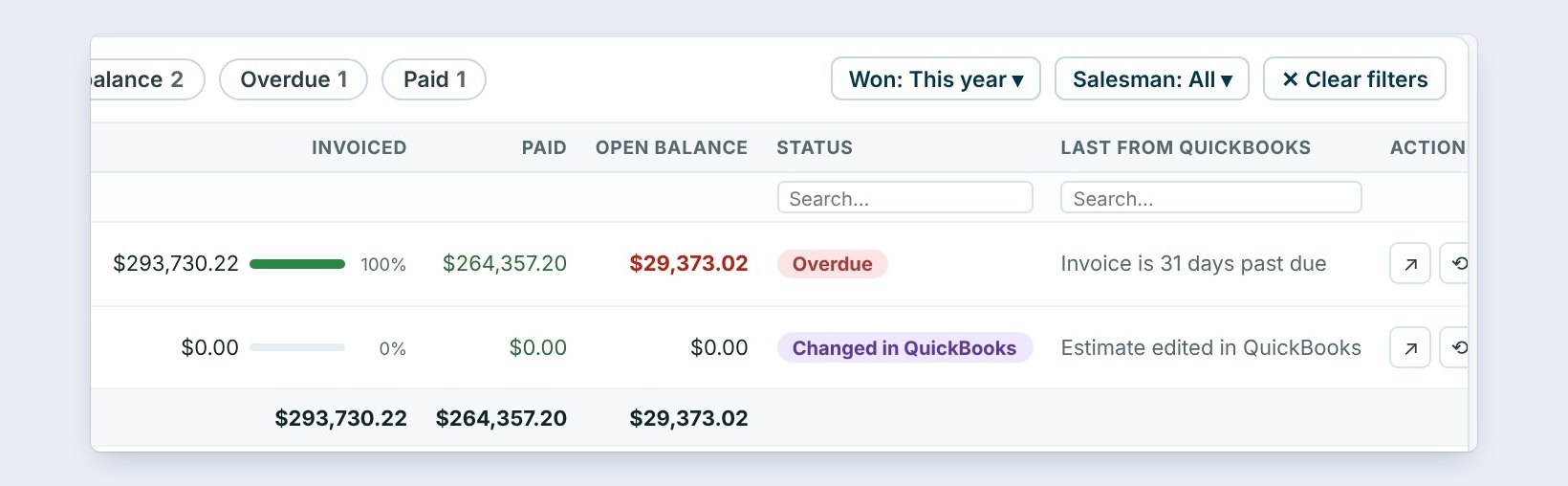
Click the Needs attention chip. Two jobs are left. Valley Fitness Center is Overdue: QuickBooks invoiced all $293,730.22, $264,357.20 came in, and $29,373.02 is 31 days past due. Call the GC's accounts payable.
Oakmont Tech Campus shows Changed in QuickBooks: someone edited the estimate there, so QuickBooks no longer matches the bid. Hover the status to see both totals. Editing an estimate is not a payment; to record money, the office creates an invoice from the estimate in QuickBooks and receives the payment there. If the change was a mistake, use Update in QuickBooks to send the bid's numbers again, as long as nothing was invoiced from it yet.
Send change orders with Send change order, never by editing the QuickBooks estimate by hand. Then BidWise, the GC and QuickBooks all show the same contract.
4Check the Activity log
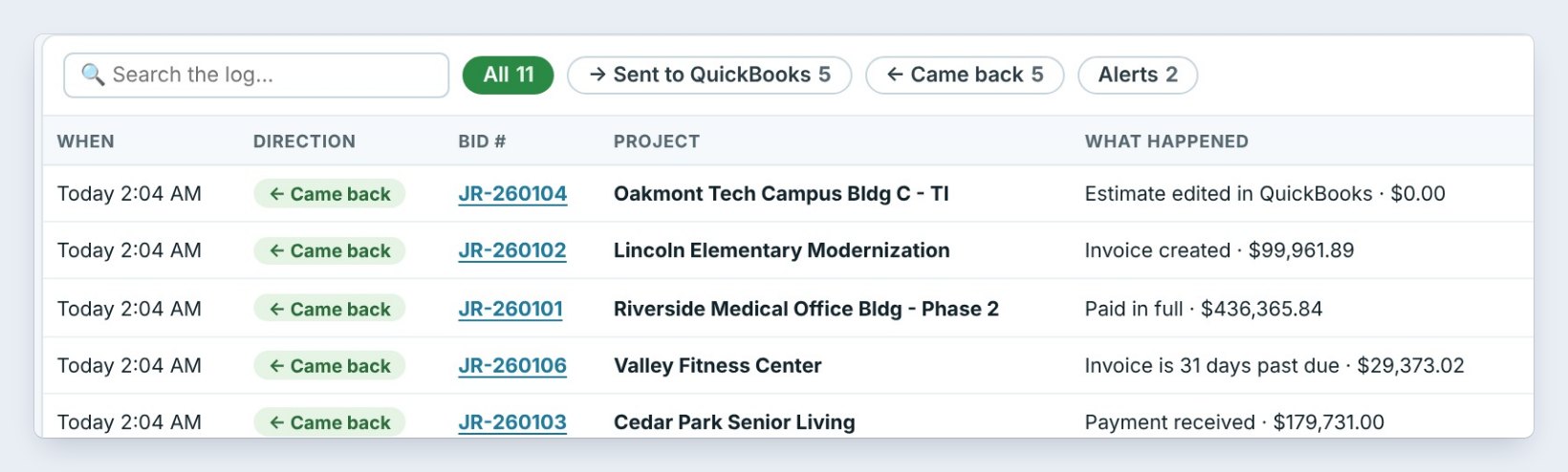
The Activity log lists every move with the time, the direction, the bid, the project and what happened. Sent to QuickBooks lines show who sent which estimate and for how much, always sell prices only. Came back lines show what QuickBooks reported: Payment received, $179,731.00, Paid in full, $436,365.84, Invoice created, an overdue invoice, or an estimate edited in QuickBooks.
Use the chips to see only what was sent, only what came back, or only the alerts.
5Send bills and get bill payments back
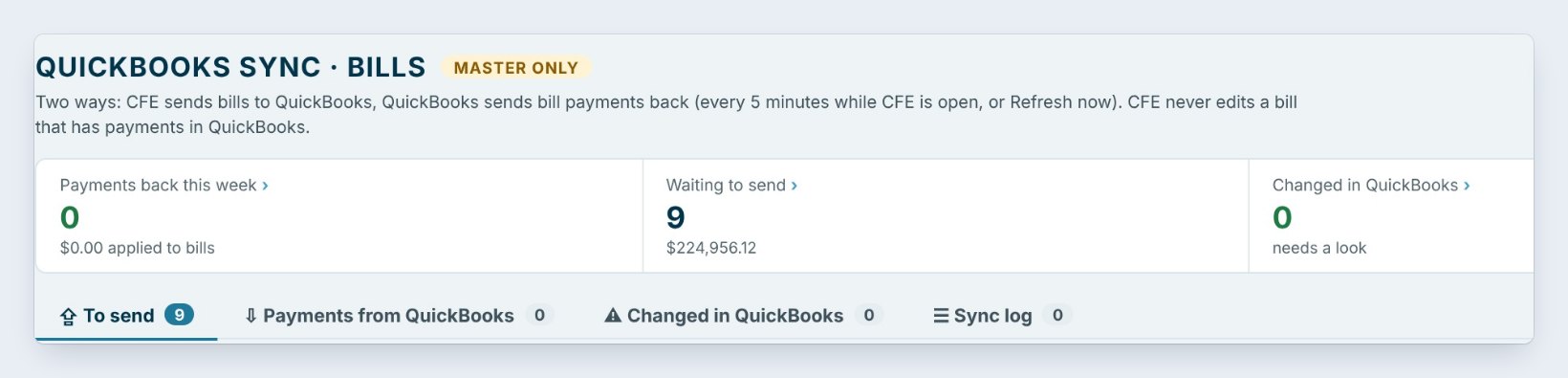
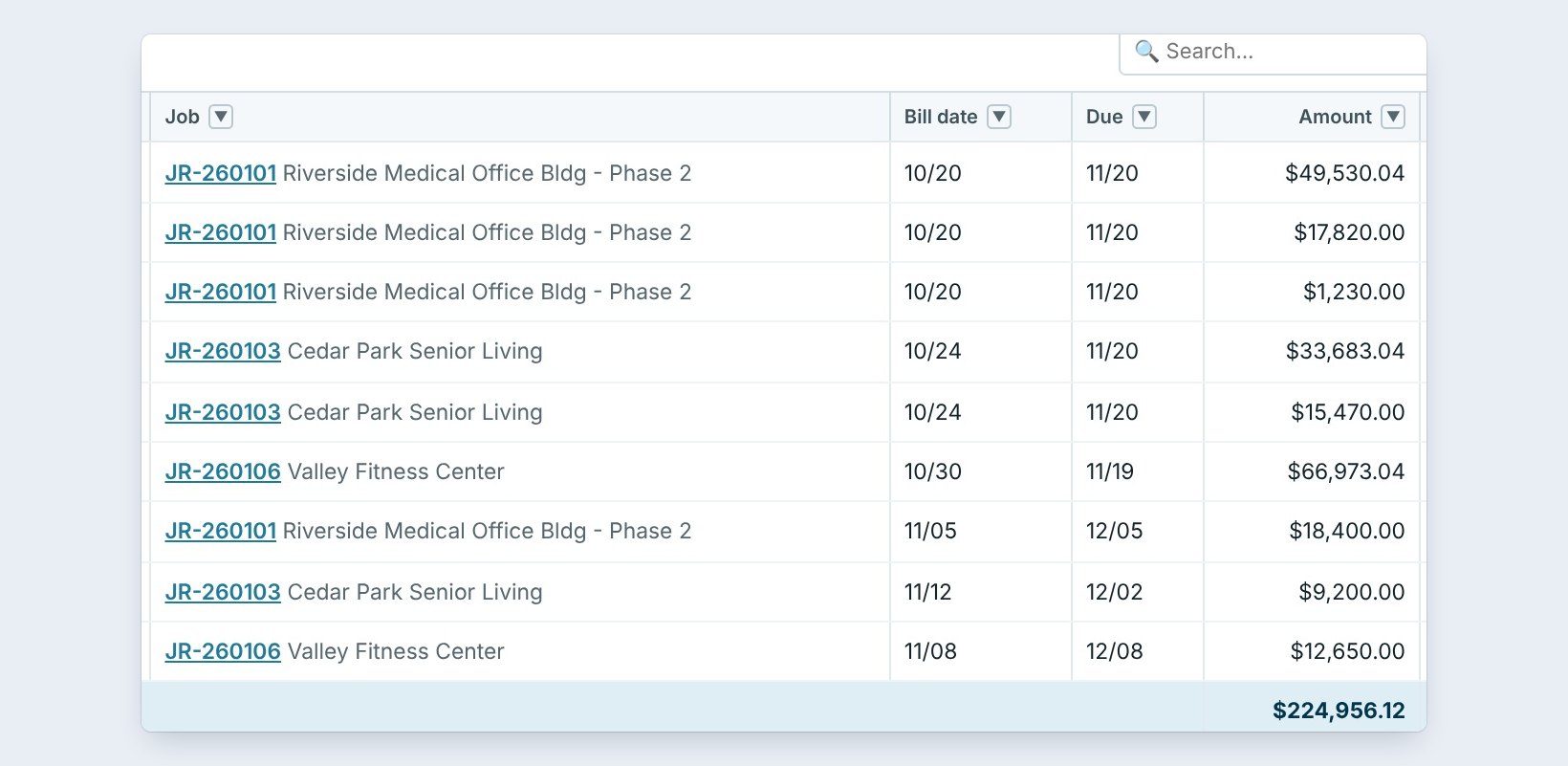
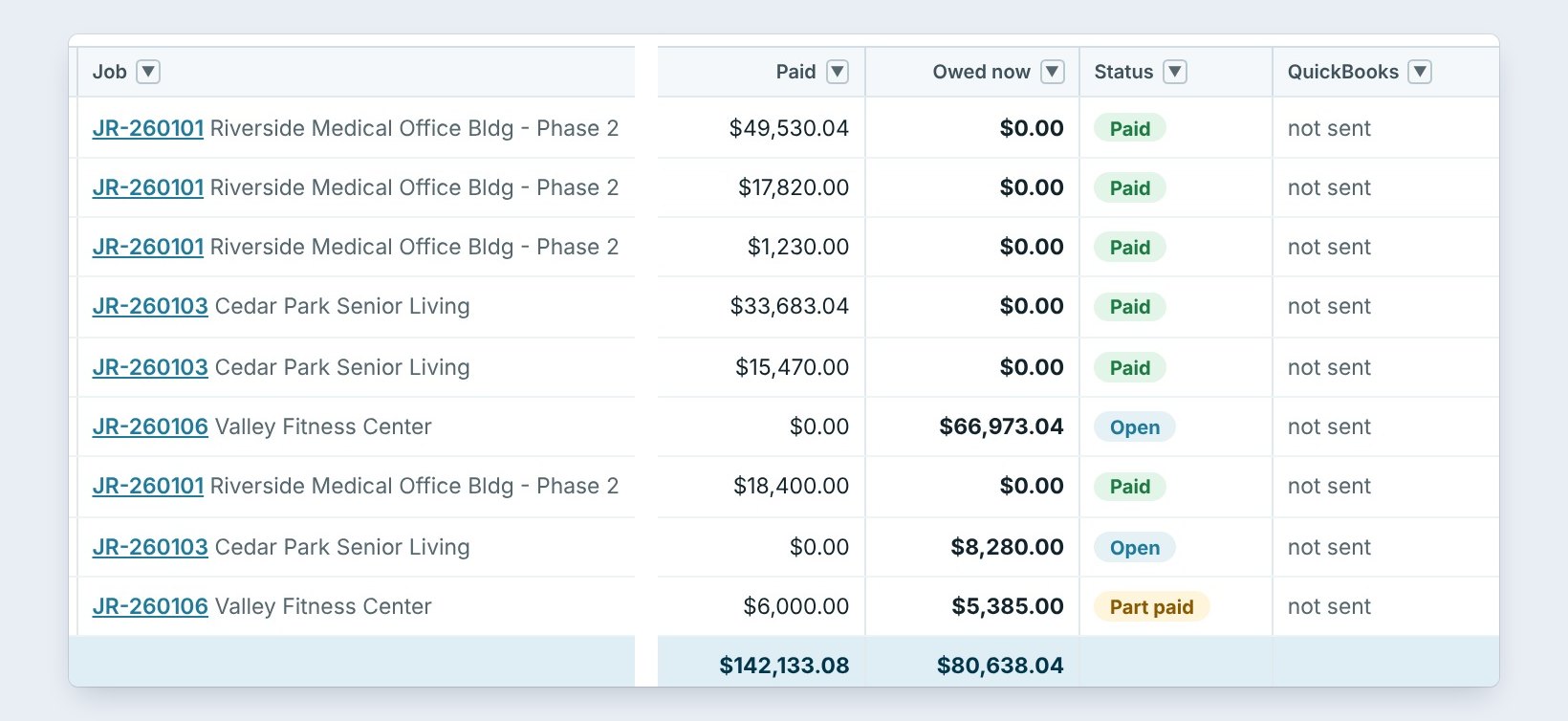
The money you owe syncs too. In Accounting › Send to QuickBooks, bills from vendors and subs go to QuickBooks, and bill payments made there, by hand, with Bill Pay or from the bank feed, come back every 5 minutes while BidWise is open.
The tabs are To send, here 9 bills for $224,956.12, Payments from QuickBooks, Changed in QuickBooks and the Sync log. Tick bills and click Send ticked, or Send 9 ready. Turn on Send new bills by themselves and every new bill goes over when it is saved. BidWise never edits a bill that has payments in QuickBooks.
6What can go wrong, and how to fix it
Deleted in QuickBooks. Someone deleted the estimate there. Send the job again, or mark it as entered by hand if the office keeps it another way.
A bill changed in QuickBooks. Open it in Changed in QuickBooks and pick Keep BidWise or Use QuickBooks amount. Numbers look old. Click Refresh now; auto-refresh only runs while the PC is online. The tab says to reconnect. The Master user clicks Connect again; jobs already sent stay linked.
Worked example: one morning on the QuickBooks dashboard
Northgate Commercial Flooring, 5 Won jobs, all sent as estimates:
| Job | Invoiced | Paid | Open | Status |
|---|---|---|---|---|
| Cedar Park Senior Living | $179,731.00 (50%) | $179,731.00 | $0.00 | Billing |
| Valley Fitness Center | $293,730.22 | $264,357.20 | $29,373.02 | Overdue 31 days |
| Riverside Medical Office Bldg | $436,365.84 | $436,365.84 | $0.00 | Paid |
| Lincoln Elementary Modernization | $299,885.67 (75%) | $199,923.78 | $99,961.89 | Billing |
| Oakmont Tech Campus Bldg C | — | — | — | Changed in QuickBooks |
Two calls to make: Valley Fitness for the overdue $29,373.02, and the office about the Oakmont estimate edit.
What to do next
Next: who owes us money.
Run both books from one screen
QuickBooks Online comes with BidWise Business. Start with the 30-day free trial, no credit card.
Frequently Asked Questions
How often does BidWise check QuickBooks?
Every 5 minutes by default while the PC is online, or when you click Refresh now.
Can BidWise overwrite QuickBooks?
No. BidWise never edits an invoice or a bill that has payments in QuickBooks.

Written by
Cristian Valcu – Founder & CEO, Commercial Flooring Estimating LLC
Cristian has estimated commercial flooring for over 20 years and built BidWise around the way flooring contractors actually price, propose and track their bids.
Last updated: