BidWise guide · Warehouse
Check In a Delivery Against the PO
Open Warehouse › Receive, pick the delivery and type what really came on each line of the PO. BidWise marks anything short as back-ordered with a new date, keeps damaged material off the job, records the dye lots and the bin, emails the PM about what is missing, and prints a receiving slip for the file.


Why check in against the PO?
The driver wants a signature, the packing slip says shipped complete, and nobody counts the cartons until the crew opens them on site. A short delivery found on install day costs a crew day; a second dye lot found after the floor is down costs the floor.
Receiving against the PO in BidWise takes two minutes at the dock, and everyone sees the result: Ordering, the Warehouse dashboard, the job and the PM.
The five steps
- Find the deliveryReceive lists every delivery still on order.
- Count each lineReceived, condition, rest due, actual cost.
- Record dye lotsSplit a line into lots, by area.
- Save, print the slip and labelsReceiving slip and job labels.
- What can go wrongMixed lots, late trucks, nothing on the list.
1Find the delivery on the Receive list
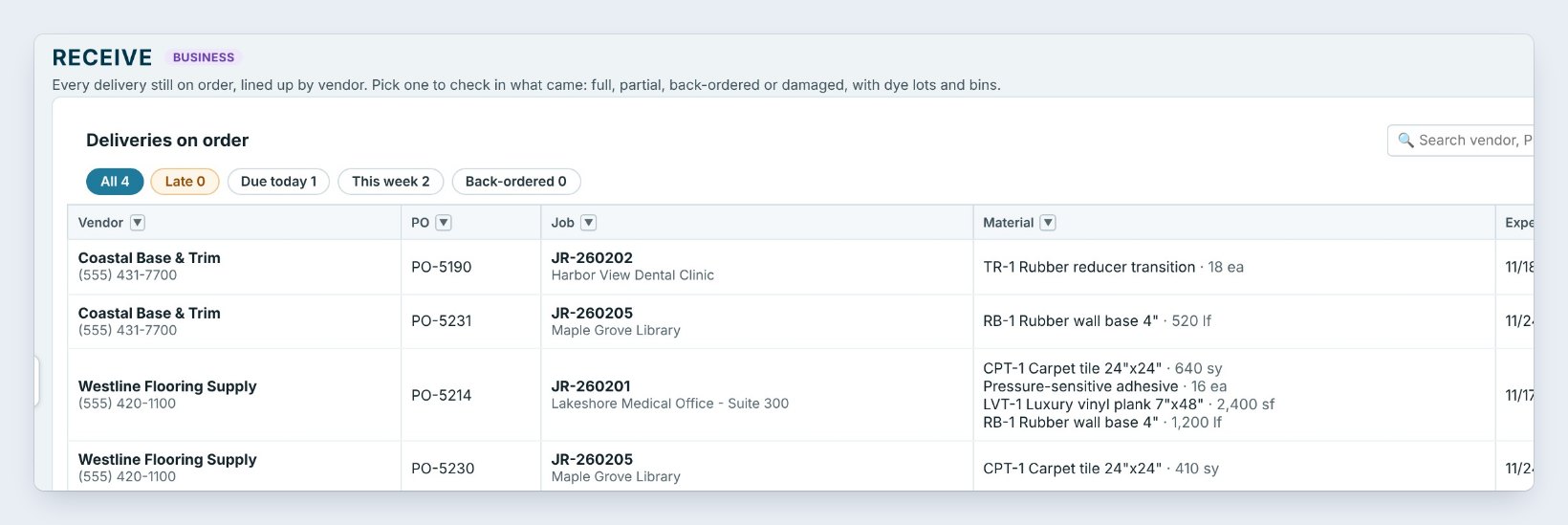
Open Warehouse › Receive. Every delivery still on order is listed by vendor: the PO, the job, the material and the Expected date, with a status of Due today, Late or Back-ordered. Use the chips or the search box to find the truck at your dock. Today it is PO-5214 from Westline Flooring Supply, four lines for Lakeshore Medical Office, Suite 300.
Click Receive on that row. A line only shows up here once it is ordered, on the job’s Material List or on a purchase order.
2Count each line against the PO
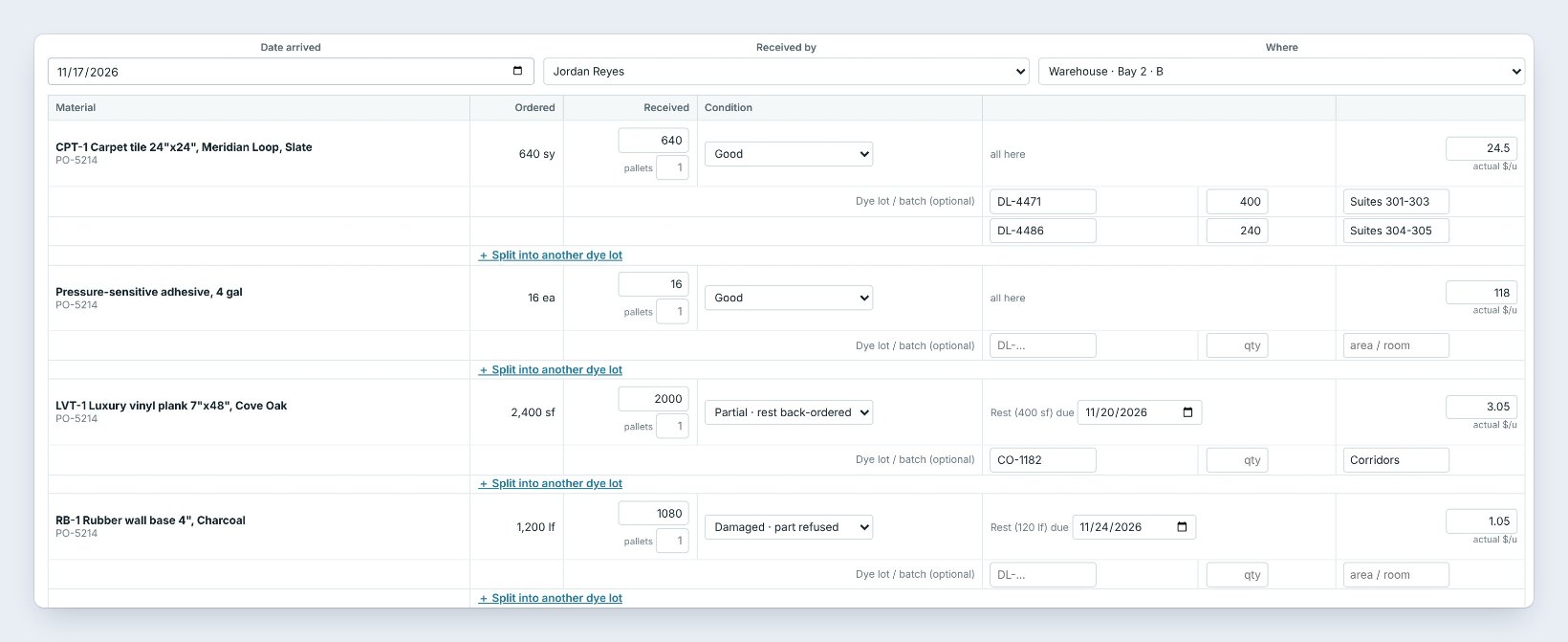
On top, check the Date arrived, Received by and Where it goes, here Bay 2 · B. Then go down the lines. Ordered is what the PO says; type what really came in Received, and under it how many pallets the line came on.
The carpet tile came in full: 640 of 640 square yards, Good. The LVT came 2,000 of 2,400 square feet, so the condition turns to Partial · rest back-ordered by itself, and you set when the other 400 is due: November 20. One carton of wall base was crushed and refused at the door, so the base is 1,080 of 1,200 linear feet, Damaged · part refused, with the rest due November 24.
The last column is the actual $/u from the invoice or packing slip. The LVT was bid at 3 dollars and 10 cents and billed at 3 dollars and 5 cents; type 3.05 and the job’s material cost follows the real price.
Type the note while the driver is still there, such as 1 carton of base crushed, refused at the door. It goes on the receiving slip and on the email to the PM, so the credit from the vendor is easy to ask for.
3Record the dye lots and where each one goes
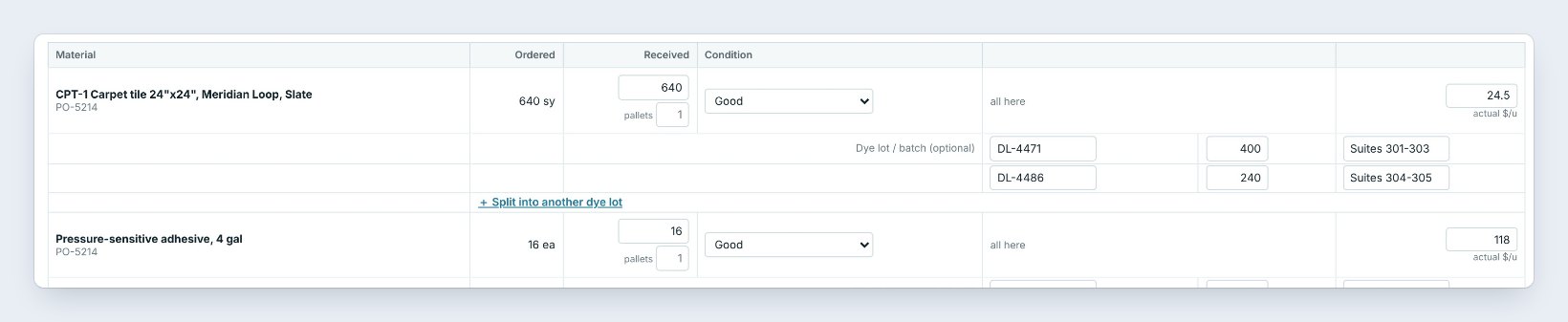
Under each line is Dye lot / batch. Type the lot from the carton label, the amount and the area it is for. When the cartons carry two lots, click Split into another dye lot: here 400 square yards of DL-4471 go to Suites 301 to 303 and 240 of DL-4486 go to Suites 304 to 305.
Dye lots print on the Installer and Warehouse work orders, so the crew lays one lot per area. You can turn lot tracking off in Warehouse › Settings › Track dye lots if you never need it.
4Save it, print the receiving slip and the job labels
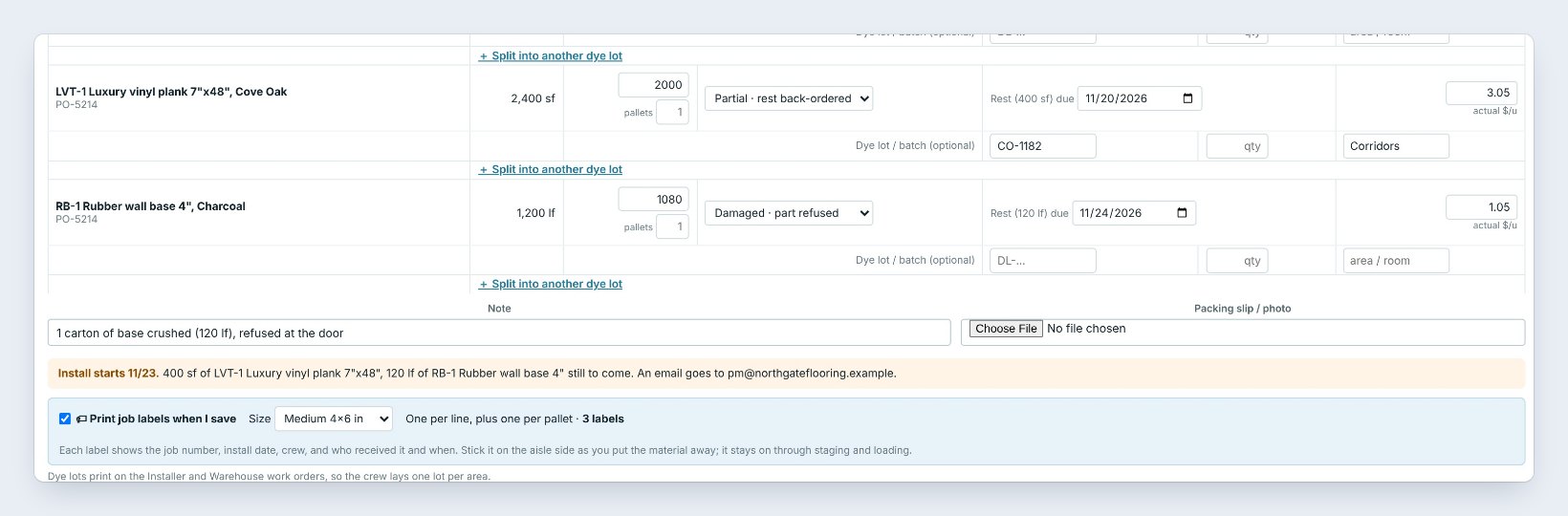
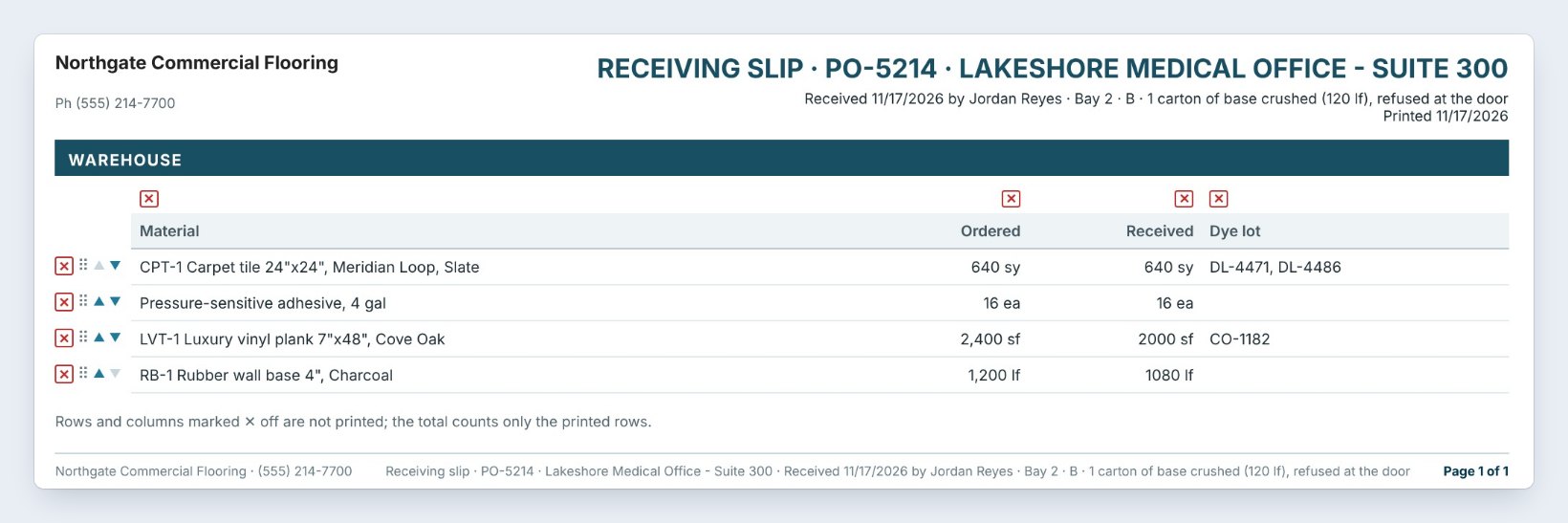
Before you save, the yellow box sums up the problem: Install starts 11/23, and 400 square feet of LVT and 120 linear feet of base are still to come. An email goes to the address in Warehouse › Settings › Email partial and damaged deliveries to, here the PM.
Click Save + receiving slip. The slip opens in Print Preview with each line ordered and received, the dye lots and the note; print it, save the PDF or staple it to the packing slip. Save delivery saves without the slip.
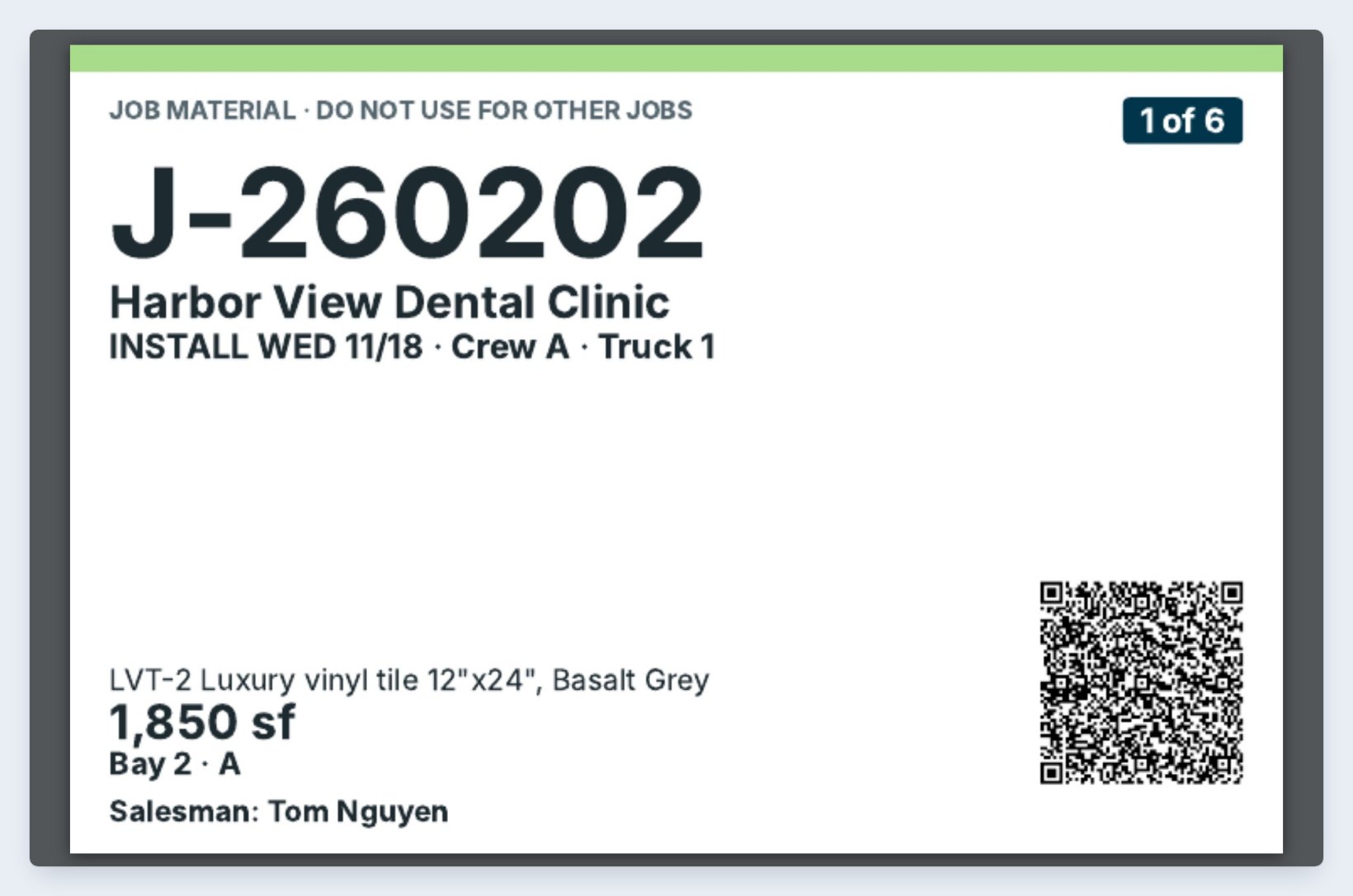
Leave Print job labels when I save ticked. It prints one label per line, plus one for each extra pallet, with the job number, the install date and who received it. Stick each label on the aisle side as you put the material away; it stays on through staging and loading, and a warehouse phone can scan it later.
5What can go wrong, and how to fix it
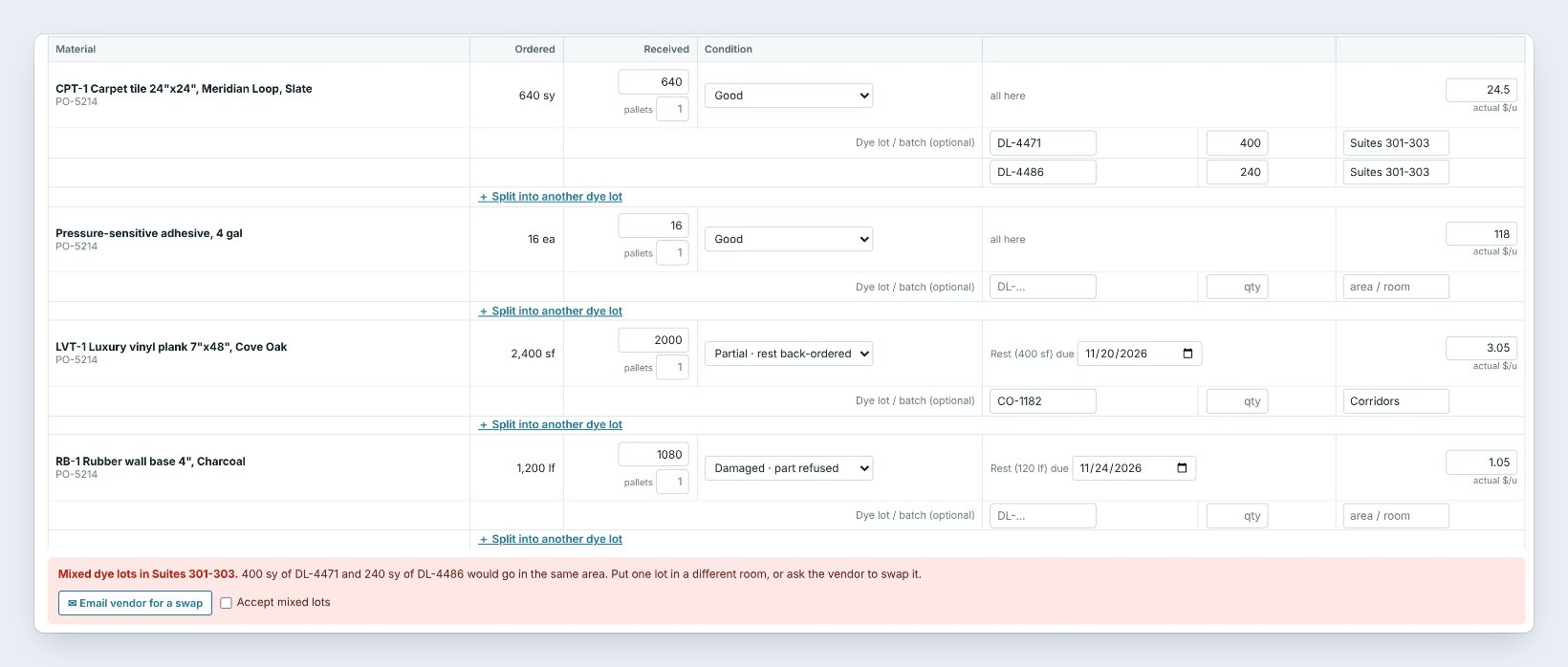

Two dye lots in one area. If both lots are marked for Suites 301 to 303, a red box says Mixed dye lots. Put one lot in a different room, or click Email vendor for a swap, which writes the email for you. If the owner signed off on the blend, tick the box to accept it and type why.
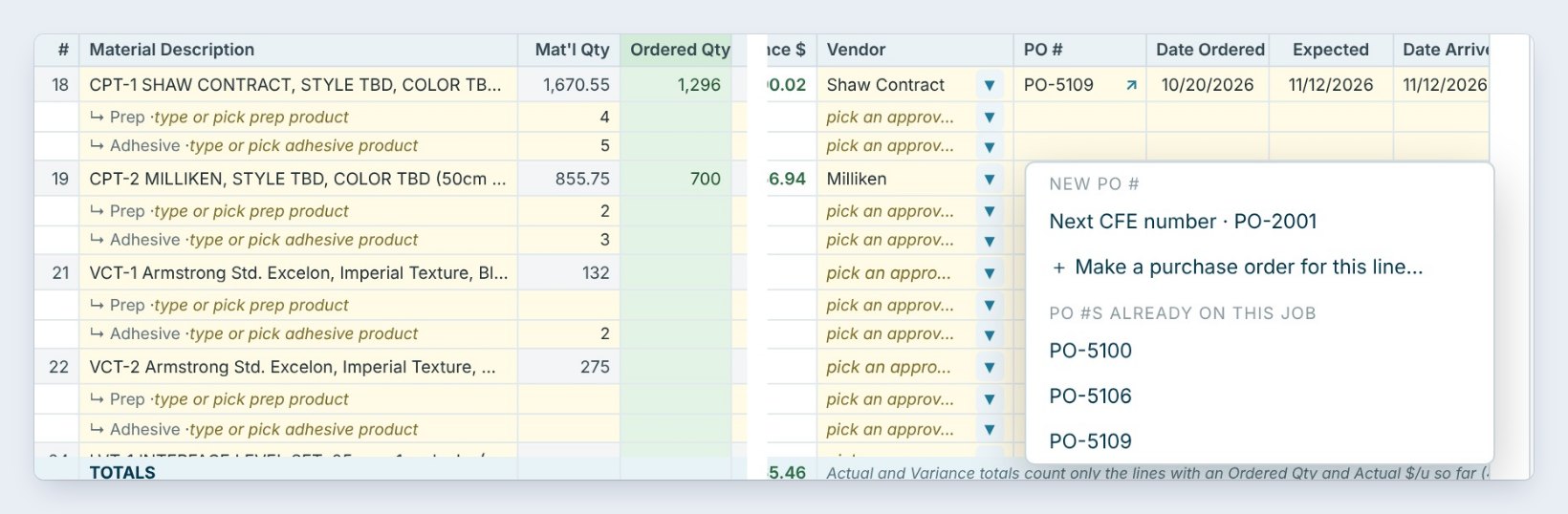
The delivery is not on the list. The line was never marked ordered. Open the job’s Material List or the purchase order in Ordering, set the PO and the date ordered, and it shows up on Receive.
The rest never comes. Back-ordered lines stay on the Warehouse dashboard Problems list and on Ordering › Order reminders until they arrive. When the truck shows up, tick it on the dashboard’s Late deliveries box if it came in full, or open Receive again for a partial.
Worked example: PO-5214 for Lakeshore Medical Office
Four lines from Westline Flooring Supply, checked in at the dock on November 17:
| Line | Ordered | Received | Result |
|---|---|---|---|
| CPT-1 Carpet tile, Meridian Loop | 640 sy | 640 sy | Good, 2 dye lots by area |
| Pressure-sensitive adhesive | 16 ea | 16 ea | Good |
| LVT-1 Plank, Cove Oak | 2,400 sf | 2,000 sf | 400 sf due 11/20, actual $3.05 |
| RB-1 Wall base 4" | 1,200 lf | 1,080 lf | 120 lf damaged, due 11/24 |
Jordan saved it with the receiving slip and job labels; the PM got the email, the vendor got a credit request for the crushed carton, and the install on November 23 still holds because both back-orders land before it.
What to do next
Next, pull the material for a job and check it out with Check material out.
Check in your next delivery against its PO
The warehouse is part of BidWise Business. Start with the 30-day free trial, no credit card.
Frequently Asked Questions
Does Receive work on BidWise Personal?
Yes: Receive, partial and back-ordered lines work on both plans. Dye lots, bins and the receiving slip are on Business.
What happens to the job cost when I change the actual $/u?
The line’s actual cost on the Material List changes, so Job costs and the closeout use what you really paid.
Who gets the email about a short delivery?
The addresses in Warehouse › Settings › Email partial and damaged deliveries to, sent with Settings › Email.
Can a delivery go straight to the job site?
Yes. In Where, pick Delivered to the job site instead of a bin.

Written by
Cristian Valcu – Founder & CEO, Commercial Flooring Estimating LLC
Cristian has estimated commercial flooring for over 20 years and built BidWise around the way flooring contractors actually price, propose and track their bids.
Last updated: