BidWise guide · Warehouse
Bring Back Leftovers from a Job
Click Bring back leftovers, pick the job and type what came back on each line of its Material List, with the packs, dye lot and condition. Good material goes on the Stock list in the bin you pick, its value at what the job paid is credited back to the job’s costs, and damaged material is thrown out instead of stocked.


Why log leftovers?
Every job comes back with something: a few boxes of plank, a roll end of base, a pail of adhesive. Dropped in a corner, it is forgotten and bought again; and the job that paid for it carries the cost in its closeout.
Bringing it back in BidWise puts it on the Stock list where the next bid can find it, and gives the original job the credit.
The five steps
- Open Bring backPick the job; its Material List fills in.
- Type what came backQty, packs, dye lot, condition.
- Check the creditValue at what the job paid.
- Accept and print labelsOn the Stock list, labeled, in its bin.
- What can go wrongDamaged returns, wrong job, wrong count.
1Open Bring back and pick the job
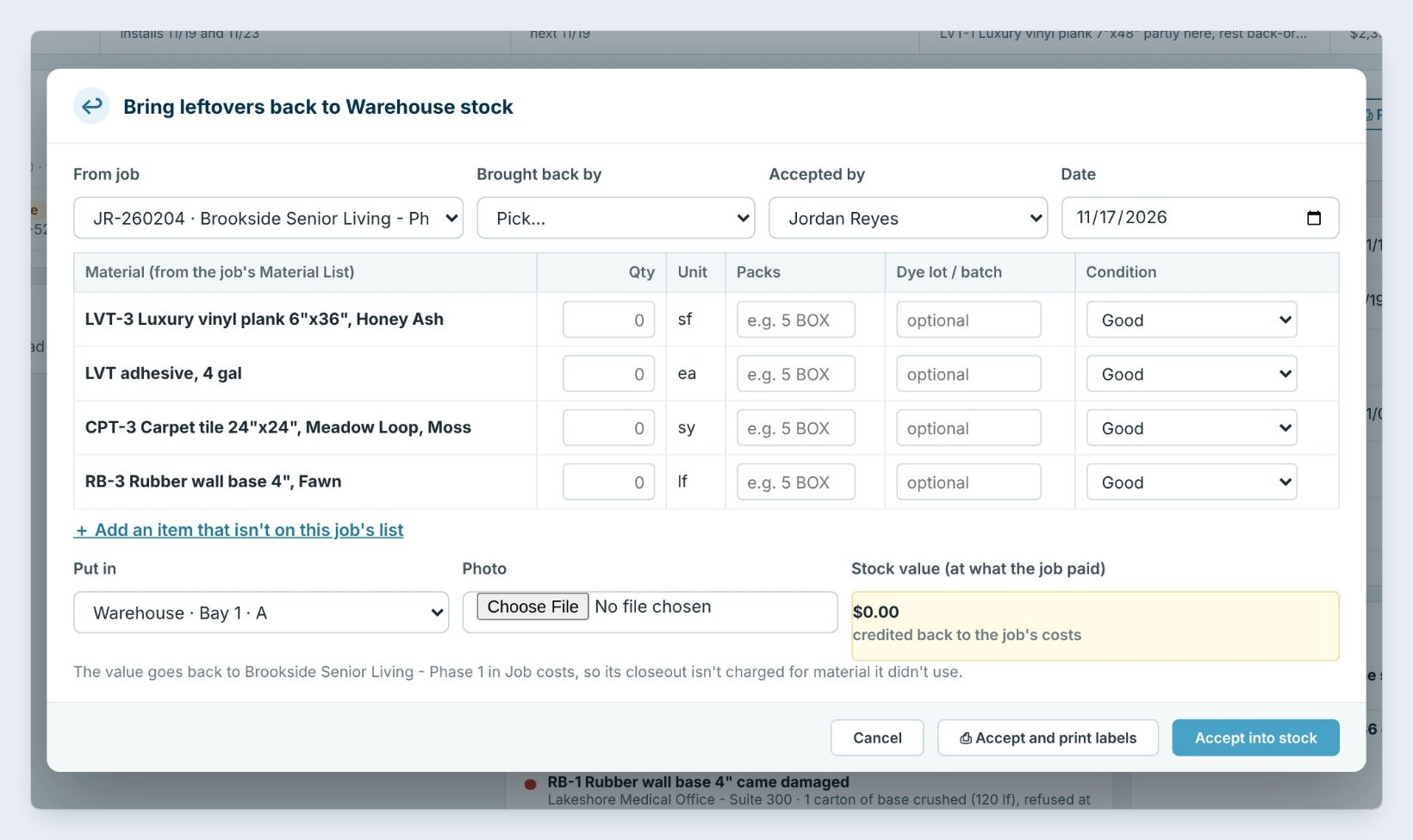
On the Warehouse dashboard or the Stock list, click Bring back leftovers. Pick the job in From job, here JR-260204 Brookside Senior Living, Phase 1, installed on November 9. Its lines fill in from the Material List: the Honey Ash plank, the LVT adhesive, the Meadow Loop carpet tile and the Fawn wall base.
Set who Brought back by, Crew A, who Accepted by in the warehouse, and the Date.
2Type what came back on each line
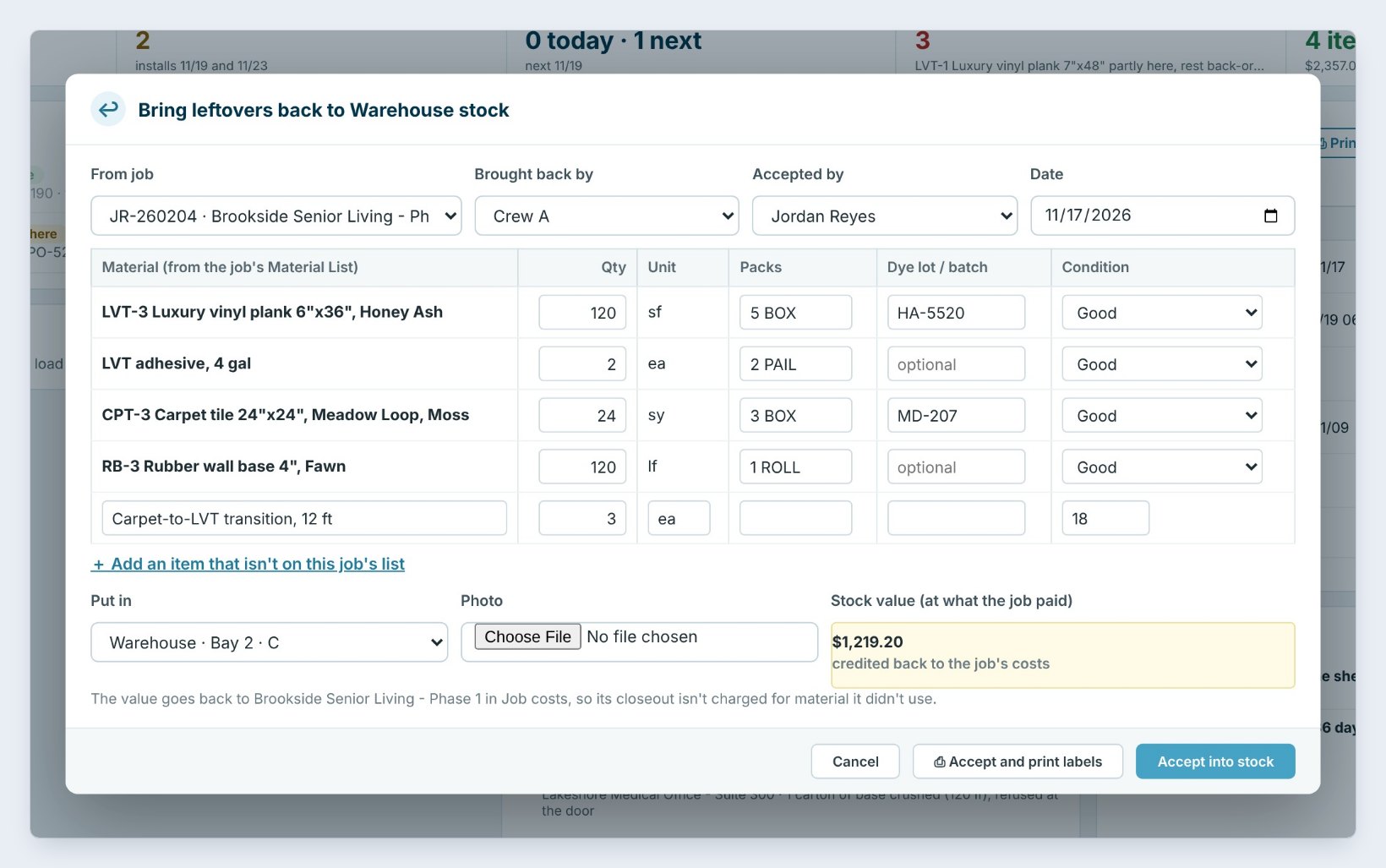
For each line, type the Qty, the Packs and the Dye lot: 120 square feet of plank in 5 boxes, lot HA-5520; 2 pails of adhesive; 24 square yards of carpet tile in 3 boxes, lot MD-207; 120 linear feet of base, 1 roll. Leave the rest at 0.
Something that was not on the list, like 3 carpet-to-LVT transitions at 18 dollars, goes in with Add an item that isn’t on this job’s list. Pick where it goes in Put in, Bay 2 · C.
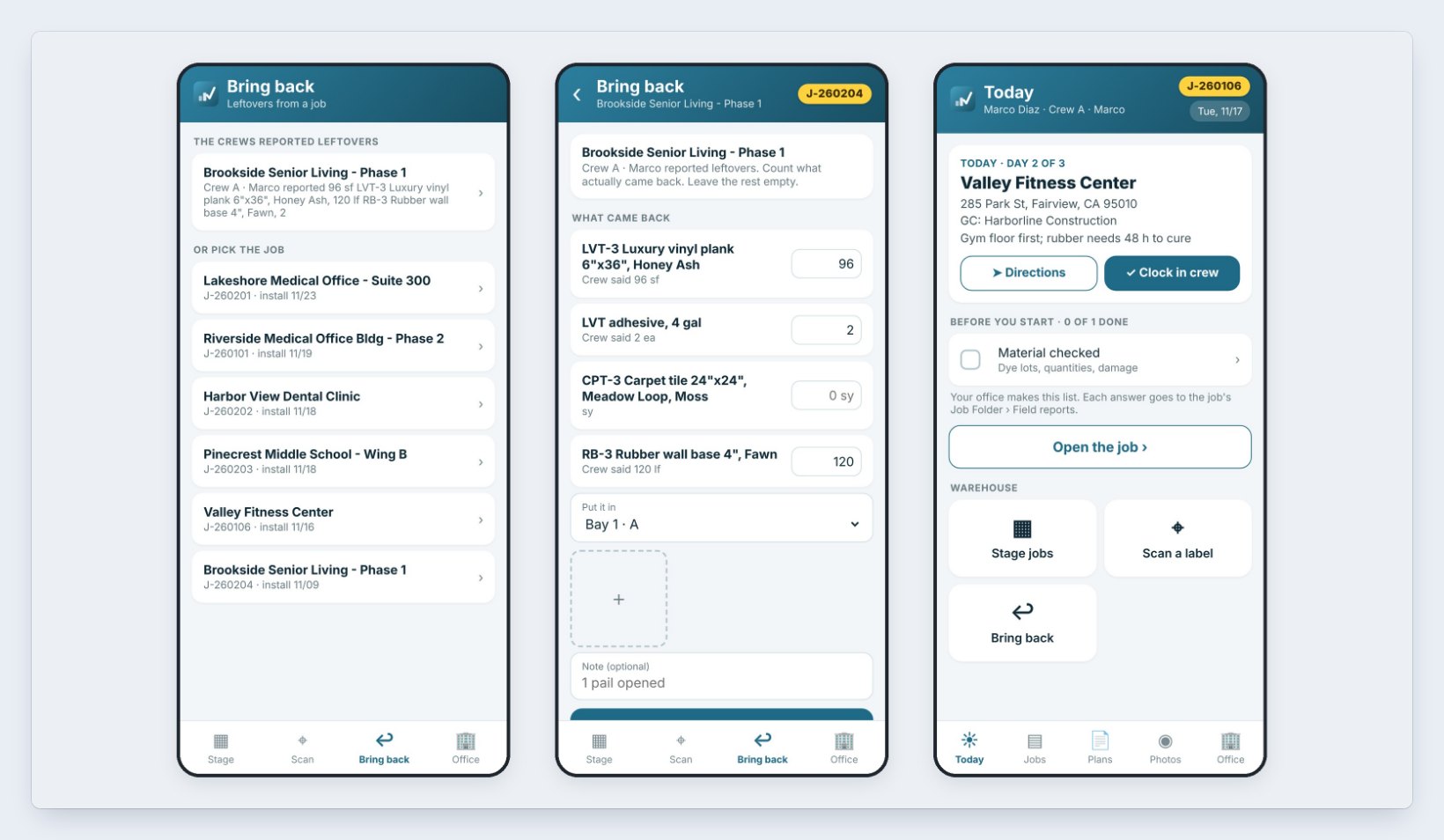
On a warehouse phone it starts from the crew. When a crew reports leftovers in the Field app, they show at the top of Bring back. Tap the job; each line says what the crew said, and you type what actually came back, pick the bay and add a photo or a note, such as 1 pail opened. An installer crew that does its own warehouse work gets the same Bring back tile on its Today screen.
3Check the credit to the job
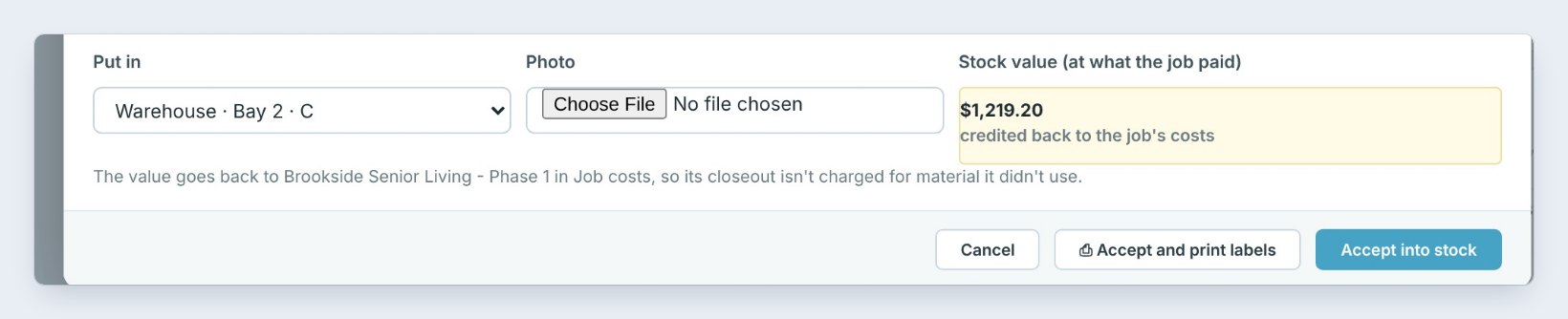
Stock value adds it up at what the job paid: 120 times 2.85 is 342 dollars, plus 192 for the adhesive, 513.60 for the carpet, 117.60 for the base and 54 for the transitions, 1,219 dollars and 20 cents. That amount is credited back to Brookside’s Job costs, so its closeout is not charged for material it did not use.
The warehouse crew never sees these dollars: a warehouse user has no prices on the Warehouse tab.
4Accept it and print the labels
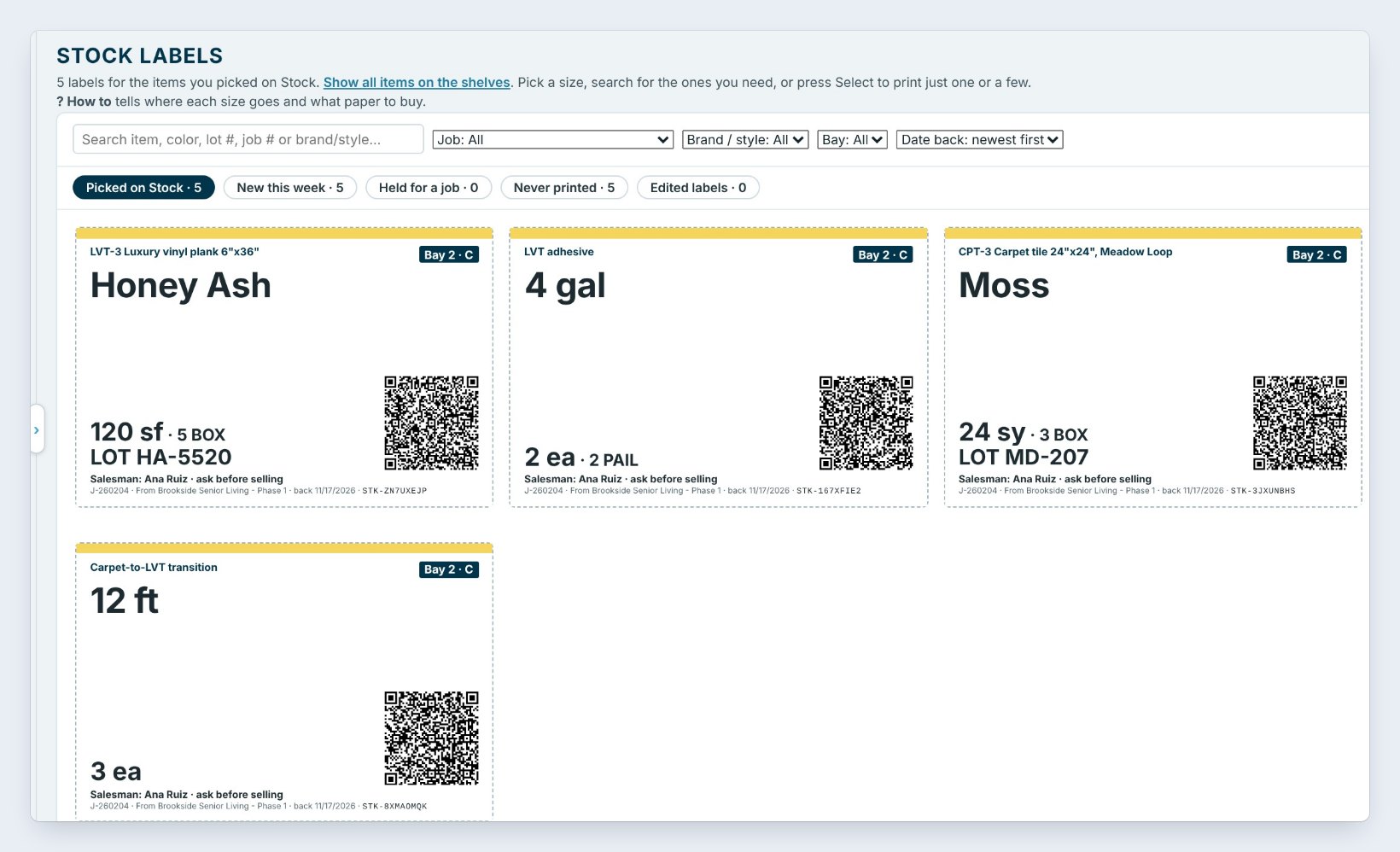
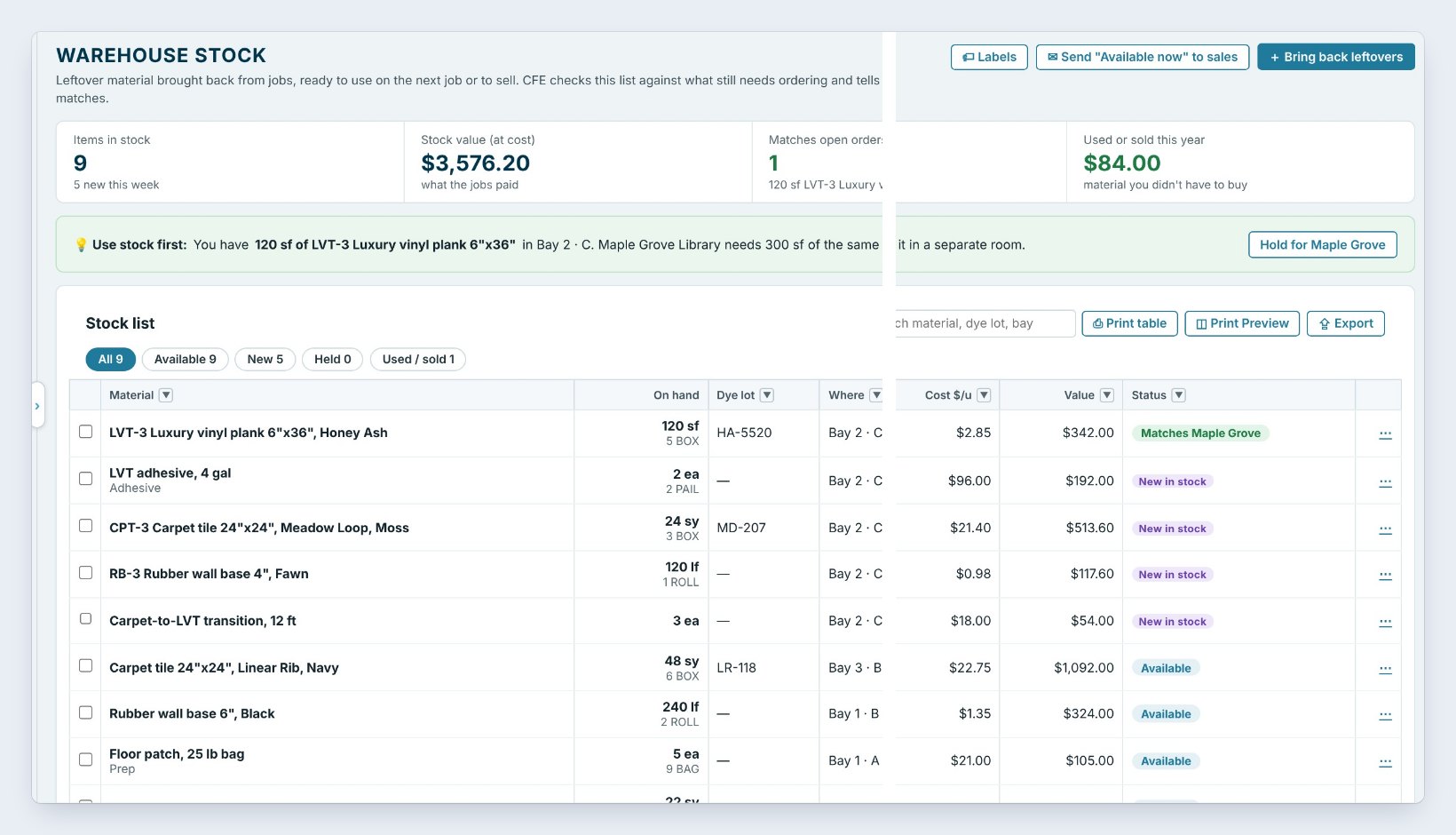
Click Accept and print labels, or Accept into stock to skip the labels. The 5 items go on the Stock list as New in stock in Bay 2 · C, and the labels page opens with one label each.
Right away, BidWise checks the new stock against what still needs ordering: the Honey Ash plank Matches Maple Grove, a job that needs 300 square feet of the same plank.
Bring leftovers back the week the job ends, while the crew still knows which boxes are full. A label with the dye lot and the job it came from is what makes a box usable on the next job.
5What can go wrong, and how to fix it
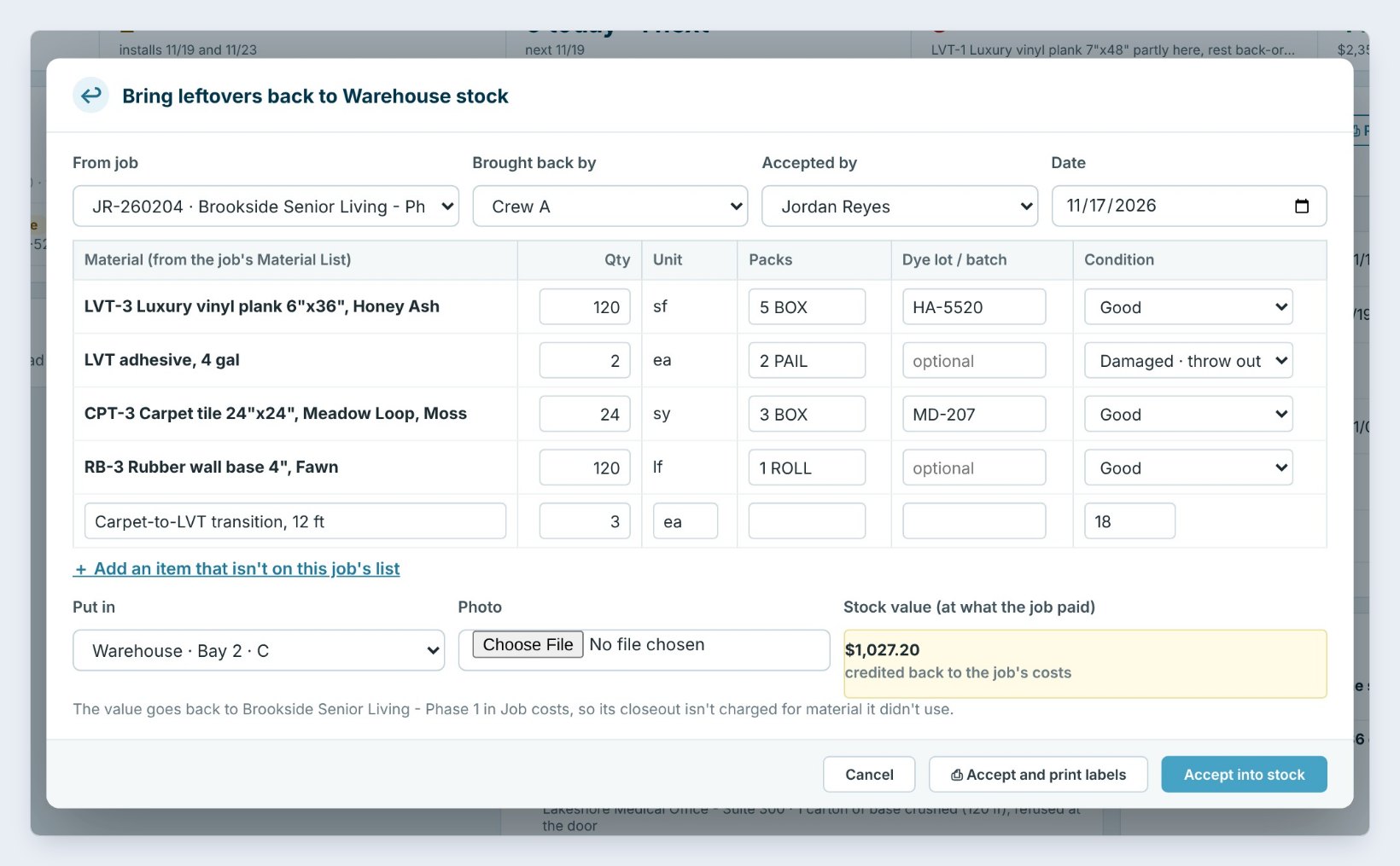
It came back damaged. Set the condition to Damaged · throw out. It is not put in stock and not credited; the value drops from 1,219.20 to 1,027.20 when the adhesive is thrown out.
You picked the wrong job. Write the items off the Stock list, which keeps a history, and bring them back again from the right job.
The count was wrong. Open the item on the Stock list and use Revise amount on hand with the reason. The original credit stays; fix a big error on the job’s Job costs.
Worked example: Brookside Senior Living, Phase 1
Crew A brings the leftovers back on November 17:
| Item | Back | At job cost | Value |
|---|---|---|---|
| LVT-3 Plank, Honey Ash | 120 sf, 5 BOX | $2.85 | $342.00 |
| LVT adhesive, 4 gal | 2 ea | $96.00 | $192.00 |
| CPT-3 Carpet tile, Meadow Loop | 24 sy, 3 BOX | $21.40 | $513.60 |
| RB-3 Wall base 4", Fawn | 120 lf, 1 ROLL | $0.98 | $117.60 |
| Carpet-to-LVT transition | 3 ea | $18.00 | $54.00 |
| Total credited to Job costs | $1,219.20 |
Brookside’s material cost dropped by $1,219.20, and the plank went straight to work on Maple Grove Library.
What to do next
Next, put that stock to work with Your Stock List.
Turn your next leftovers into stock
The warehouse is part of BidWise Business. Start with the 30-day free trial, no credit card.
Frequently Asked Questions
Is Bring back on BidWise Personal?
Personal has Add to stock: a plain list of leftovers without bins, dye lots or the credit to Job costs.
Can the warehouse do this on a phone?
Yes, with Warehouse phones on in Warehouse › Settings: tap Bring back, pick the job or the crew’s report, and count what came back. There are no prices on the phones.
What value is used for the credit?
What the job paid: the actual cost from the Material List, or the bid cost when no actual cost was typed.
Can I add something that was not on the job?
Yes, with Add an item that isn’t on this job’s list; type its cost so it is valued.

Written by
Cristian Valcu – Founder & CEO, Commercial Flooring Estimating LLC
Cristian has estimated commercial flooring for over 20 years and built BidWise around the way flooring contractors actually price, propose and track their bids.
Last updated: