BidWise guide · Warehouse
Your Stock List: Use Stock First
Warehouse › Stock lists every leftover on your shelves with how much, where, the dye lot, the job it came from and its value at cost. BidWise checks it against every Won job that still needs ordering and says Use stock first when it matches. From the row menu you can hold it for a job, use it, sell it, put it on a new bid, move it, count it or write it off, and every change is kept in its History.


Why keep a stock list?
Most flooring warehouses hold thousands of dollars of leftovers nobody can find when a bid needs them. The estimator orders 300 square feet of plank while 120 of the same plank sits in Bay 2.
The Stock list in BidWise knows what is on the shelf and what every job still needs, and puts the two together.
The six steps
- Read the Stock listOn hand, where, from which job, value.
- Use stock firstStock that matches a job still to order.
- Hold, use or move itThe row menu.
- Sell it on a new bidA new Estimate Quote with the stock as line one.
- Count it and send it to salesRevise amount, History, In stock now.
- What can go wrongStale stock, write-offs, no match.
1Read the Stock list
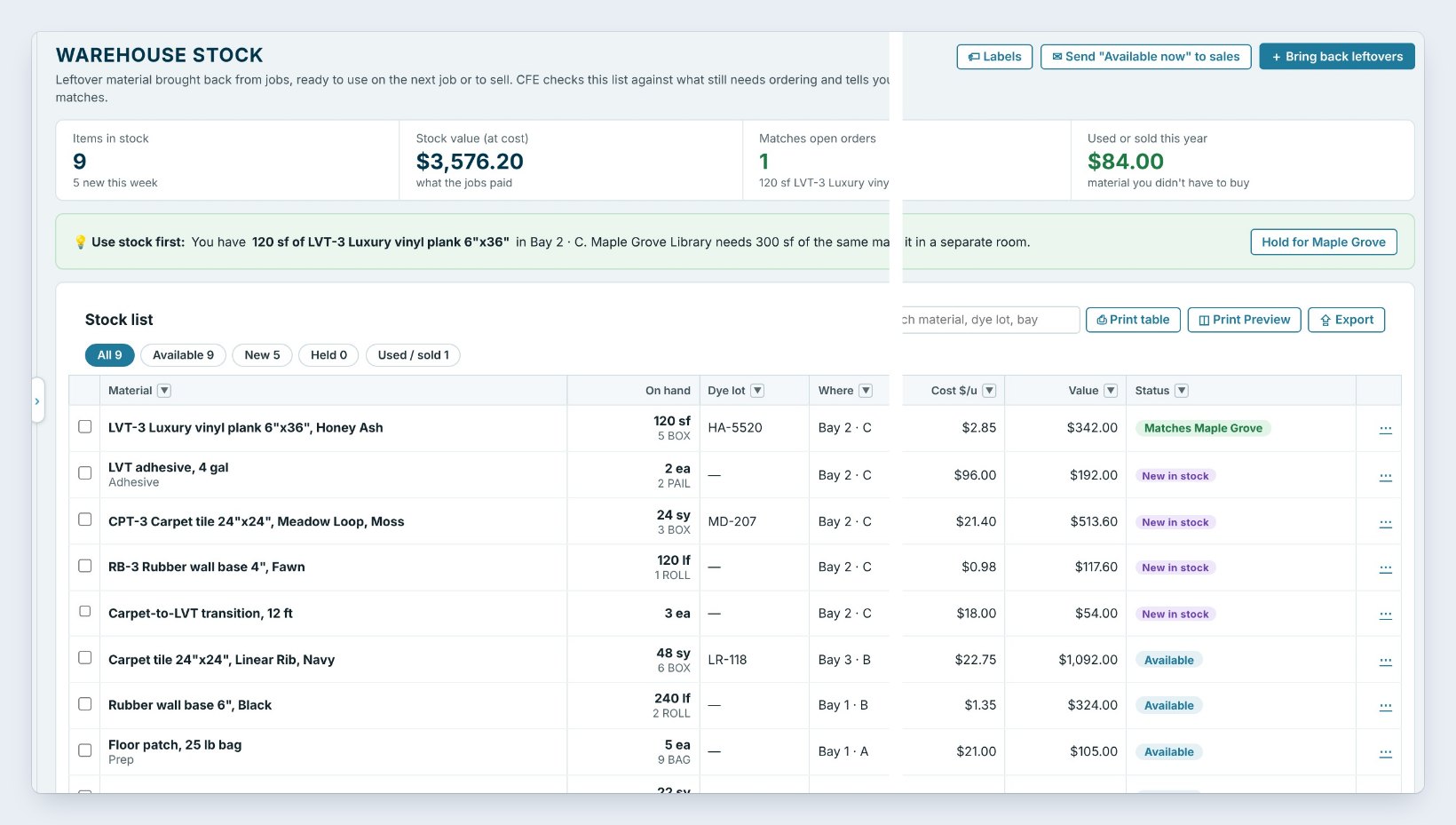
Open Warehouse › Stock. The tiles say Items in stock, 9, Stock value (at cost), 3,576 dollars and 20 cents, how many items Match open orders, how many are Held for a job, and Used or sold this year, the material you did not have to buy.
Each row has the material, On hand with its packs, the Dye lot, Where it sits, the job it came From and when, its Cost $/u and Value, and a status: New in stock for the first week, Available, Held or Matches a job.
2Use stock first

The green banner is the reason the list exists. You have 120 square feet of LVT-3 Honey Ash in Bay 2 · C. Maple Grove Library needs 300 square feet of the same material. Order 180 and save 342 dollars. Because it is dye lot HA-5520, the banner reminds you to use it in a separate room.
Click Hold for Maple Grove. The plank is held for that job, and the buyer orders 180 instead of 300.
3Hold, use, sell or move an item
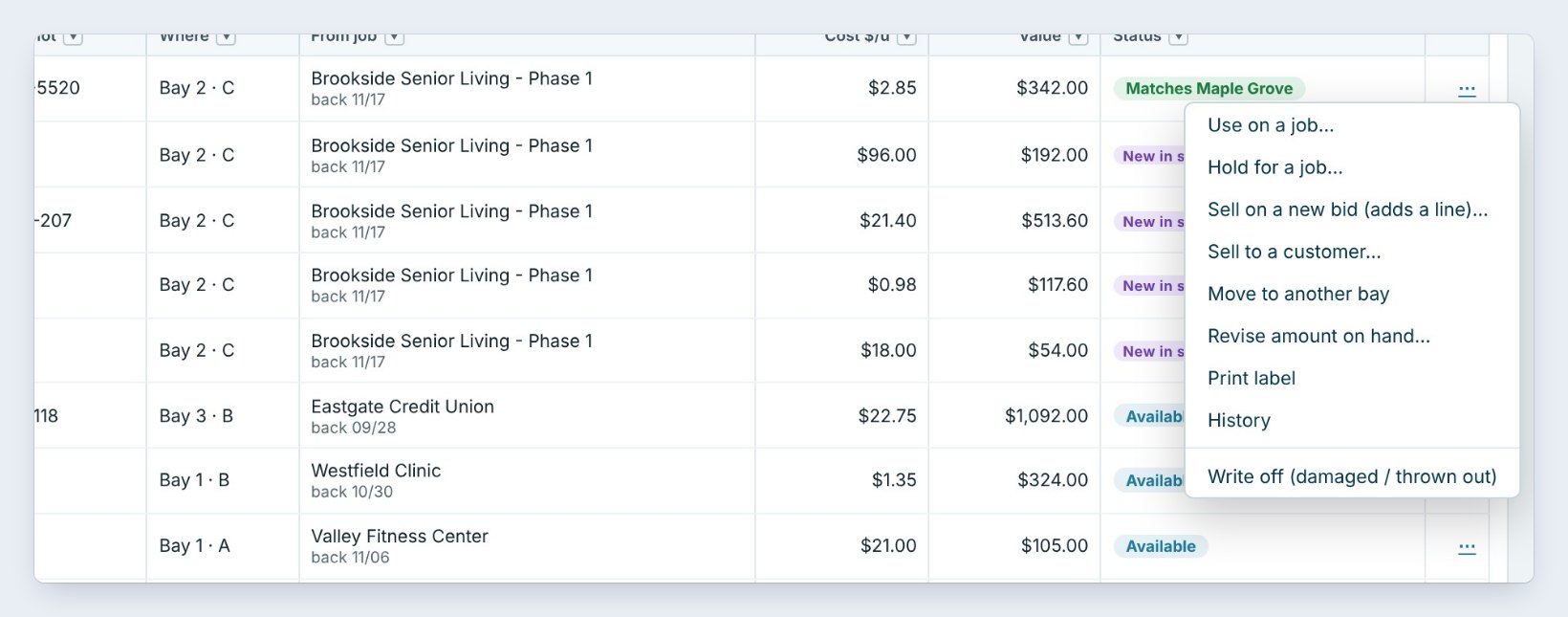
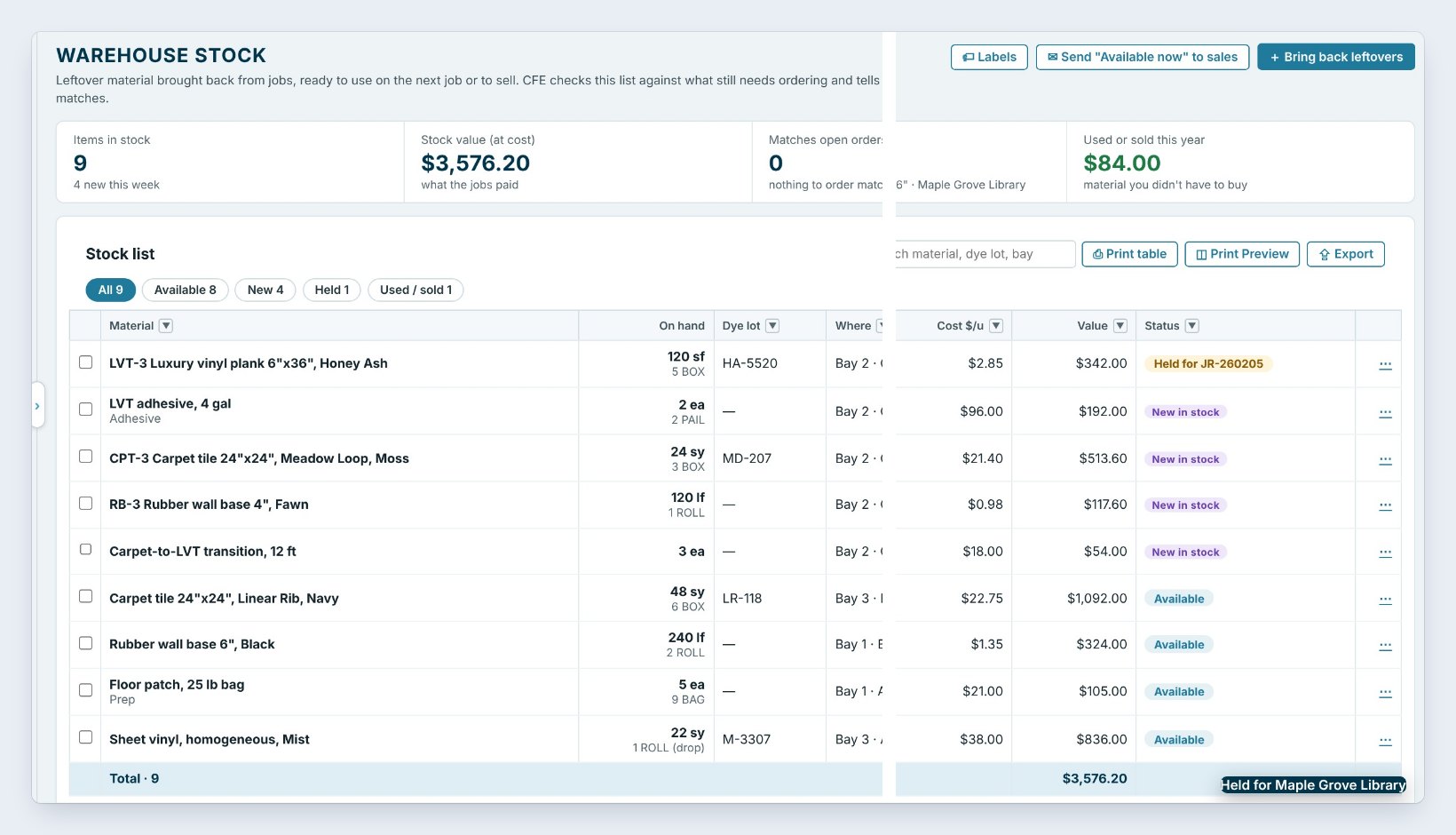
Click the three dots on any row. Use on a job checks it out onto a job with its cost. Hold for a job keeps it for one job; the status turns amber, Held for JR-260205, and Release the hold undoes it. Sell to a customer marks it sold with a price, suggested at cost plus your mark-up. Move to another bay changes where it sits, and Print label prints its label.
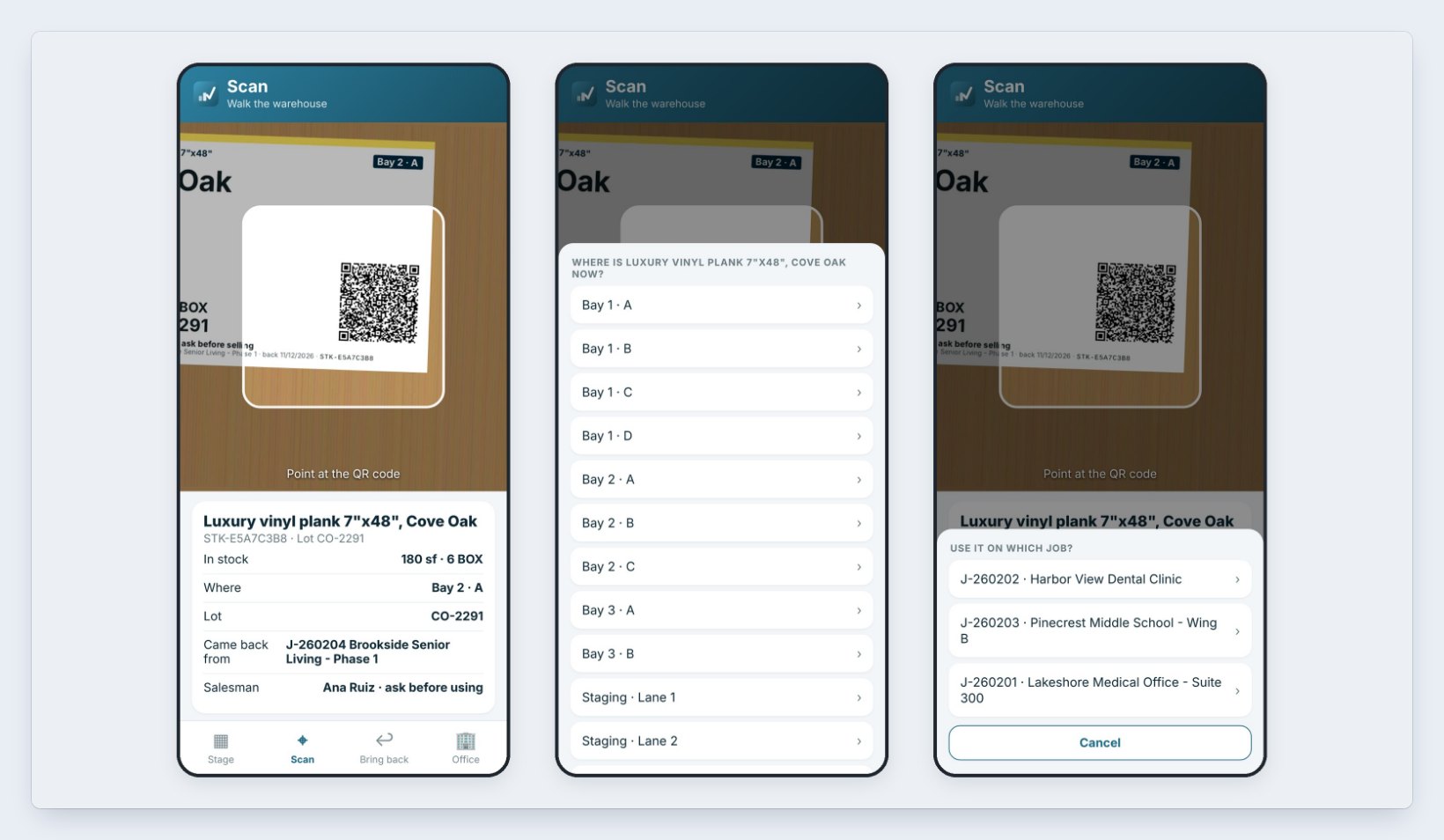
In the aisle, a warehouse phone does the same from the label. Tap Scan and point at the QR code: the phone shows what it is, how much is in stock, where, the lot, the job it came back from and the salesman, with ask before using. Tap to move it to another bay, or to use it on a job, and the Stock list follows.
4Sell it on a new bid
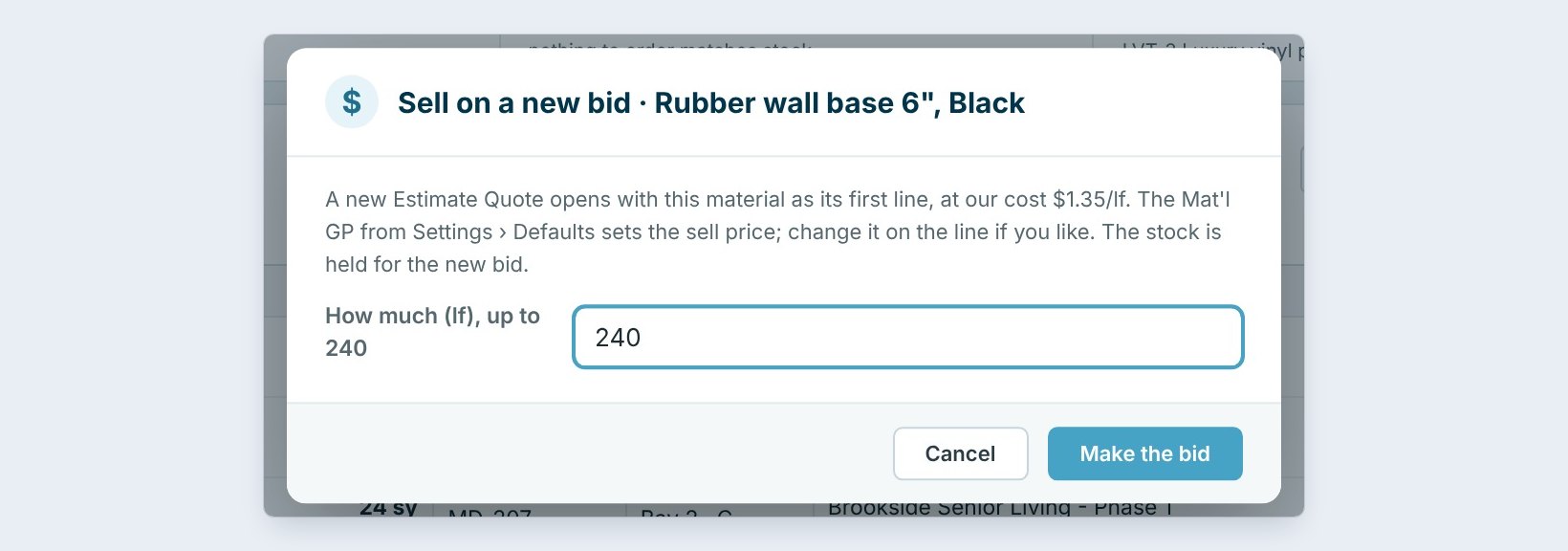
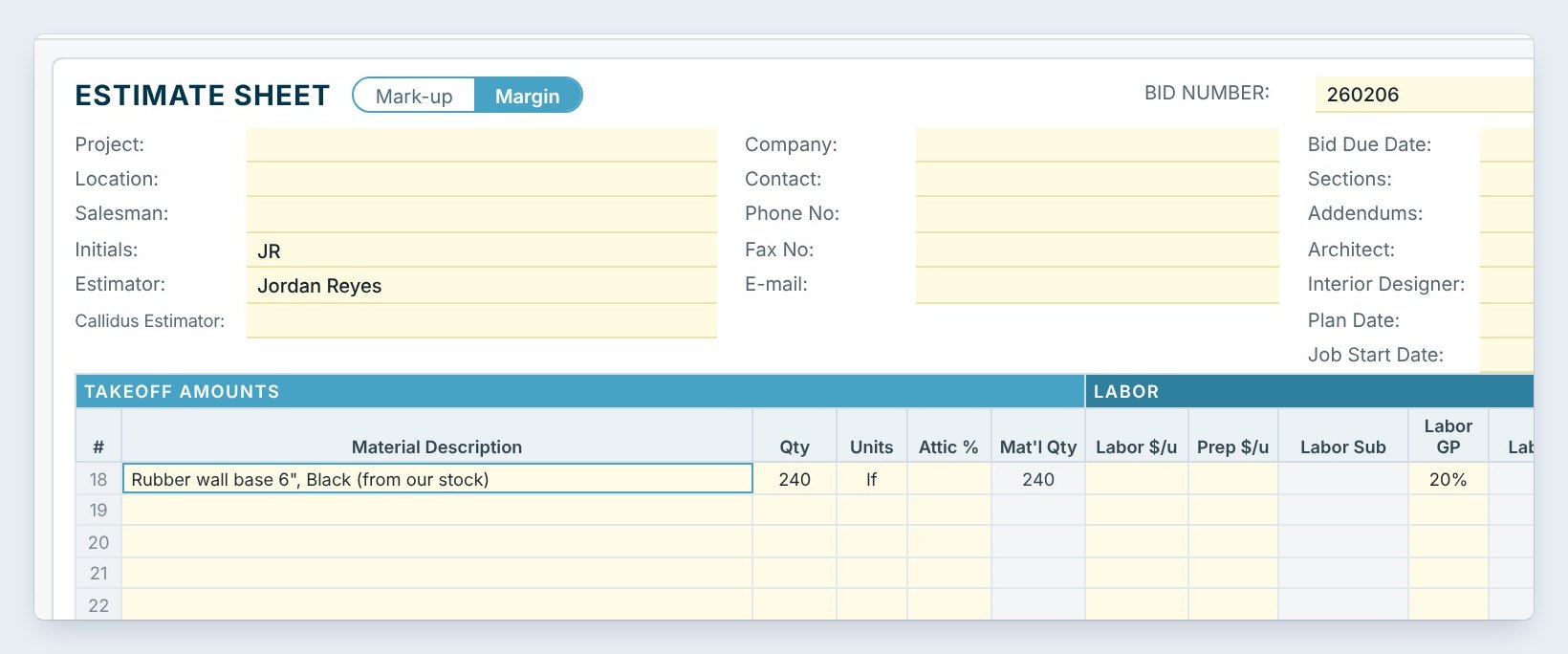
For a small job or a GC who needs a few extra rolls, pick Sell on a new bid. Type how much, 240 linear feet of 6 inch black base, and click Make the bid. A new Estimate Quote opens with the base as its first line, from our stock, at our cost of 1 dollar 35, and the Material GP from Settings › Defaults sets the sell price: 25 percent here, 432 dollars. The stock is held for the new bid. Fill in the customer and save.
5Keep the count right and tell sales what you have
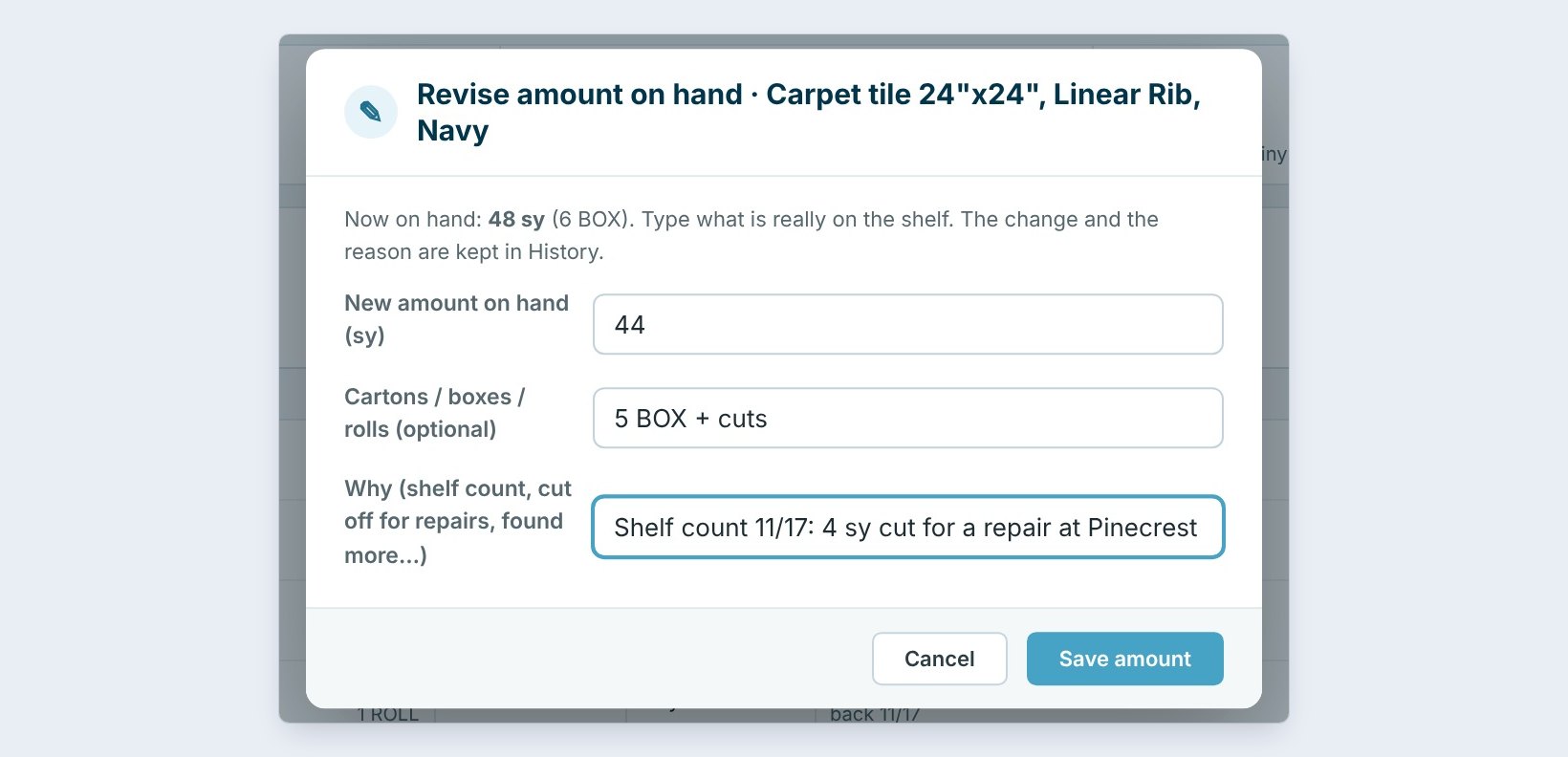
When the shelf count does not match, pick Revise amount on hand, type what is really there and why: 44 square yards instead of 48, shelf count 11/17, 4 square yards cut for a repair at Pinecrest. The old and new amounts and the reason go in the item’s History.
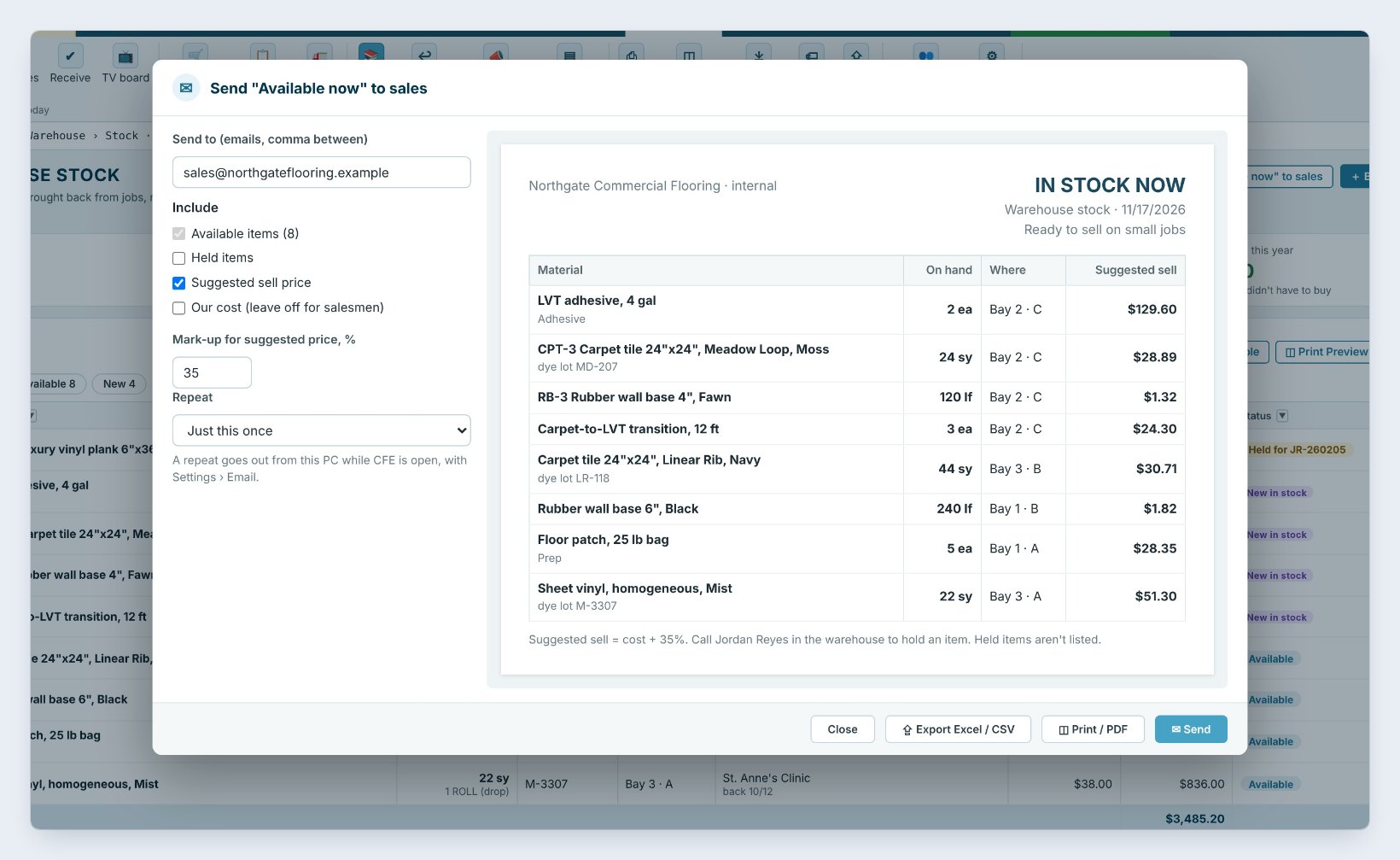
Then click Send “Available now” to sales. Sales gets a clean sheet of what is on hand, where and a suggested sell price at cost plus 35 percent, with your cost left off. Set Repeat to every Monday at 7 AM and it goes out by itself.
Leave Our cost off the sheet that goes to salesmen. They sell from the suggested price; the cost stays in the office.
6What can go wrong, and how to fix it
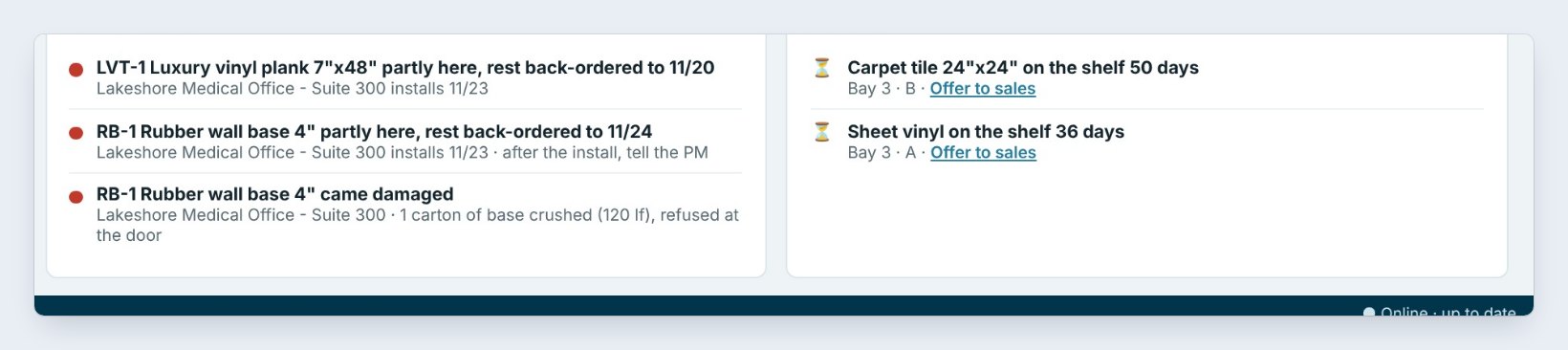
Stock sits for months. After 30 days, set in Warehouse › Settings, an item shows on the dashboard as on the shelf 50 days with Offer to sales. Send it, or sell it on a new bid.
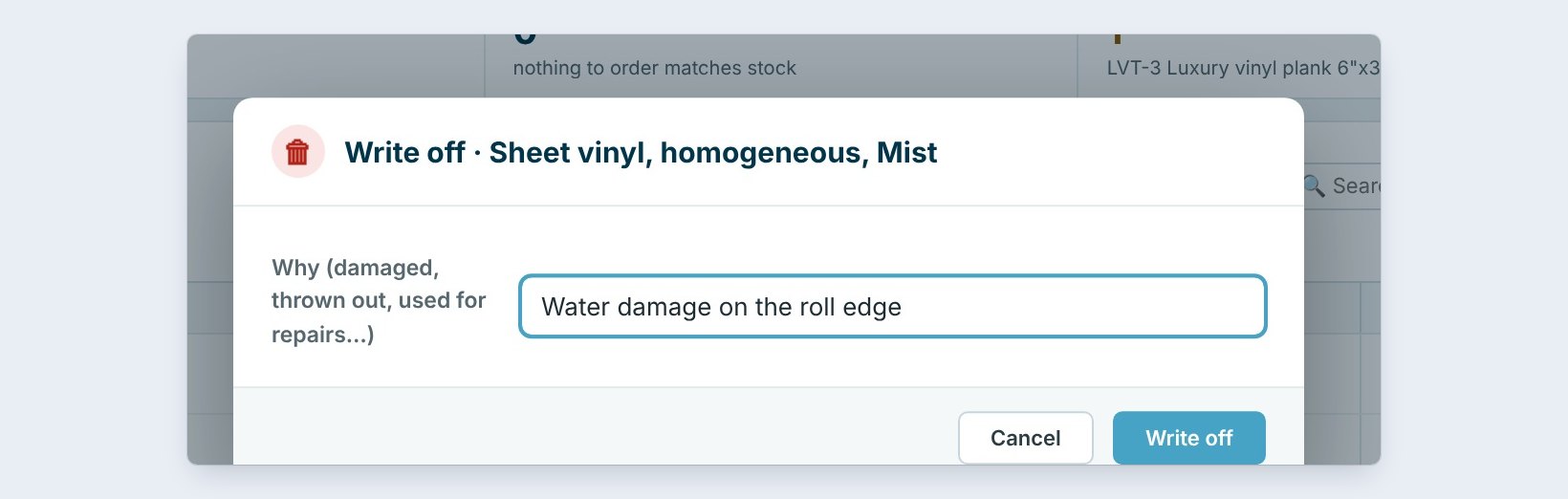
It got damaged. Use Write off and type why, such as water damage on the roll edge. It leaves the shelf but stays in History.
No match when you expected one. The match compares the material names. If the stock says Rubber base 4 inch and the job says RB-1 Wall base 4 inch, name them alike when you bring leftovers back.
Worked example: the stock on November 17
Nine items on the shelves, worth $3,576.20 at cost:
| Item | On hand | Where | What happened |
|---|---|---|---|
| LVT-3 Plank, Honey Ash | 120 sf | Bay 2 · C | Held for Maple Grove: saved $342 |
| Rubber wall base 6", Black | 240 lf | Bay 1 · B | Sold on new bid 260206: $324 cost, $432 sold |
| Carpet tile, Linear Rib, Navy | 48 to 44 sy | Bay 3 · B | Counted: 4 sy cut for a repair |
| Floor patch, 25 lb bag | 9 to 5 ea | Bay 1 · A | Used on Harbor View: $84 |
| Sheet vinyl, Mist | 22 sy | Bay 3 · A | On the shelf 36 days: offered to sales |
Three of the nine items went back to work in one afternoon, and sales got the rest on Monday’s In stock now email.
What to do next
Next, label every box on the shelves with Stock labels.
Put your leftovers back to work
The warehouse is part of BidWise Business. Start with the 30-day free trial, no credit card.
Frequently Asked Questions
How does Use stock first find a match?
It compares the stock’s material name with the lines of every Won job that are not ordered yet, and shows the match that saves the most.
Does the warehouse crew see costs?
No. A warehouse user (Team › What they can open, Sees bid prices off) sees amounts and places, never prices.
Is the Stock list on BidWise Personal?
Yes, as a simple list: add, use on a job, count and write off. Holds, matches, selling, labels and In stock now are on Business.

Written by
Cristian Valcu – Founder & CEO, Commercial Flooring Estimating LLC
Cristian has estimated commercial flooring for over 20 years and built BidWise around the way flooring contractors actually price, propose and track their bids.
Last updated: