BidWise guide · Estimating
Start a Bid From a Sample Template: Essential, Standard or Comprehensive
BidWise comes with three sample templates under SAMPLE TEMPLATES in the left menu: Essential, Standard and Comprehensive. Each is a ready, read-only estimate quote with takeoff lines, labor, material, subs and the proposal price filled in. Open the one closest to your job, click Copy to new estimate, and change only the quantities and prices that differ. You can also save any estimate as your own template.


Why start from a template?
A blank estimate means remembering every line: the prep, the adhesive, the transitions, the moisture test, the disposal, the bond. The bids that lose money are usually the ones where something small was left off.
The sample templates are complete estimates for three sizes of job. Start from the closest one and you are editing a finished bid, not building one, so nothing gets forgotten and the proposal is ready sooner.
The six steps
- Find the templatesSAMPLE TEMPLATES in the left menu.
- Essential: a small jobA tenant improvement with five lines.
- Standard: an office jobMore lines, a tile sub and notes.
- Comprehensive: a big jobTwo subs, a bond and every cost.
- Copy to a new estimateA new bid number, ready to change.
- What can go wrongFixes for the usual snags.
1Find the sample templates in the left menu
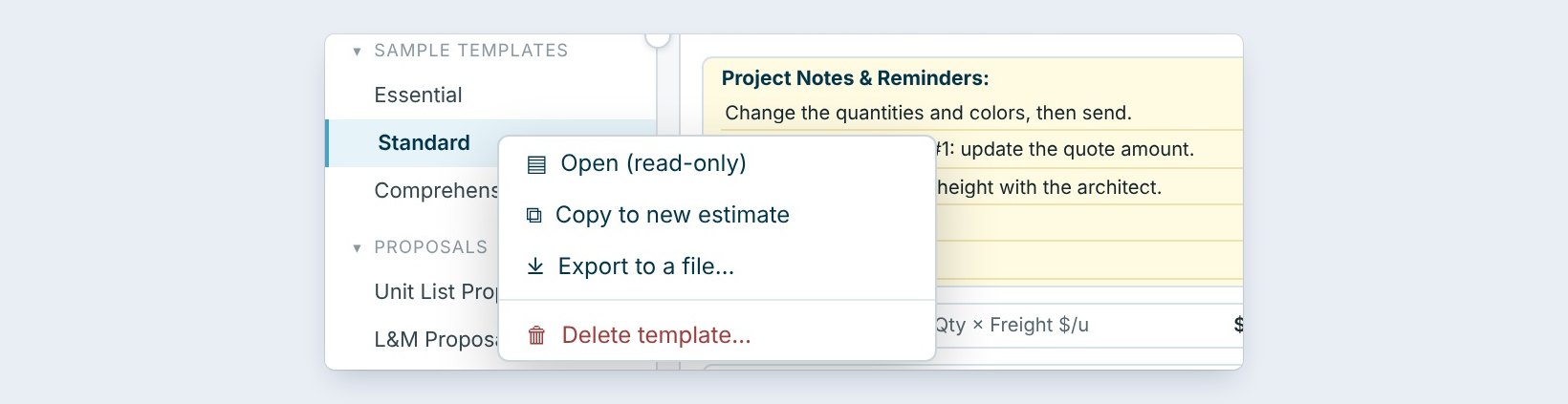
In the left menu, under SAMPLE TEMPLATES, are Essential, Standard and Comprehensive. Click one to open it read-only.
Right-click one for Open (read-only), Copy to new estimate, Export to a file or Delete template. Comprehensive comes with BidWise and is always kept.
2Essential: a small tenant improvement
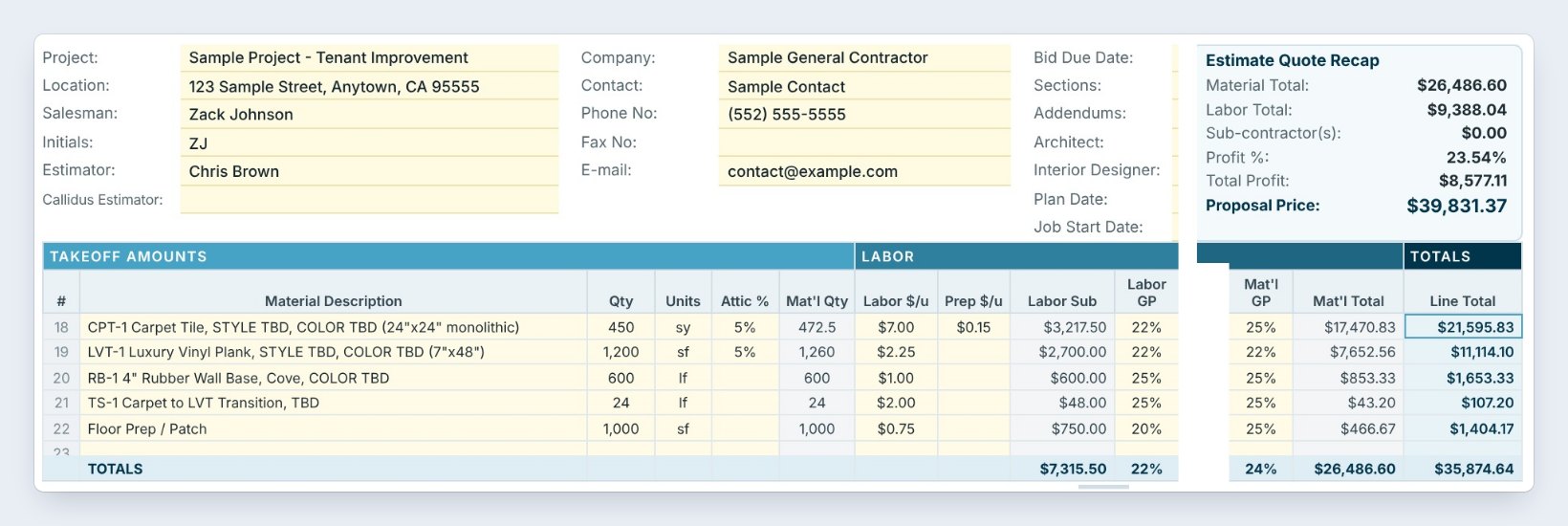
Essential is a tenant improvement: carpet tile, luxury vinyl plank, rubber wall base, a carpet to LVT transition and floor prep. Each line has the quantity, attic %, labor $ per unit, material $ per unit, freight, prep and adhesive.
The Estimate Quote Recap shows material $26,486.60, labor $9,388.04, a 23.54% profit and a Proposal Price of $39,831.37. It is the right start for a suite, a store or a small office.
3Standard: an office renovation with a sub
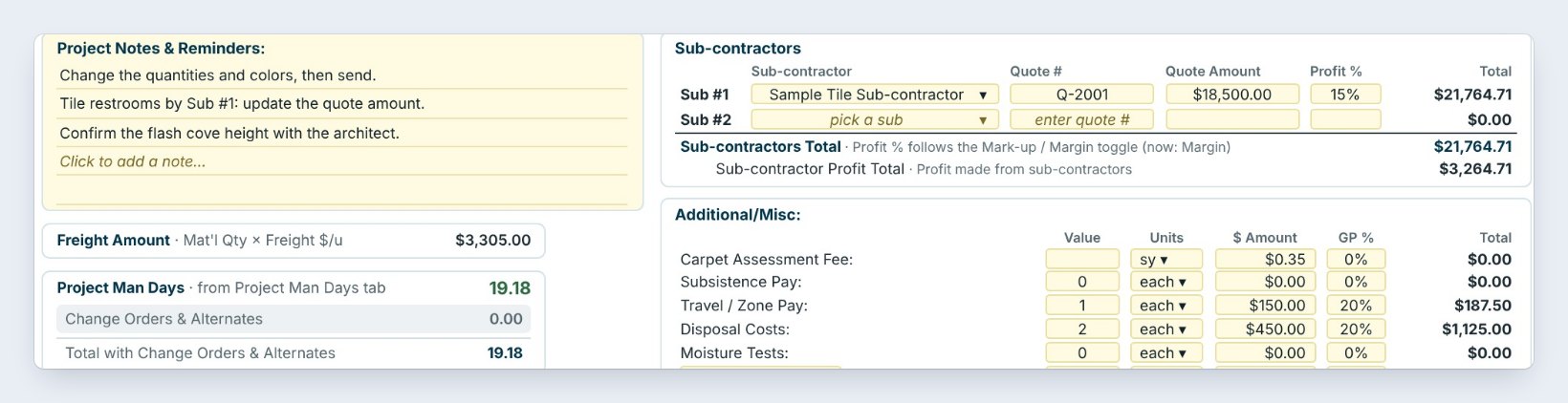
Standard is an office renovation with two carpet tiles, LVT, VCT and sheet vinyl with flash cove. It adds a tile sub, Sample Tile Sub-contractor, at a quote of $18,500 with a 15% profit, and the additional costs: travel and disposal.
Project Notes & Reminders hold the things to check, such as Confirm the flash cove height with the architect. Proposal price: $145,766.80.
Read the template's Project Notes before you send. They list the things that usually change from job to job.
4Comprehensive: a building addition with every cost
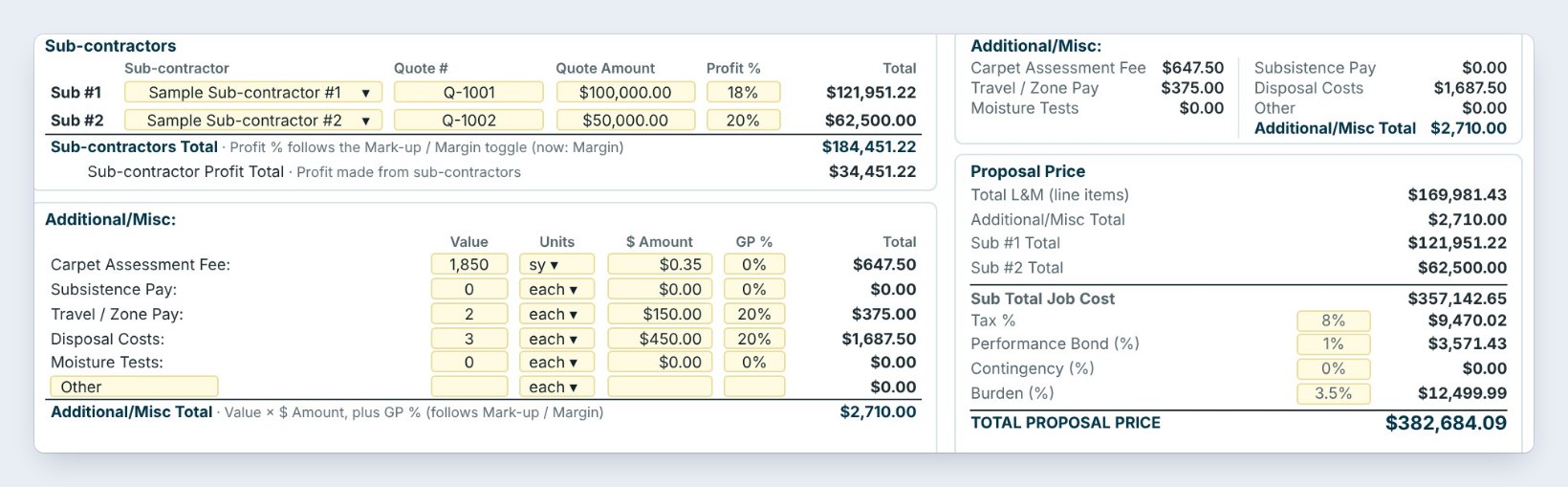
Comprehensive is an office building addition with every part of the sheet used: two subs with their quote numbers, carpet assessment, travel and disposal costs, tax, a 1% performance bond and burden.
The Total Proposal Price is $382,684.09. Start here for a large job with subs, bonds and alternates, and delete what the job does not need.
5Copy it to a new estimate
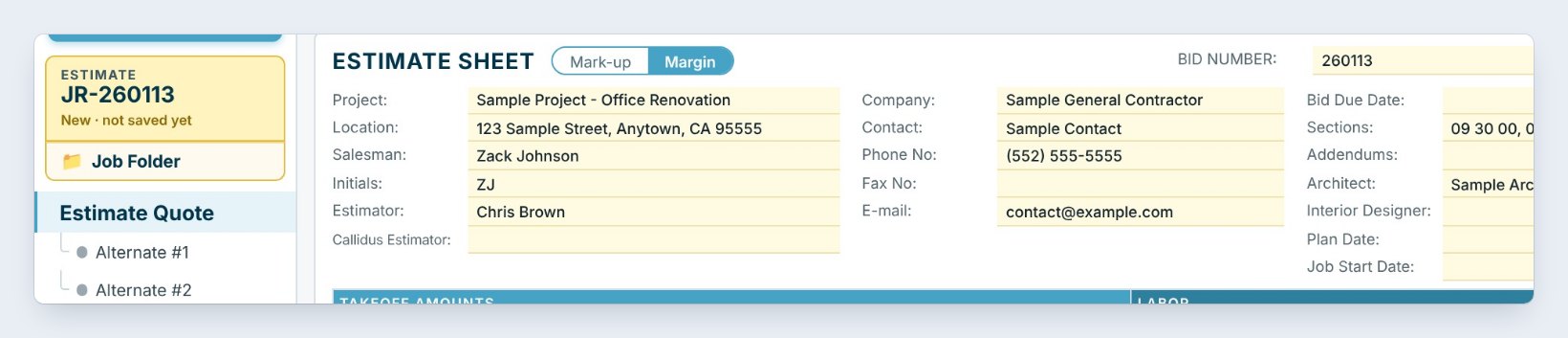
Open the template and click Copy to new estimate in the banner. BidWise makes a new estimate with the next bid number, here JR-260113, with every line, cost and note from the template.
Type your project, GC and dates, then change the quantities and prices that differ. Everything else, the prep, the adhesive, the additional costs and the markups, is already there.
6What can go wrong, and how to fix it
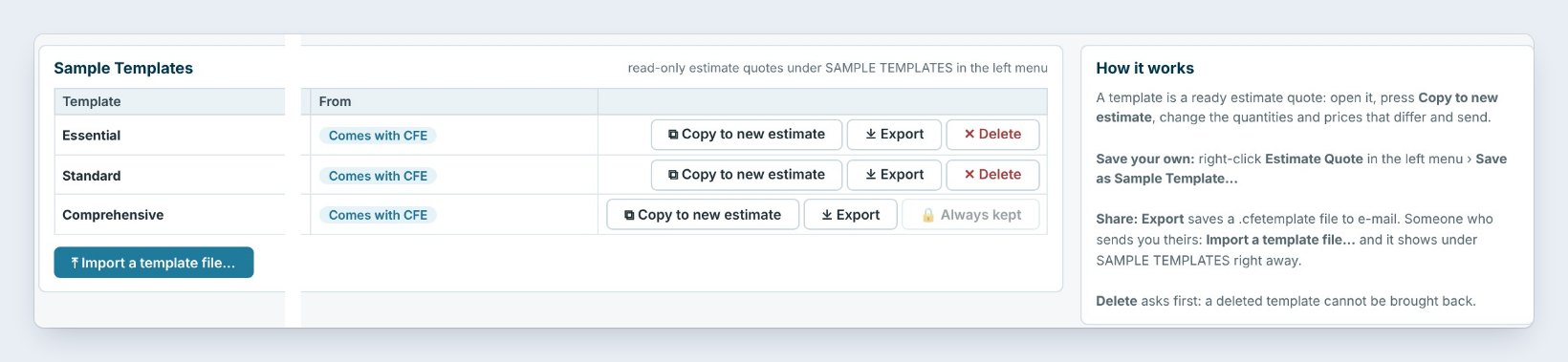
You cannot type in the template. Templates are read-only on purpose, so the sample stays clean. Click Copy to new estimate first.
The prices are not yours. The sample prices are examples. Change them on your copy, or save one of your own estimates as a template: right-click Estimate Quote in the left menu and pick Save as Sample Template.
A template is missing. Settings › Sample Templates lists them, with Import a template file for one a teammate exported. Delete asks first, because a deleted template cannot be brought back.
Worked example: which template to start from
The three templates side by side:
| Template | Sample job | Proposal price |
|---|---|---|
| Essential | Tenant improvement, 5 lines | $39,831.37 |
| Standard | Office renovation, tile sub | $145,766.80 |
| Comprehensive | Office building addition, 2 subs, bond | $382,684.09 |
Pick the one closest to the size of your job. It is faster to delete a few lines than to remember the ones you forgot.
What to do next
Next, build your first flooring estimate on the copy, and send it as a unit list proposal.
Start your next bid from a template
The sample templates come with BidWise. Start with the 30-day free trial, no credit card.
Frequently Asked Questions
Can I change a sample template?
No, the templates are read-only. Copy one to a new estimate and change the copy, or save your own estimate as a template.
Can I make my own templates?
Yes. Right-click Estimate Quote in the left menu and pick Save as Sample Template. It shows under SAMPLE TEMPLATES for you.
Can I share a template with my team?
Yes. Export saves a .cfetemplate file to email, and Import a template file in Settings › Sample Templates adds it on another PC.
Are the sample prices real?
They are examples to show how the sheet works. Always use your own labor rates, material prices and markups.

Written by
Cristian Valcu – Founder & CEO, Commercial Flooring Estimating LLC
Cristian has estimated commercial flooring for over 20 years and built BidWise around the way flooring contractors actually price, propose and track their bids.
Last updated: