BidWise guide · Proposals and field paperwork
Keep Plans, Specs, Emails and Photos Together in the Job Folder
Every estimate in BidWise has its own Job Folder for plans, specs, addendums, change orders, takeoffs, schedules, emails and photos. Open it with Job Folder under the yellow estimate box in the left menu. Drop files or Outlook emails on the page, click a name to open the real file in its own program, and search for words inside every PDF, Word file, spreadsheet and email. Deleted files wait 30 days in the Recycle bin.


Why keep the files with the bid?
A bid comes with plans, a spec manual, two or three addendums, the GC's emails and later the job photos. When they sit in a downloads folder, an inbox and someone's phone, the addendum gets missed and the photo of the slab cannot be found when the moisture claim comes in.
The Job Folder keeps all of it with the estimate. It follows the bid when it is won, goes to the crew with the work order, and is shared with your team on BidWise Business.
The six steps
- Open the Job FolderJob Folder under the estimate box.
- Add files and emailsDrop them on the page.
- Photos and emailsEach folder shows its own files.
- Start a bid from the inviteFrom bid invite on the Dashboard.
- Set it up in SettingsSize limit, folders and auto-add.
- What can go wrongFixes for the usual snags.
1Open the Job Folder for the bid
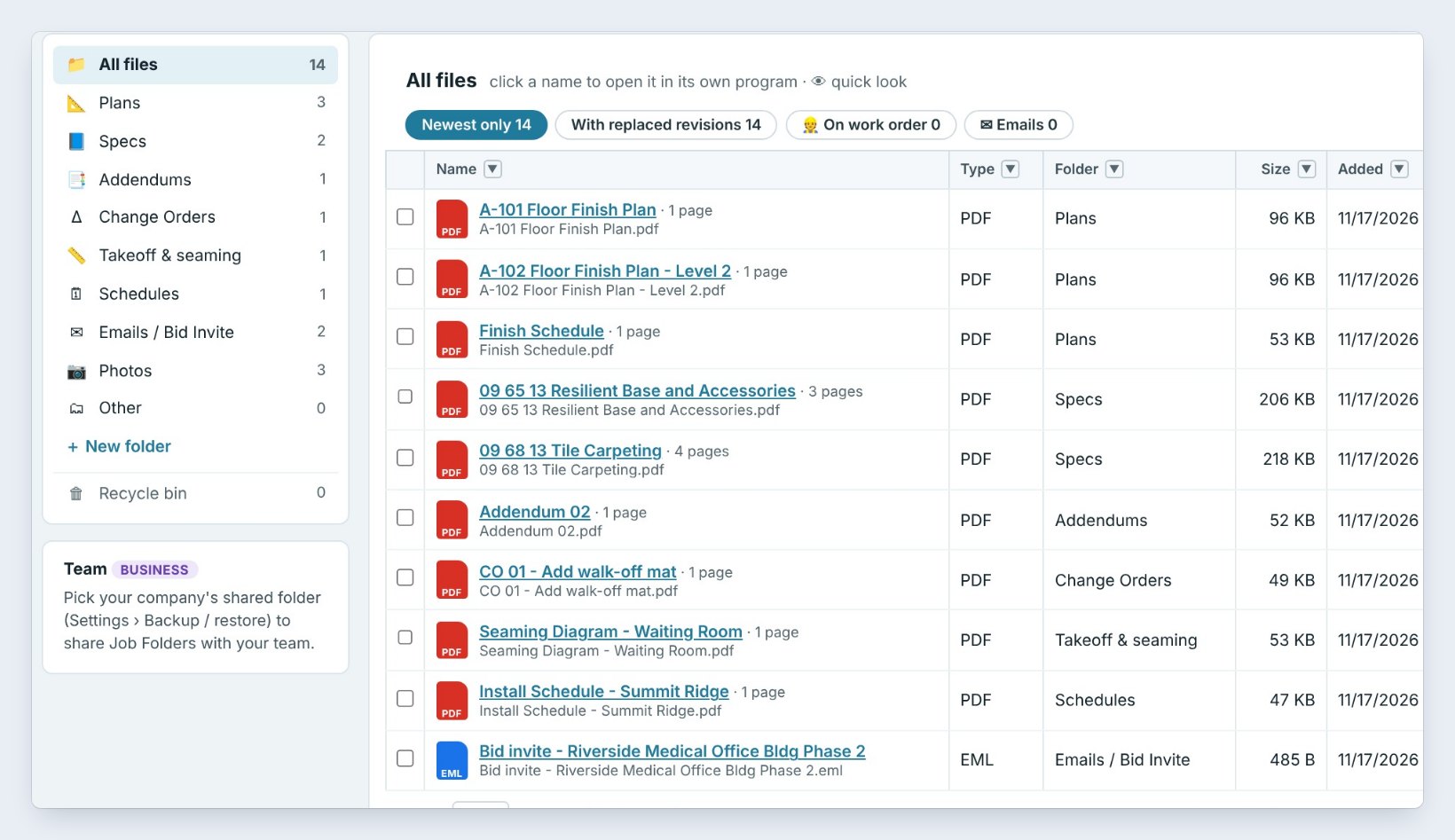
Open the estimate and click Job Folder under the yellow estimate box in the left menu. The number next to it is how many files it holds, here 14.
The folders on the left are Plans, Specs, Addendums, Change Orders, Takeoff & seaming, Schedules, Emails / Bid Invite, Photos and Other. The table shows each file's type, folder, size, the date it was added and who added it.
2Add plans, specs and Outlook emails


Drag files from File Explorer onto the page, or press Add files. BidWise picks the folder from the file name: A-101 Floor Finish Plan goes in Plans, 09 68 13 Tile Carpeting in Specs.
Drag an email straight from classic Outlook, or press Add email to pick a saved .msg or .eml file or paste the text. The attachments are saved as their own files next to the email. BidWise reads only the email you drag, never your mailbox.
Add a sheet with the same name as one already there and it becomes the newest revision. The old one is marked Replaced, and the chip With replaced revisions shows both.
3Keep the job photos and emails with the bid
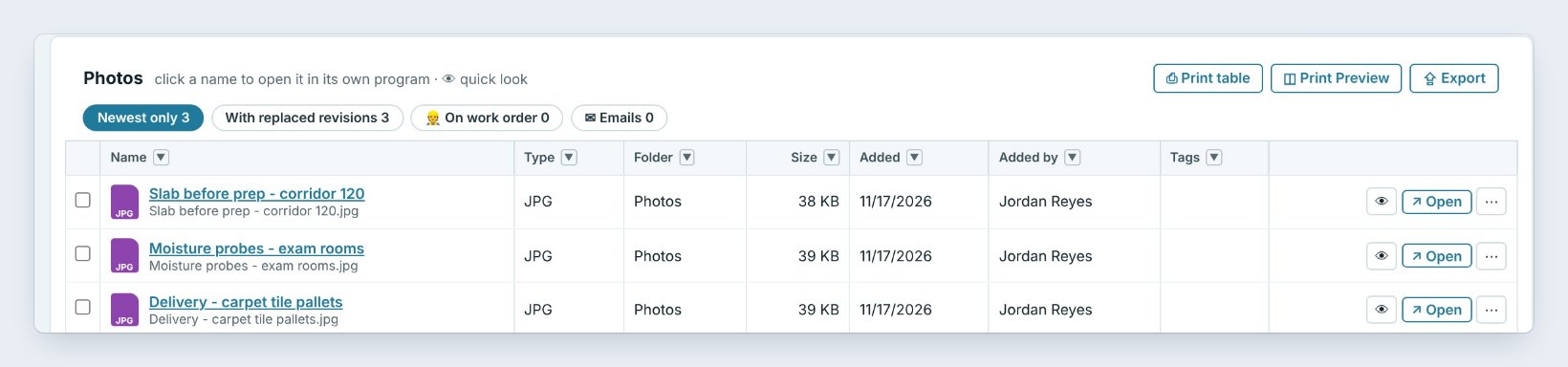
Click a folder to see only its files. Photos keeps the pictures that protect you later: the slab before prep, the moisture probes, the delivery on the pallets. Photos the crew takes in the field app land here by themselves.
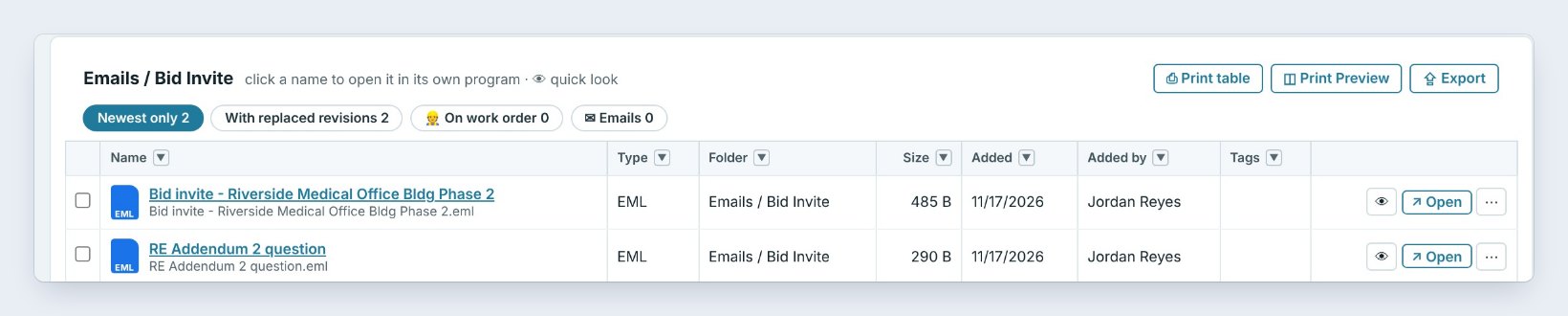
Emails / Bid Invite keeps the bid invite and the GC's answers, such as RE: Addendum 2 question. Click a name to open the real file in its own program, or the eye for a quick look inside BidWise.
4Start a new estimate from a bid invite email
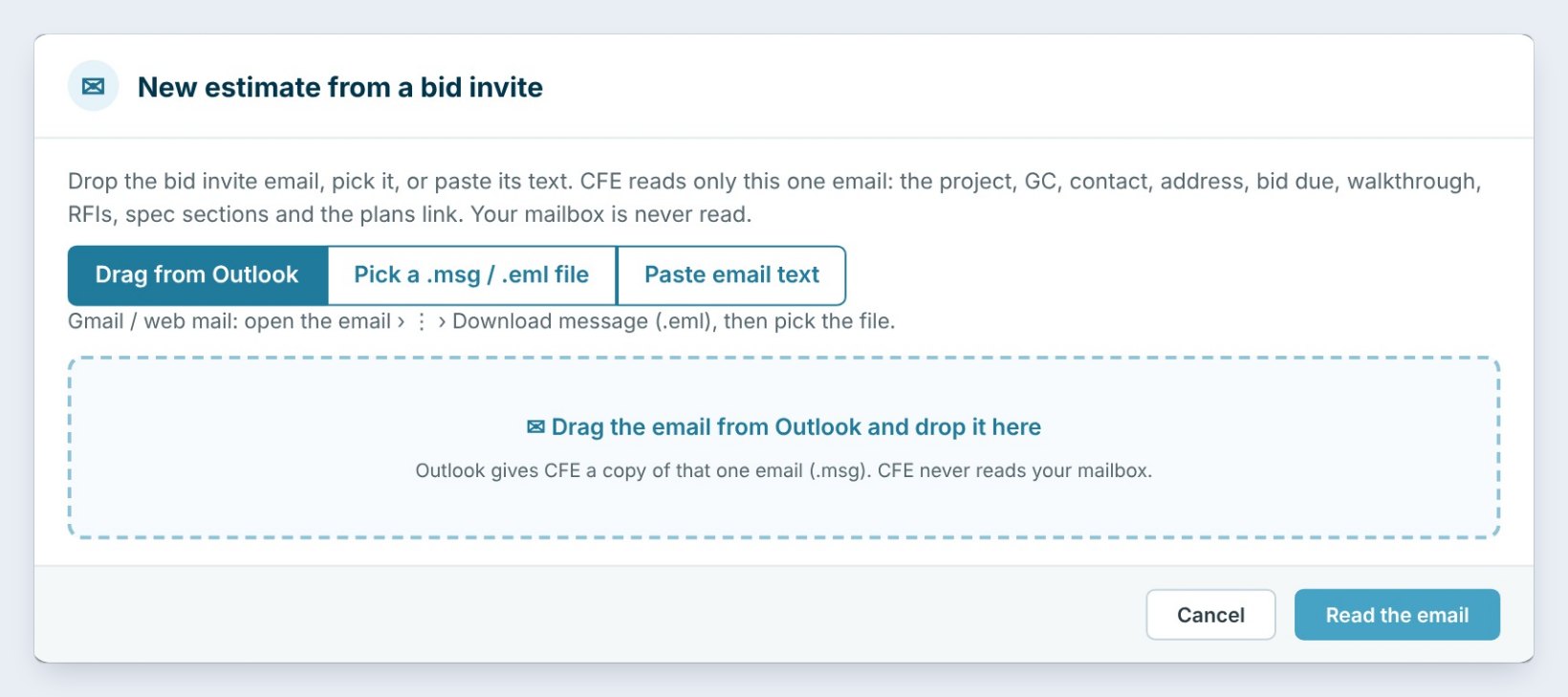
On the Dashboard, press From bid invite and drag the GC's email in, pick the .msg or .eml file, or paste the text. BidWise reads the project, GC, contact, address, bid due date, walkthrough, RFI date, spec sections and the plans link.
The new estimate starts with the email and its attachments already in Emails / Bid Invite, so the folder is ready before you price the first line.
5Set the Job Folder up in Settings
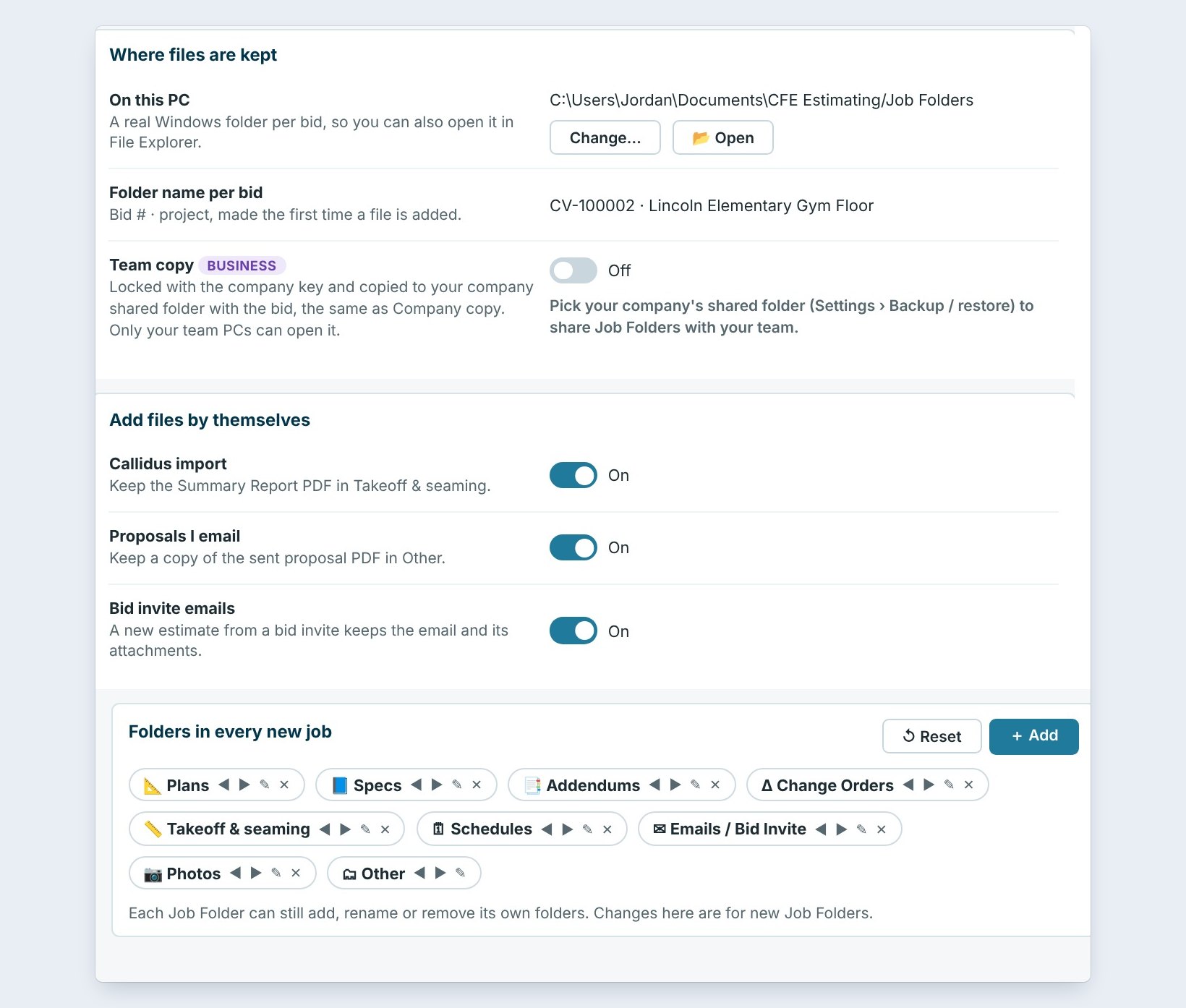
Settings › Job Folder sets the Largest file you can add (15 MB unless you change it), the warning size for a whole folder, and how long the Recycle bin keeps deleted files. Folders in every new job lets you rename, reorder or add folders.
Add files by themselves keeps the Callidus Summary Report PDF when you import it, a copy of every proposal you email, and the bid invite email. The files are kept in a real Windows folder on your PC, one per bid.
6What can go wrong, and how to fix it
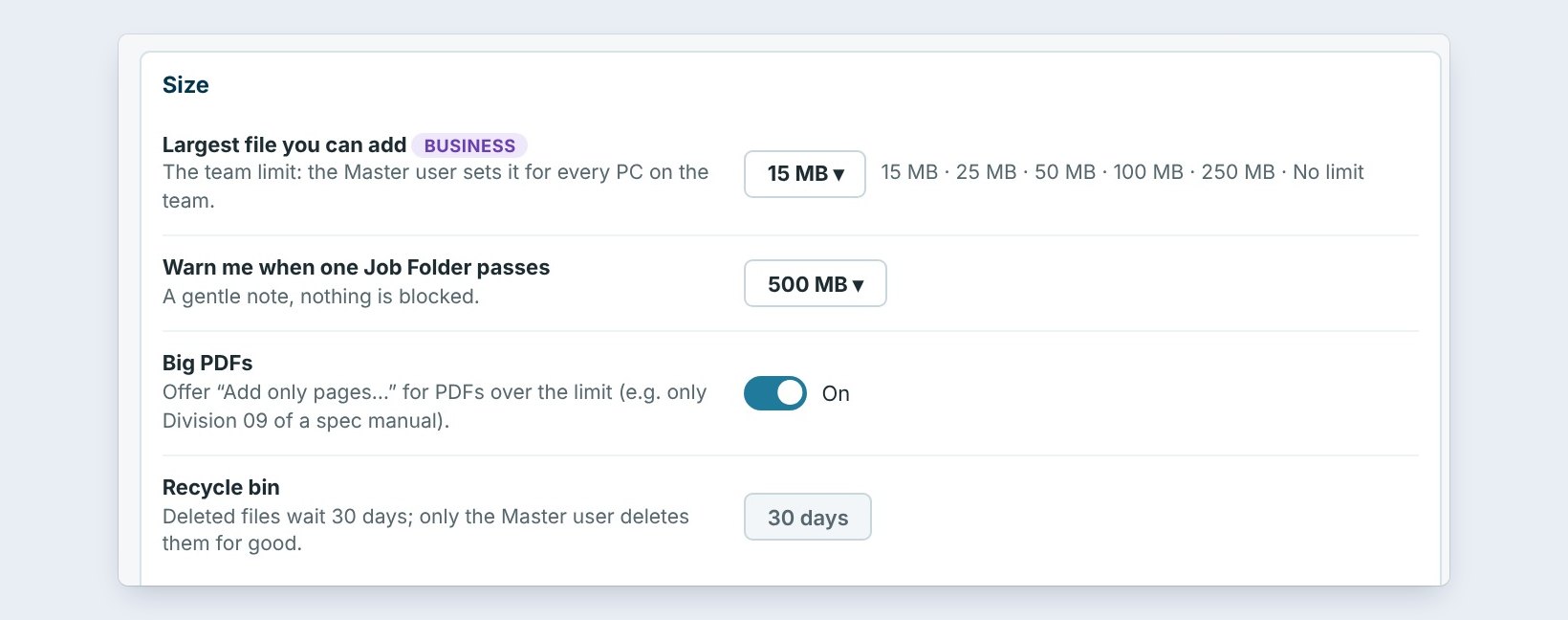
The spec manual is too big. A file over 15 MB asks first. With Big PDFs on, pick Add only pages and keep just Division 09, the finishes, as a small new PDF. Or raise the limit; on Business only the Master user can.
An email will not drop. Click it once in Outlook, then drag again. With the new Outlook, drag the email to the desktop first, then drop that file in the Job Folder.
A file was deleted by mistake. Open the Recycle bin at the bottom of the folder list and put it back. Deleted files wait 30 days before they go for good.
Worked example: the Riverside Medical bid
What is in the Job Folder for Riverside Medical Office Bldg Phase 2, bid JR-260101:
| Folder | Files | Example |
|---|---|---|
| Plans | 3 | A-101 Floor Finish Plan |
| Specs | 2 | 09 68 13 Tile Carpeting |
| Addendums | 1 | Addendum 02, not acknowledged yet |
| Emails / Bid Invite | 2 | Bid invite and RE Addendum 2 question |
| Photos | 3 | Slab before prep, corridor 120 |
Fourteen files, 987 KB in all. When the job is won, the plans and the seaming diagram go to the crew with the work order, and the photos are ready if a question ever comes up about the slab.
What to do next
Next, send the plans to the crew with installer and office work orders, and attach the right files to your RFI and submittal forms.
Keep every bid file in one place
The Job Folder comes with BidWise. Start with the 30-day free trial, no credit card.
Frequently Asked Questions
Where are the Job Folder files kept?
In a real Windows folder on your PC, one per bid, under Documents. Nothing is stored on BidWise's servers. On Business a locked team copy goes to your company's own shared folder.
What is the largest file I can add?
15 MB a file unless you change it in Settings › Job Folder: 25, 50, 100, 250 MB or no limit. Big PDFs can keep only the pages you need.
Can I search inside the plans and specs?
Yes. The search box finds words inside PDFs, Word files, spreadsheets and emails, in this job or in all your jobs.
Does BidWise read my Outlook mailbox?
No. It reads only the email you drag in, pick or paste.
What happens to a deleted file?
It waits in the Recycle bin for 30 days, then goes for good. You can pick 7, 30 or 90 days.

Written by
Cristian Valcu – Founder & CEO, Commercial Flooring Estimating LLC
Cristian has estimated commercial flooring for over 20 years and built BidWise around the way flooring contractors actually price, propose and track their bids.
Last updated: