BidWise guide · Getting started
Start Your Free Trial and Try Personal vs Business
The BidWise free trial gives you every function for 30 days on one computer, with no credit card. A Try as switch on the title bar flips the same bids between BidWise Personal and BidWise Business, so you can see exactly what each plan shows before you buy. When you are ready, About › License info lists both plans, and nothing you made in the trial is lost.


Why try both plans first?
A one-person shop and a company with estimators, a warehouse and an office need different screens. Personal keeps things simple; Business adds the team, progress billing, the warehouse crew screens and the accounting a growing company asks for.
The Try as switch lets you see both on your own bids during the trial, so you buy the plan that fits instead of guessing from a feature list.
The five steps
- Start the trialThirty days, every function, on Business.
- Flip to PersonalSame bids, simpler screens.
- See what Business addsWarehouse crew screens, accounting, team.
- Pick a planAbout › License info: Personal or Business.
- What can go wrongTrial ended, key, or a team code.
1Start the trial and find the Try as switch
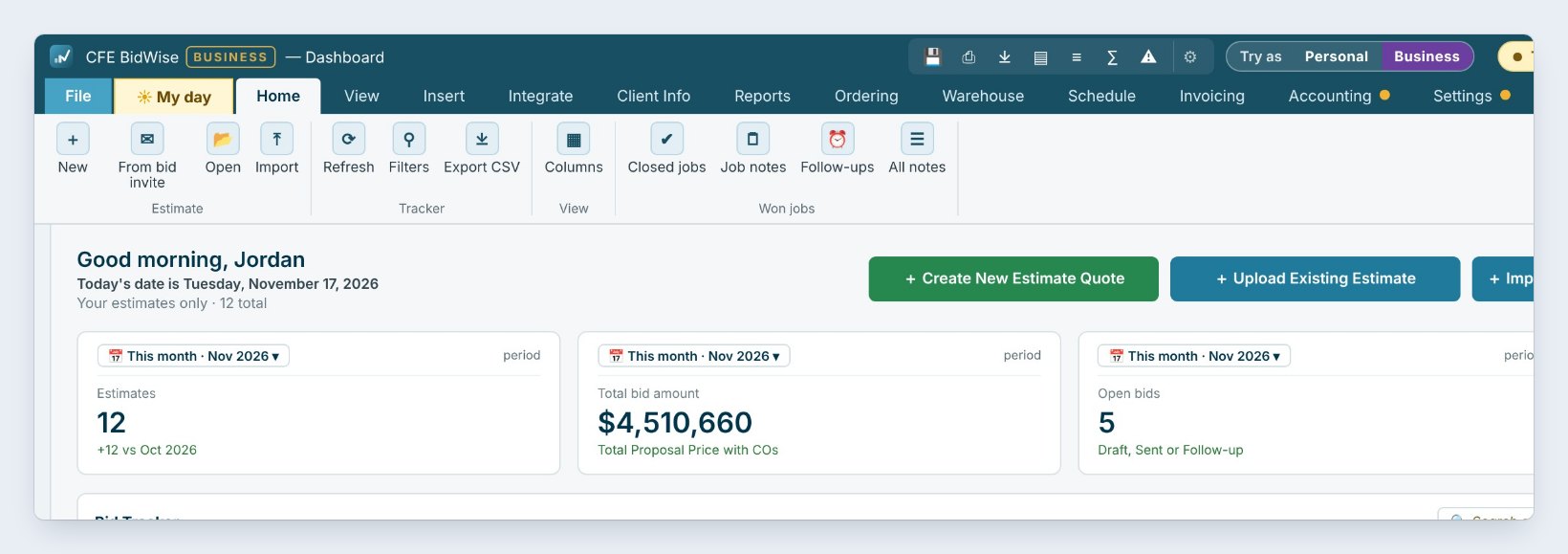
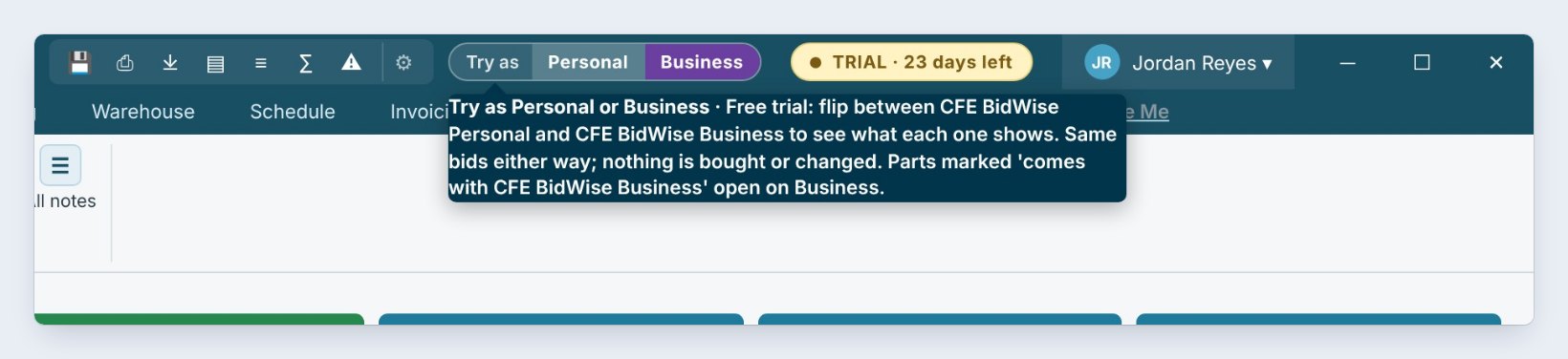
Install BidWise, create your user, and the free trial starts by itself: 30 days, every function, on one computer, with no credit card. The yellow badge on the title bar counts the days left, here TRIAL · 23 days left.
Next to it sits the Try as switch, Personal | Business. The trial starts on Business, so the BUSINESS tag shows by the app name. Point at the switch and it explains itself: the same bids, seen either way. Nothing is bought and nothing is changed.
Team invites and the shared company copy wait until you buy a plan, so the trial is the place to try every screen on your own bids.
2Flip to Personal and look at your own bids
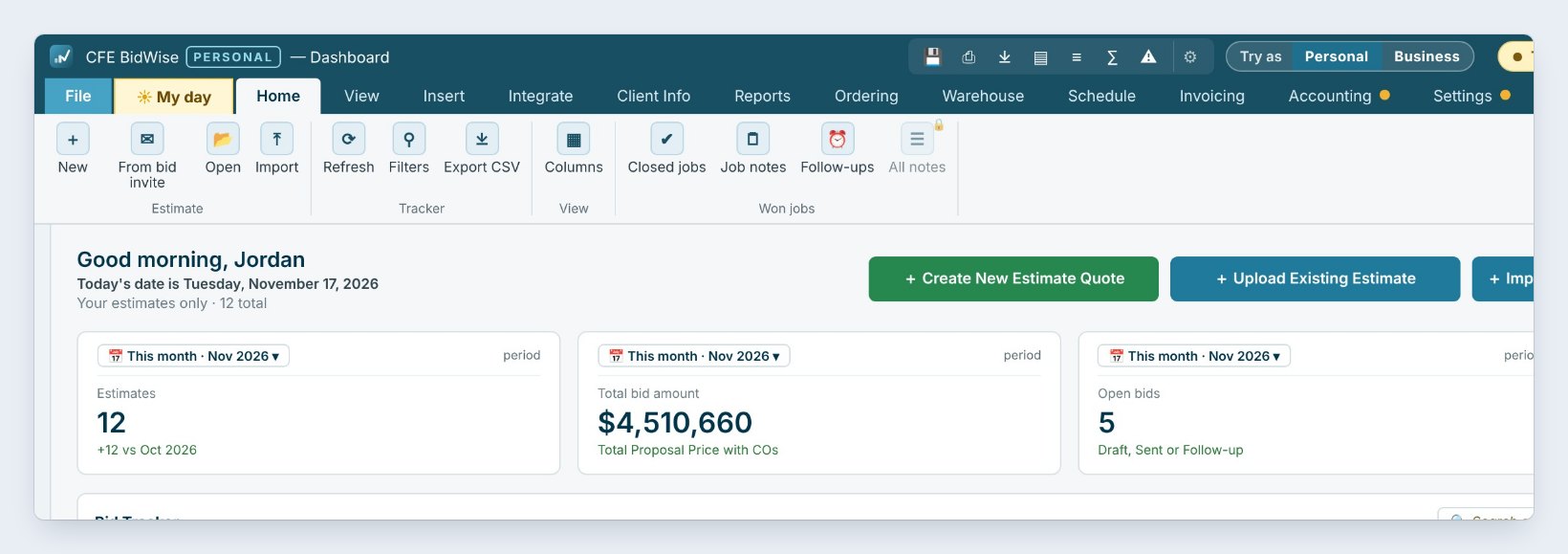
Click Personal on the switch. The tag by the app name changes to PERSONAL, and the Dashboard shows the same 12 bids, the same totals and the same Bid Tracker. Your work does not move or change.
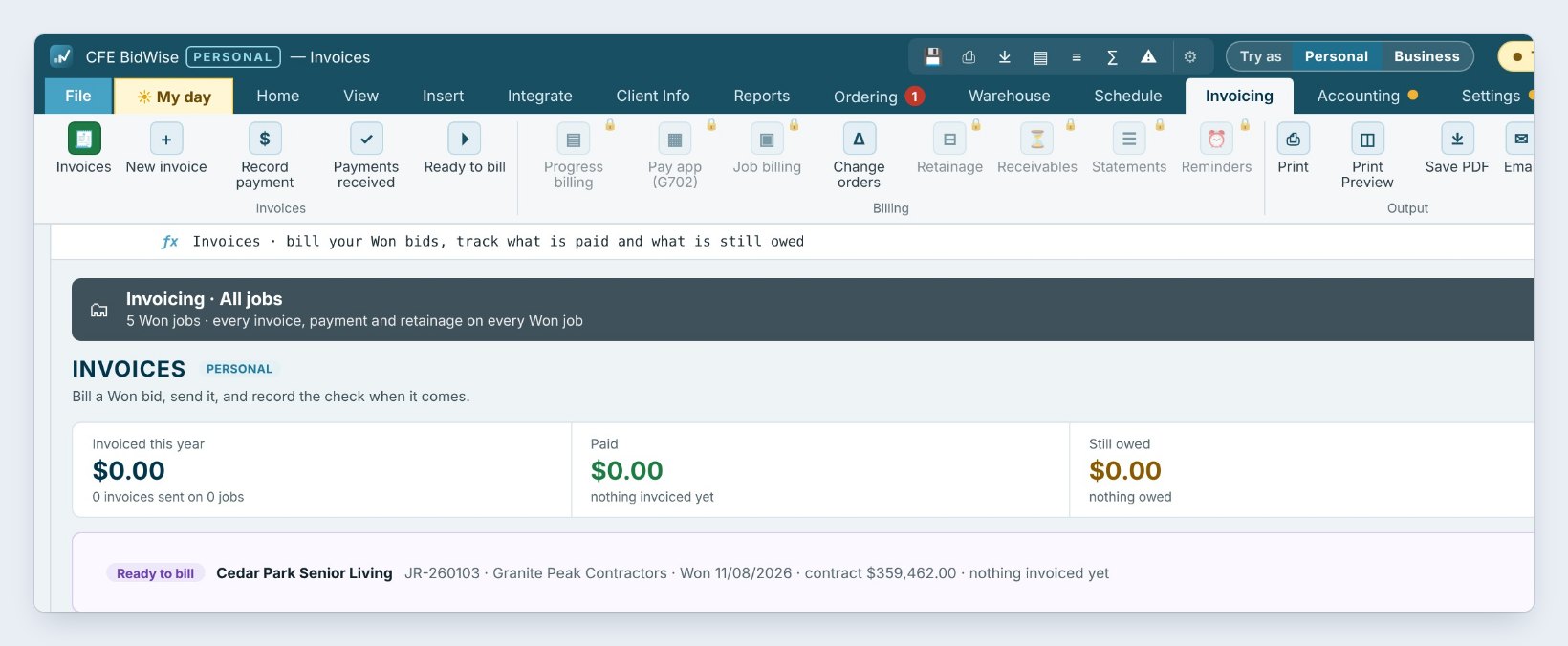
Now open the tabs you use. On Invoicing, Personal makes invoices, records payments and shows Ready to bill. The buttons for Progress billing, Pay app (G702), Job billing, Retainage, Receivables, Statements and Reminders carry a small lock, and the line at the bottom says they come with BidWise Business.
Spend ten minutes on Personal with a real bid of yours: send a proposal, make an invoice, order the material. If nothing you need is locked, Personal is your plan.
3See what Business adds on the other tabs
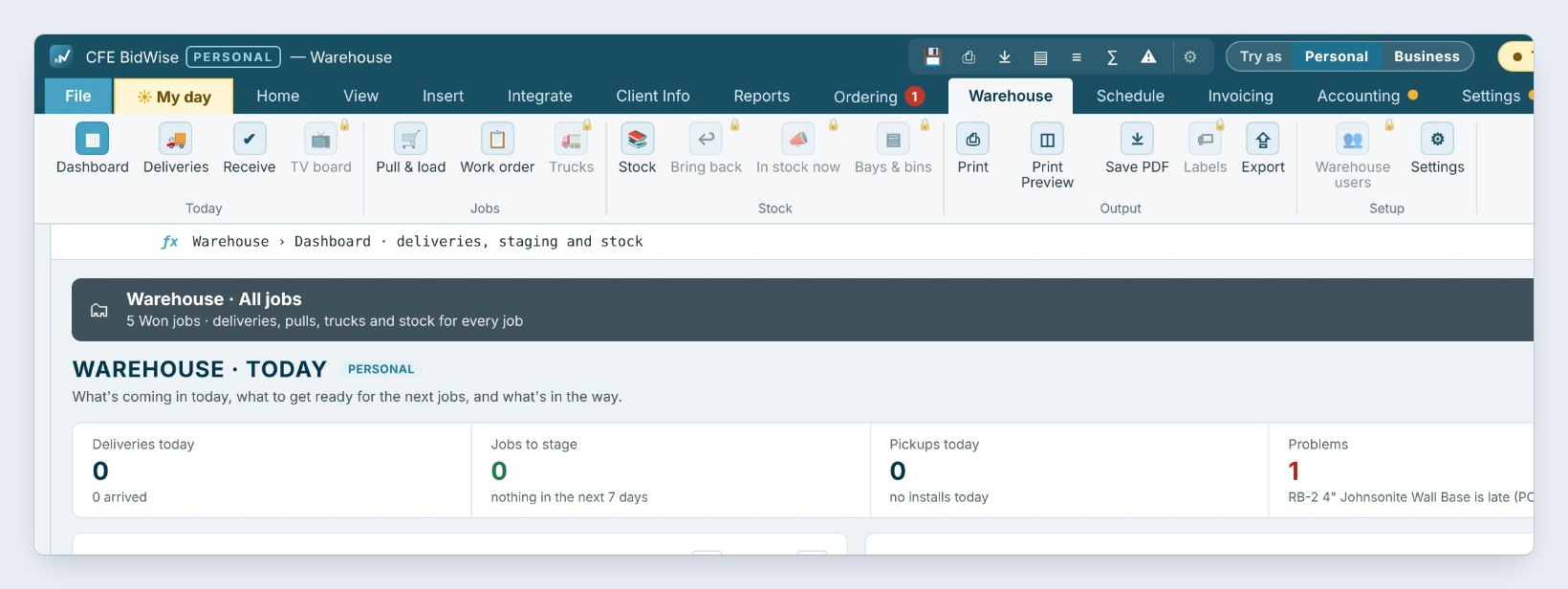
On Warehouse, Personal still shows today’s schedule, late deliveries and the pull, stage and load list. The TV board, Bring back leftovers, In stock now, Bays & bins, Labels and Warehouse users are Business, because they are made for a warehouse crew.
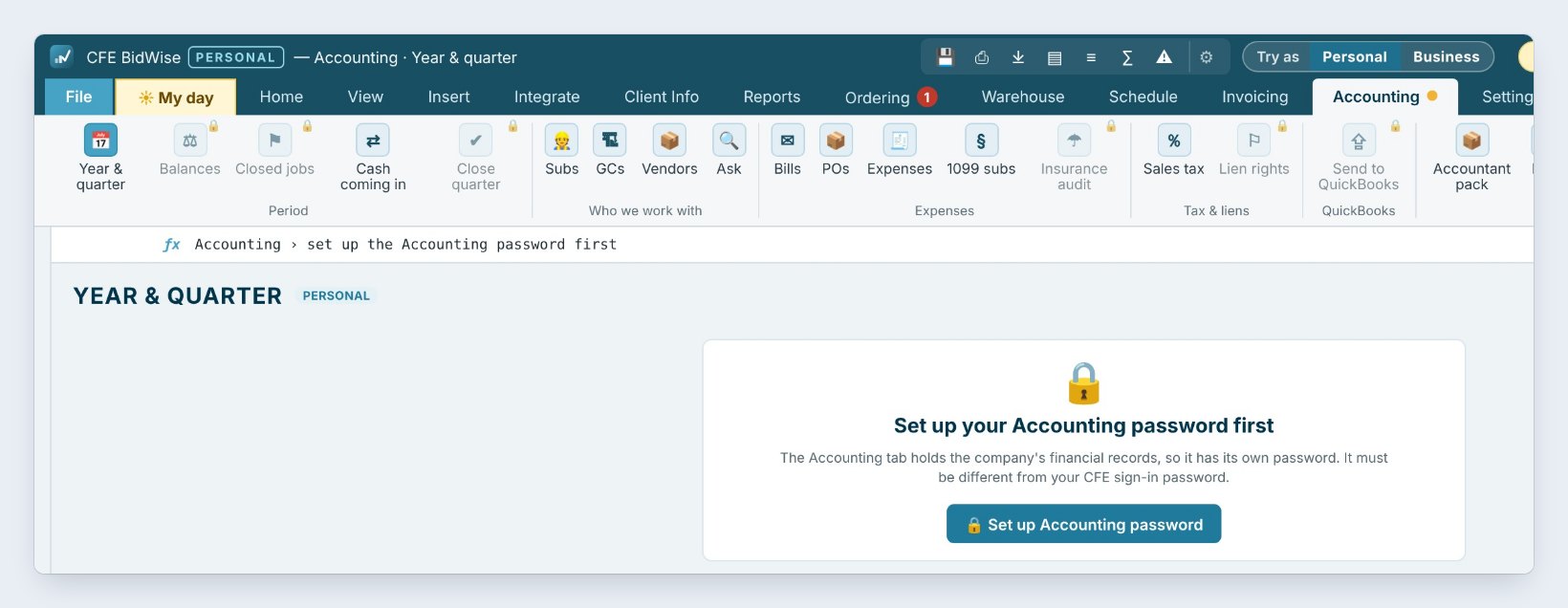
On Accounting, both plans ask you to set up a separate Accounting password first. Personal keeps Year & quarter, bills, expenses and the accountant pack; Balances, Closed jobs, Close quarter, Insurance audit and Lien rights are Business. Business also adds team seats, so each estimator gets their own login and every bid goes into one company copy.
4Compare the prices and pick a plan
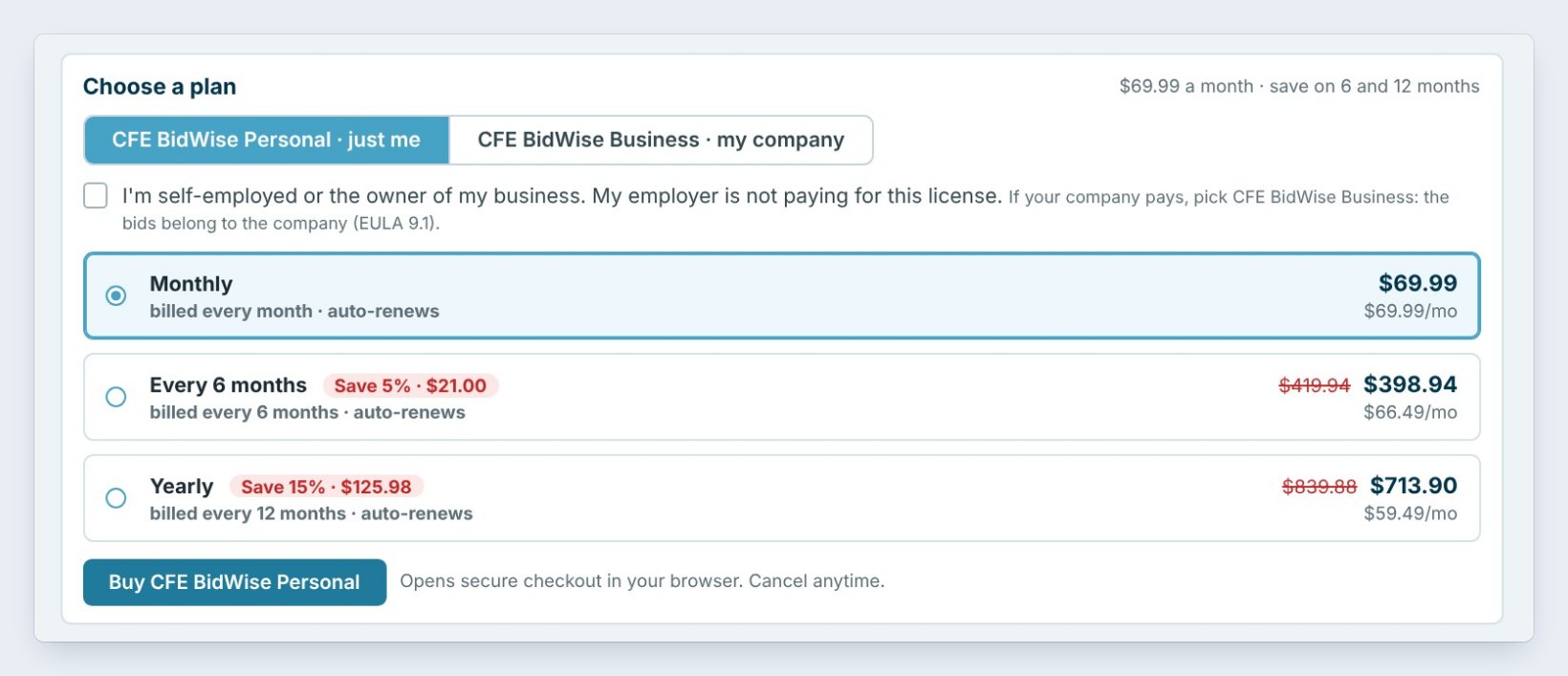
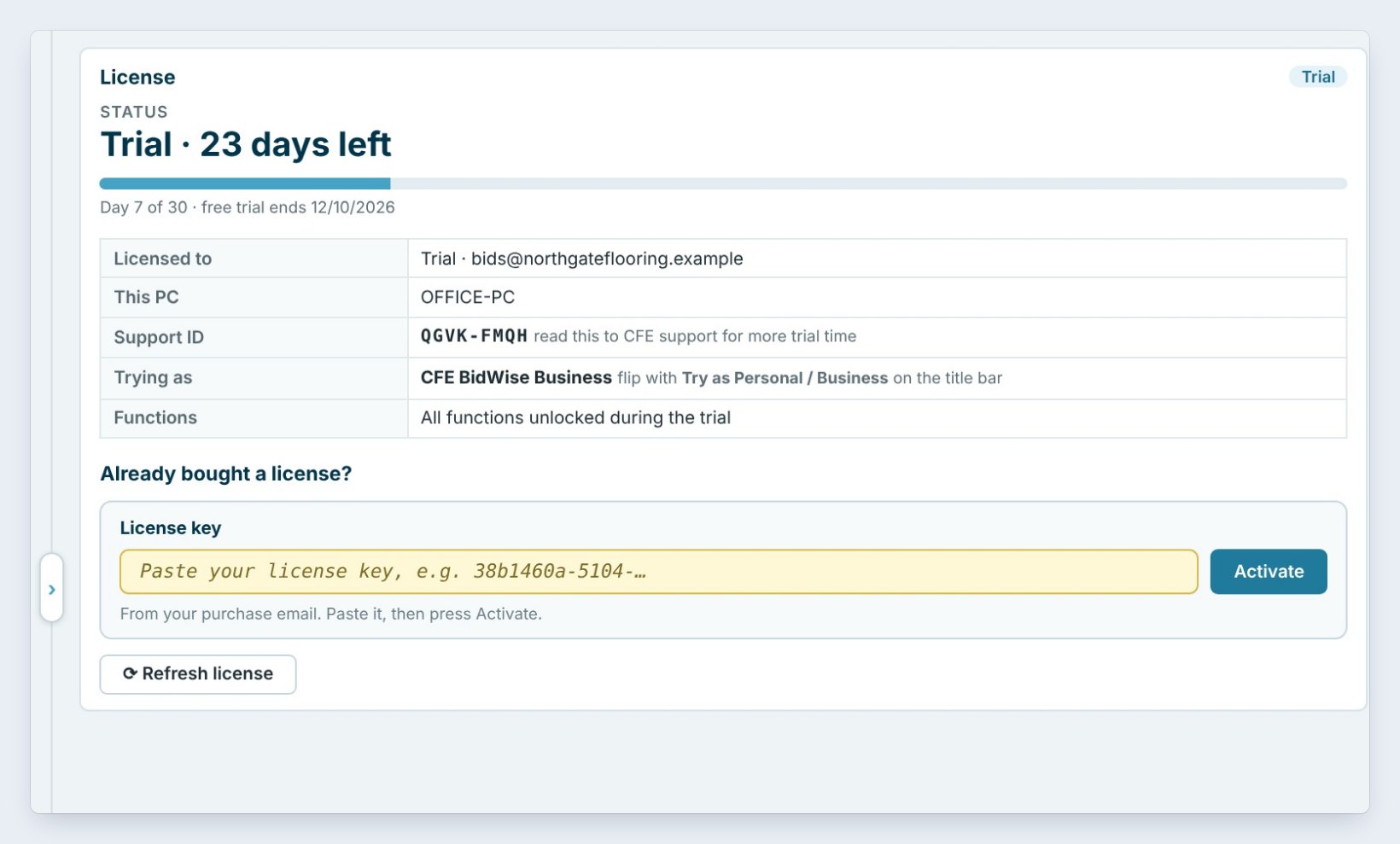
Open About › License info. The left card shows the trial status and who it is licensed to. The right card, Choose a plan, has two tabs. BidWise Personal · just me is for one person who owns the business: $69.99 a month, or Every 6 months or Yearly to save five and fifteen percent.
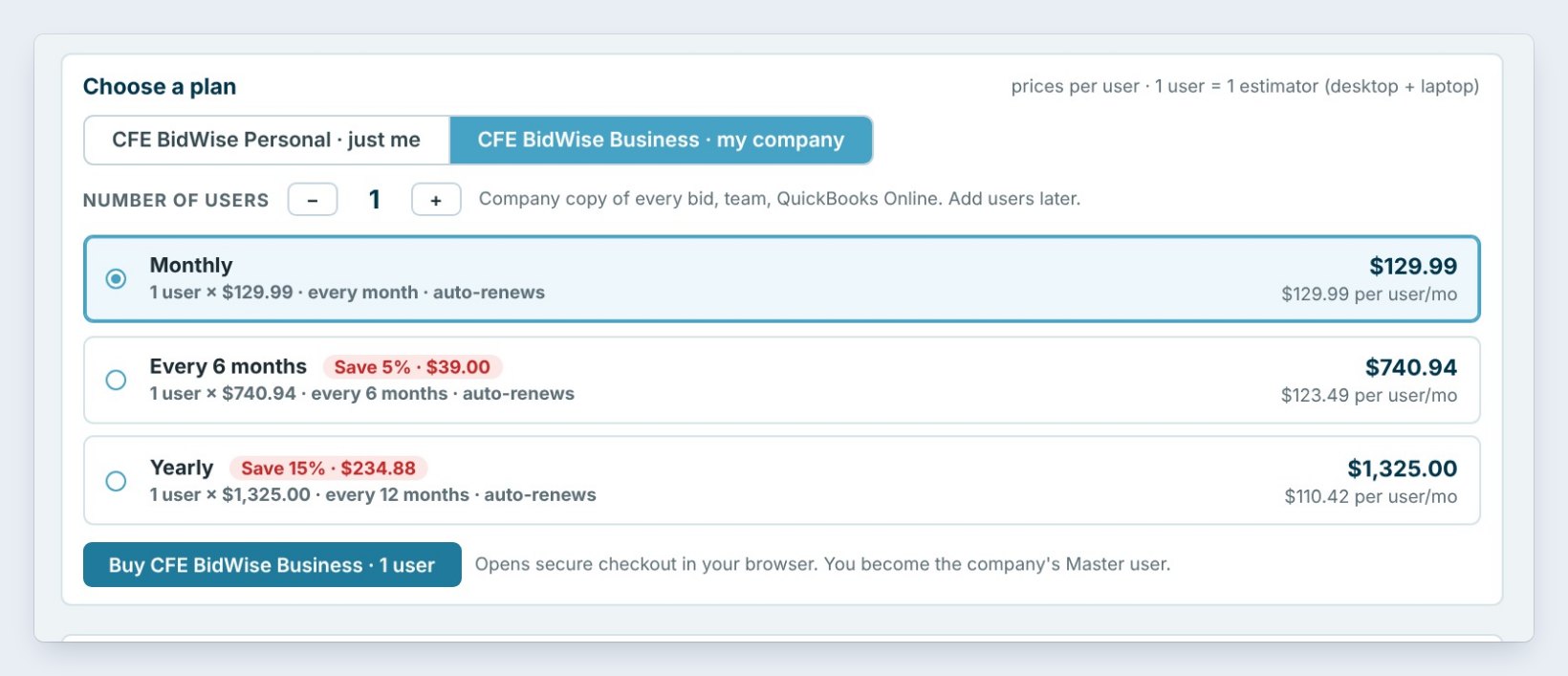
BidWise Business · my company is priced per user, $129.99 a month for one. Set the Number of users with the plus and minus, pick the billing period, and press Buy. Checkout opens in your browser, and the buyer becomes the company’s Master user. Your bids from the trial stay right where they are.
If your employer pays for the license, pick Business. Personal is for the owner or a self-employed estimator; the tick box under the plan tabs asks you to confirm it.
5What can go wrong, and how to fix it
The trial ended before you bought. BidWise opens in Limited Mode: the Estimate Quote and the Dashboard keep working, with a LIMITED MODE watermark on the PDF, and every other screen shows a lock until you register. Nothing is deleted.
You bought, but it still says Trial. Paste the key from your purchase email in License key and press Activate, or press Refresh license while you are online.
Your company already has a Business plan. Do not buy another one. Type the 6-digit code from your invite email under Join your company’s team and press Join team. Your seat works on two computers, such as a desktop and a laptop.
Worked example: which plan fits?
Three shops look at the same trial:
| Shop | What they need | Plan |
|---|---|---|
| Owner who bids alone | Bids, proposals, invoices, ordering | Personal |
| Owner plus 2 estimators | Own logins, one company copy | Business, 3 users |
| Shop with a warehouse | TV board, leftovers, labels | Business |
| GC asks for pay apps | Progress billing, G702 and G703 | Business |
Each shop flipped the Try as switch on its own bids before buying, so nobody paid for screens they will not use.
What to do next
Next, set up your company settings and start your first estimate.
Try both plans on your own bids
Download BidWise and start the 30-day free trial, no credit card.
Frequently Asked Questions
Do I need a credit card for the trial?
No. The 30-day trial needs only an email address, and it unlocks every function on one computer.
Does the Try as switch change my bids?
No. It only changes what the screens show. Your bids, proposals and invoices stay the same either way.
What happens after 30 days?
BidWise opens in Limited Mode: the Estimate Quote and the Dashboard keep working and nothing is deleted. Register to unlock everything again.
Can I move from Personal to Business later?
Yes. Both plans keep the same data, so switching carries every bid over.

Written by
Cristian Valcu – Founder & CEO, Commercial Flooring Estimating LLC
Cristian has estimated commercial flooring for over 20 years and built BidWise around the way flooring contractors actually price, propose and track their bids.
Last updated: