BidWise guide · Schedule and the field
Extra Work, Change Orders and GC Sign-Off From the Field
Extra work only gets paid when the GC signed for it, so BidWise gets the signature on site, before the crew leaves. The crew writes an extra work ticket or a change order request on the phone and hands it to the GC’s super to sign. The ticket lands in Reports › Extra work tickets priced at your T&M rates, the GC gets a signed copy by email, and you pick whether it becomes a change order, goes on the next invoice or stays your cost.


Why get it signed on site?
A floor patch nobody planned, glue-down VCT under the casework, furniture to move before you can install: flooring crews do extra work on almost every job. Weeks later, at billing, the GC does not remember asking, and the work goes unpaid.
A ticket written and signed on site, with the date, the crew, the hours and the price, ends that argument. BidWise prices it at your T&M rates, emails the GC a signed copy and keeps it in front of you until it is billed or written off.
The six steps
- Write it up on the phoneExtra work (T&M) or a change order request.
- See the ticketsReports, Extra work tickets: price and status.
- Get the GC to signOn the phone, or mark a paper signature.
- Email the GC a copyThe GC gets the signed ticket for their records.
- Bill itNext invoice, a change order, or our cost.
- What can go wrongFixes for the usual snags.
1Write up extra work or a change order on the phone
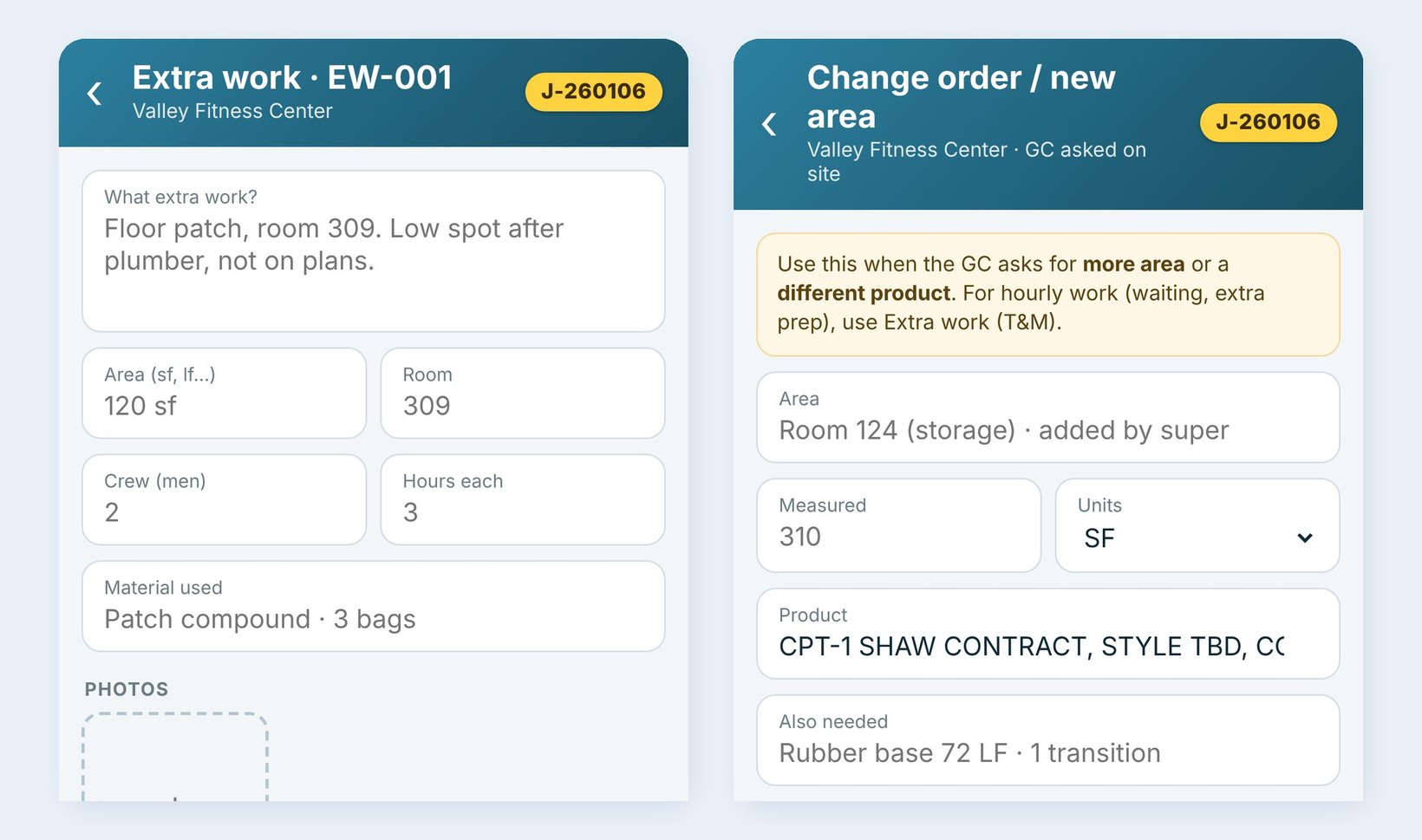
On the job, the lead taps Extra work for hourly work, such as Floor patch, room 309. Low spot after plumber, not on plans. with the area, the room, the crew, the hours each and the material used. Get GC signature hands the phone to the super; Save, sign later keeps it for later.
When the GC asks for more area or a different product, use Change order / new area instead. The crew sees no price: the GC signs that they asked for it, and it arrives in BidWise as a draft change order for the office to price.
2See every ticket in Extra work tickets
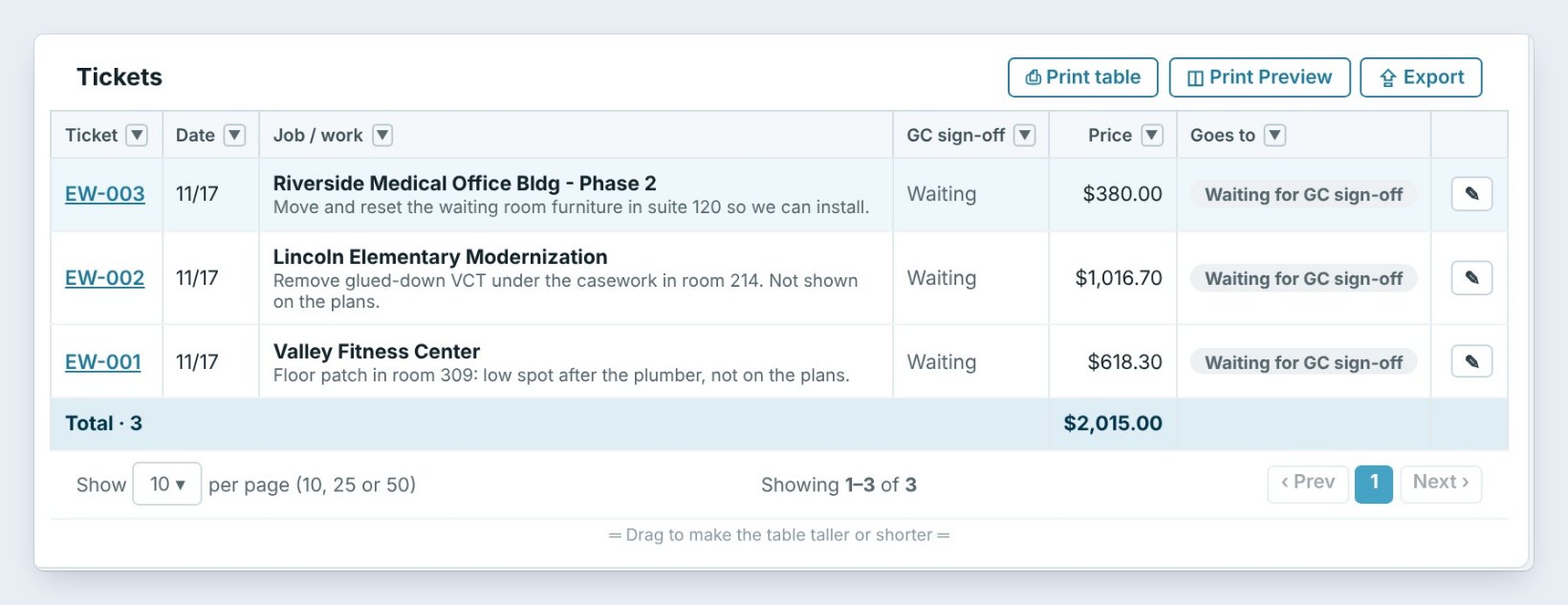
Tickets from the phones land in Reports › Extra work tickets. For a paper ticket, click New ticket and type it in: the job, the date, the work, the crew, the men and hours, and the material. The Price to GC works itself out from your T&M rates, here 2 men × 3 hours at $95 an hour plus material at cost + 15% is $618.30.
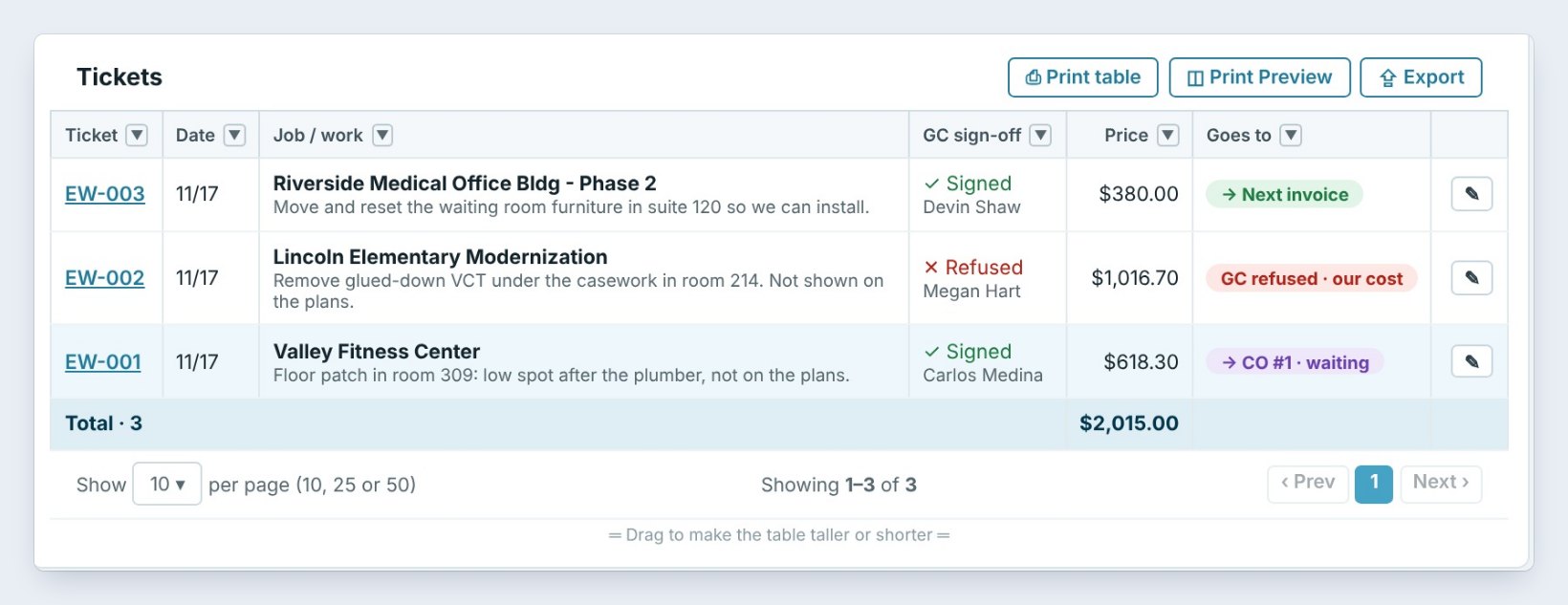
The list shows each ticket with the job, the GC sign-off, the price and where it Goes to. The tiles at the top count what is signed but not billed yet and what the GC refused.
3Get the GC’s signature
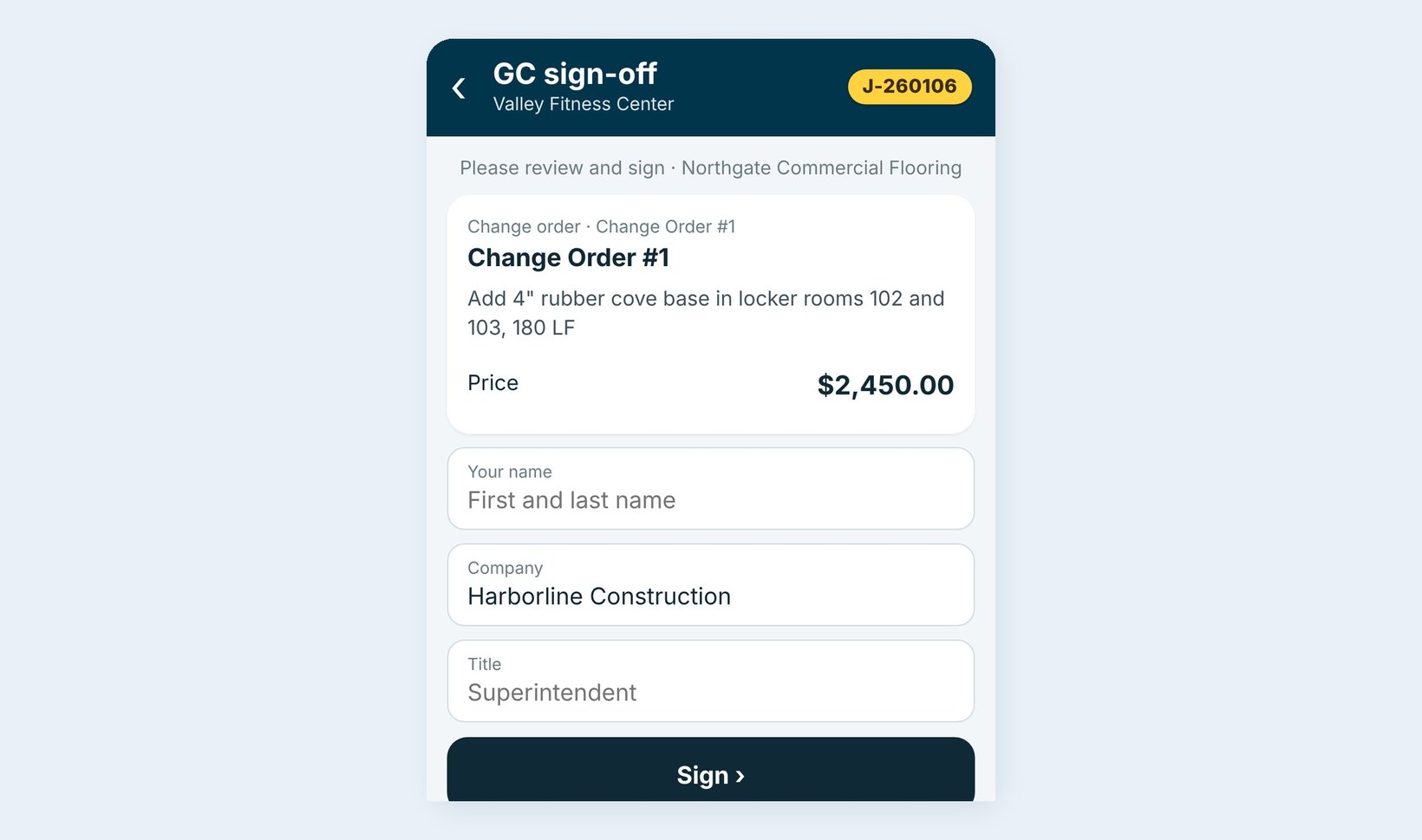
On the phone, the super types their name, company and title and signs with a finger, or taps Refuse. A signed change order turns Approved and a refused one Rejected, and the signed copy goes to the Job Folder.
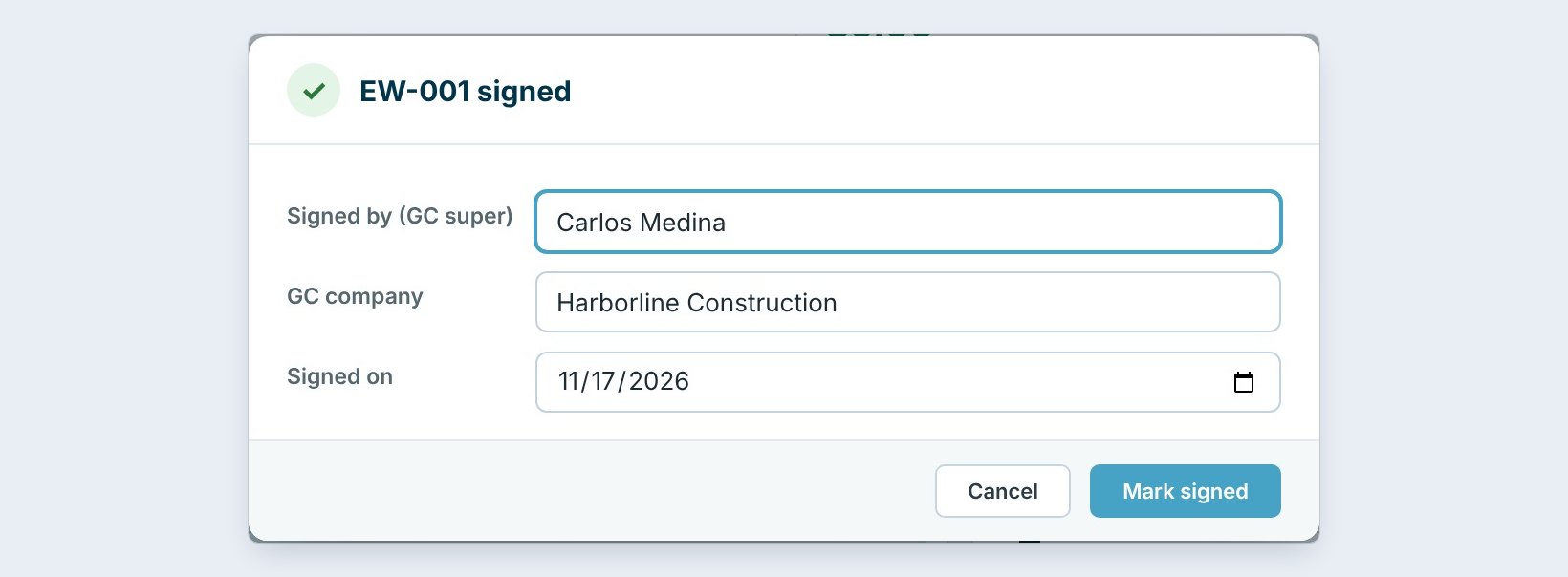
If the GC signed a paper ticket, open it in Extra work tickets and click Mark signed. Type who signed, here Carlos Medina of Harborline Construction, and the date. A refused ticket is GC refused and counts as your cost.
4Email the GC a signed copy
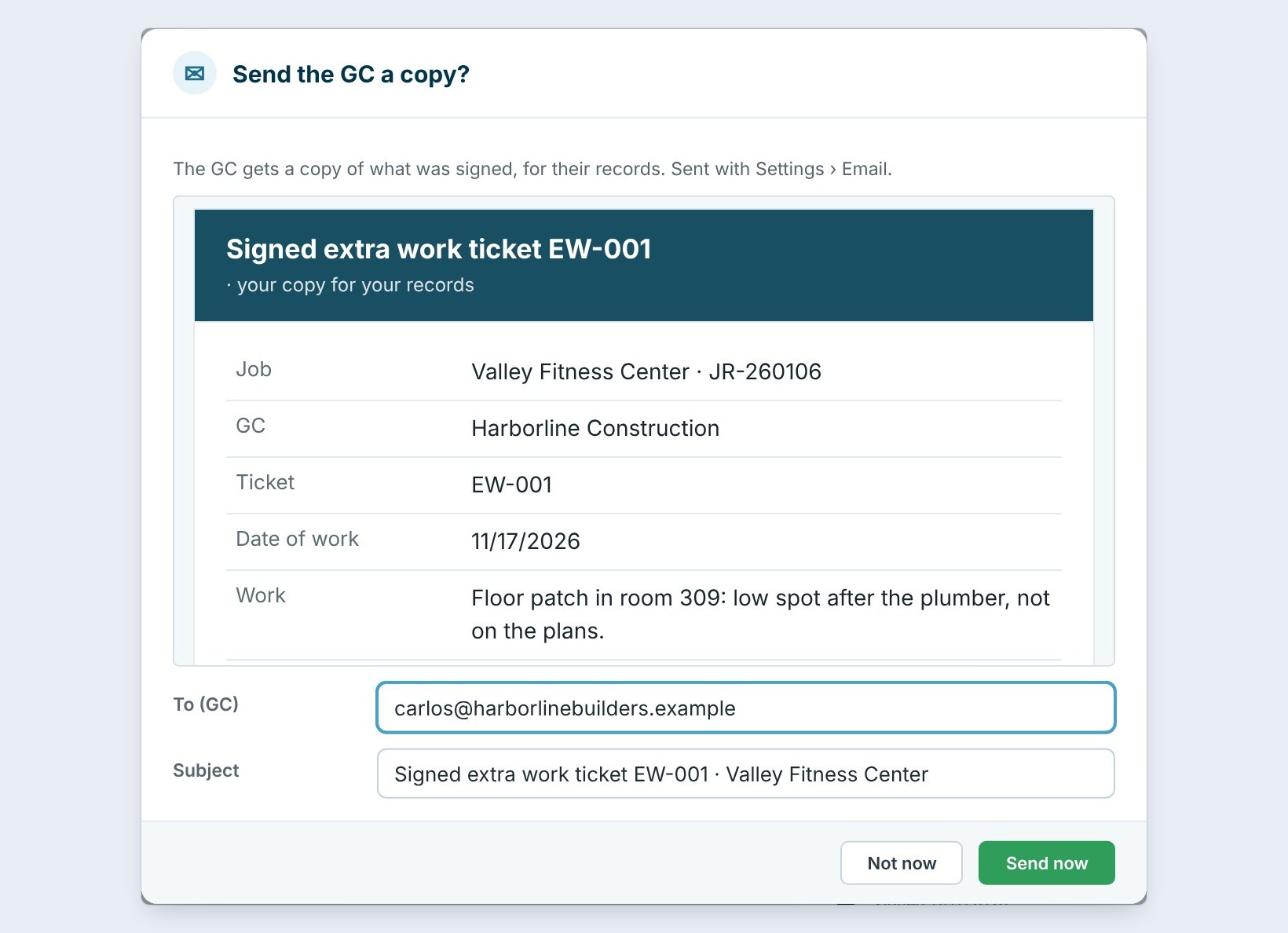
Right after it is signed, BidWise asks Send the GC a copy? The email shows the signed ticket with the job, the GC, the ticket number, the date and the work. Check the GC’s email and click Send now.
The ticket then shows Signed copy emailed to carlos@harborlinebuilders.example with the date, and Email again if they lose it. Approved change orders get the same signed copy.
Send the copy the same day. A GC who has the signed ticket in their inbox rarely argues the change order a month later.
5Decide what the ticket becomes
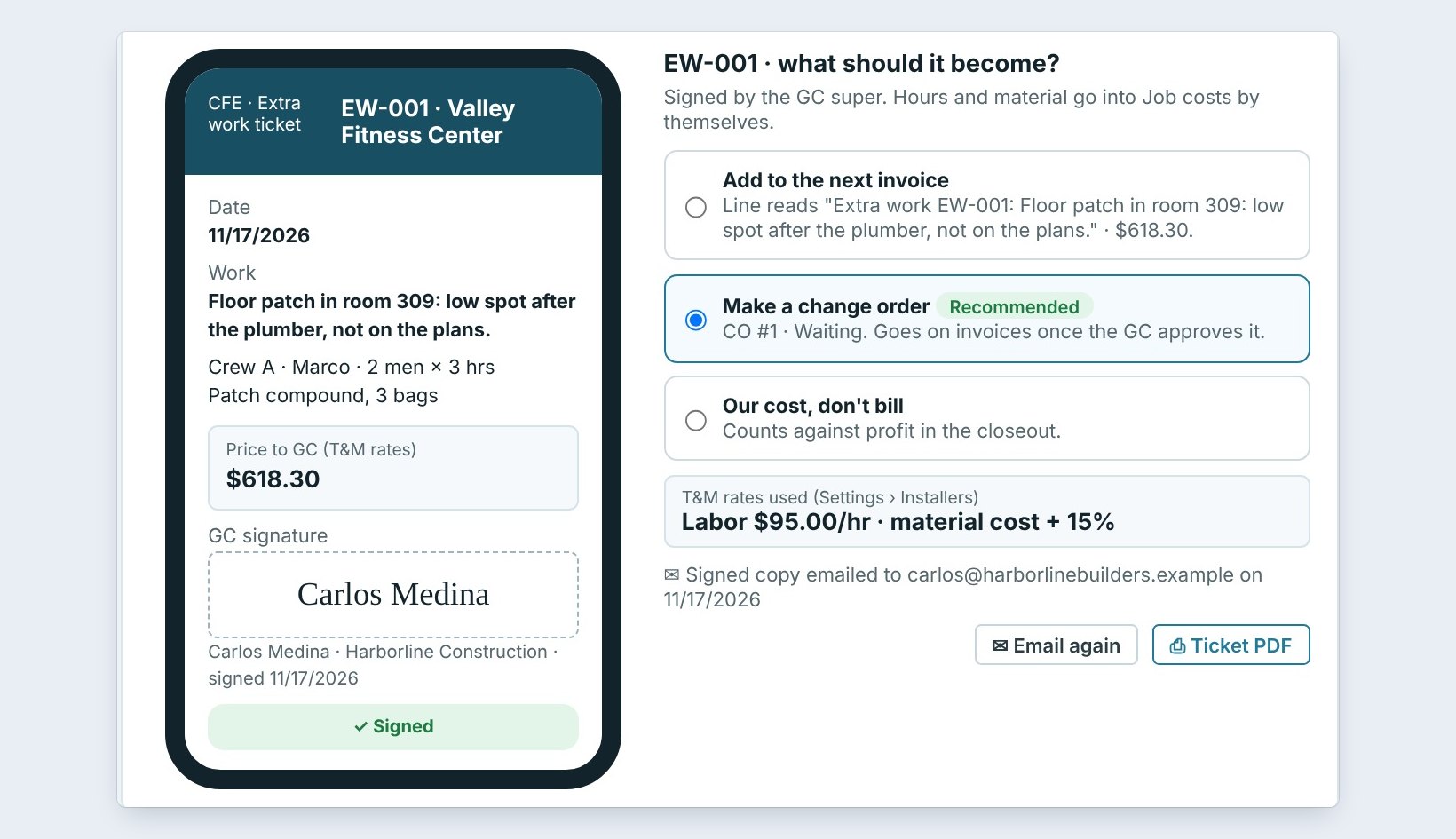
On a signed ticket, pick what it becomes: Add to the next invoice as a line, Make a change order, which starts the change order with this price and goes on invoices once the GC approves it, or Our cost, don’t bill, which counts against profit in the closeout. You can change your pick any time.
Here EW-003 goes on the next invoice, EW-002 was refused and stays our cost, and EW-001 became CO #1, waiting on the GC in Invoicing › Change orders.
6What can go wrong, and how to fix it
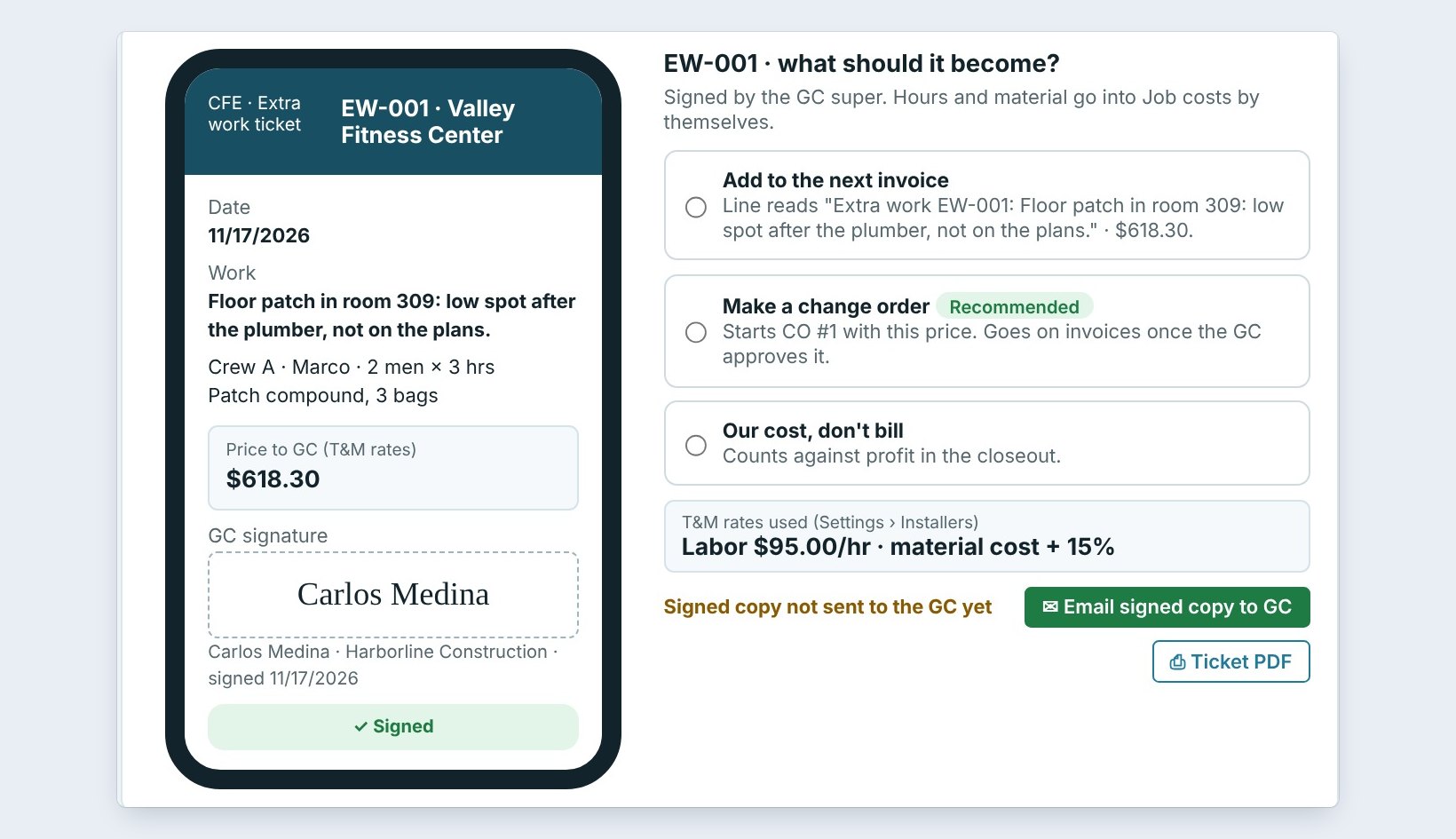
You clicked Not now on the GC copy. The ticket shows Signed copy not sent to the GC yet. Click Email signed copy to GC when you are ready.
You picked the wrong choice. Next invoice, change order or our cost can be changed any time until it is billed. Just click the other one.
The price looks wrong. The T&M price comes from Settings › Installers. Fix the rates there, or type the price you agreed with the GC in Price to GC on the ticket.
Worked example: three tickets on Tuesday
Three extra work tickets at Northgate Commercial Flooring, 11/17:
| Ticket | Signed by | Price | Became |
|---|---|---|---|
| EW-001 Valley Fitness floor patch | Carlos Medina | $618.30 | Change order CO #1 |
| EW-002 Lincoln VCT removal | Refused, Megan Hart | $1,016.70 | Our cost |
| EW-003 Riverside furniture move | Devin Shaw | $380.00 | Next invoice |
| 3 tickets | 2 signed, 1 refused | $2,015.00 | $998.30 billed |
Two of the three tickets got paid, and the refused one is on the closeout as a known cost instead of a surprise.
What to do next
Set up the crews first with the Field app setup guide, and bill approved change orders with invoices and payments.
Get every extra signed before the crew leaves
Extra work tickets come with BidWise Business. Start with the 30-day free trial, no credit card.
Frequently Asked Questions
Do the crews see our T&M rates?
No. Crews never see costs. You can choose to show the GC the labor price on extra work tickets before they sign, in Schedule › Field app.
Where do the T&M rates come from?
From Settings › Installers: the labor rate per hour and the markup on material.
Is a signed copy kept?
Yes. The signed ticket or change order, with the drawn signature, goes to the job’s Job Folder, and the GC can get an email copy.
Is it on the Personal plan?
BidWise Personal has one crew phone with photos, extra work and GC sign-off. The Extra work tickets report for in-house crews is on Business.

Written by
Cristian Valcu – Founder & CEO, Commercial Flooring Estimating LLC
Cristian has estimated commercial flooring for over 20 years and built BidWise around the way flooring contractors actually price, propose and track their bids.
Last updated: